Anchorite is the personal work of Mathew Purchase and friends. So far we've released three titles, Unstoppable, Interloper, and Exoloper. Paw. We previously worked on and have since paused work on Charge.


New Exo Build

This week I've been gunning it on the UI front, trying to get a basically playable build up and running. Well, the build is up, and it... can be played. Likely the most buggy build of anything I've ever distributed, but its up, and it's Beta, so its fine.

Xcode's organiser says it's been a couple months since my last build, and while I find it hard to believe, it's probably right. So for those who run the Testflight verison of the game, I'm sorry it's taken so long to get this build up. Last build 10, November, 2023, current: 19 January 2024... thats a long time

As for what's new between these builds? So much. The reason it's taken so long is that I've been completely rebuilding the games UI to be production ready (with some eventual tweaks), so thats stuff like implementing an updated graphic design, a fully interactive Exo-builder interface, 3D backgrounds, blur effects, completely new navigation paths, updated functionality on top of systems that were stubbed out previously, and so so much more.

With all this new stuff mostly in the game, there's going to be some bugs and issues, especially with the way that they interact with my previous assumptions about things. The next few weeks will continue to see work on finishing the UI content, but also I'll do more regular releases to clear out the issues that've cropped up.

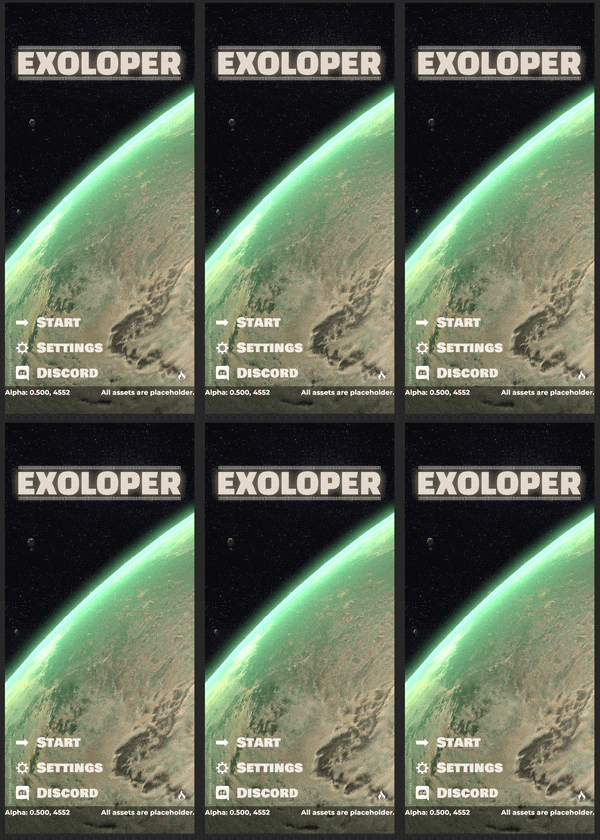
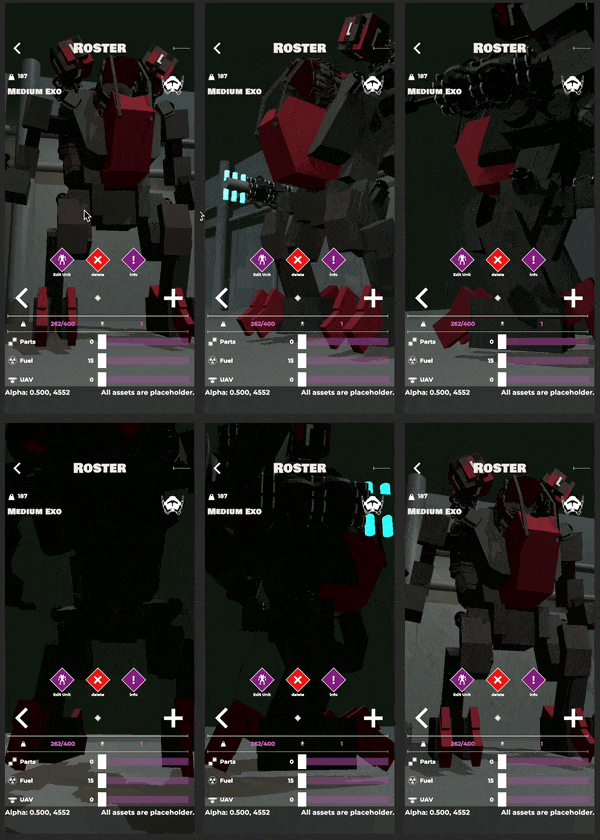
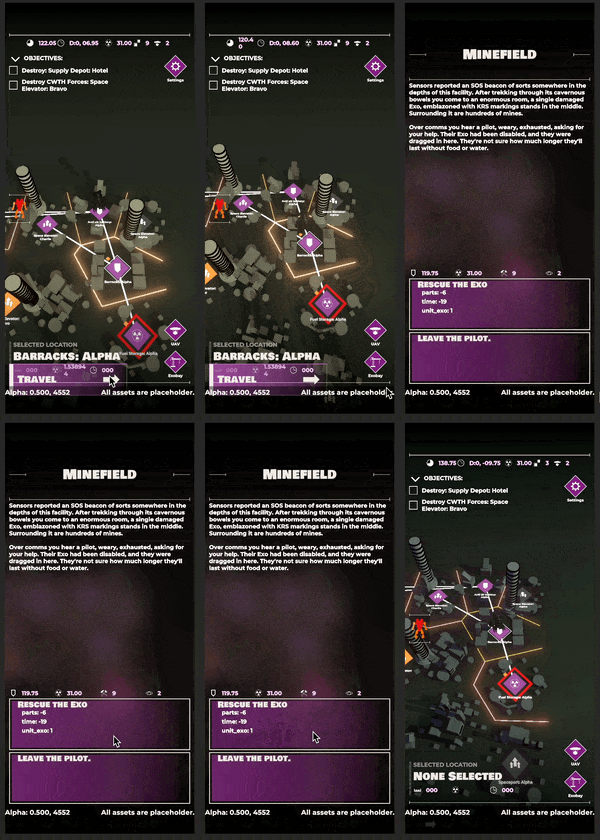
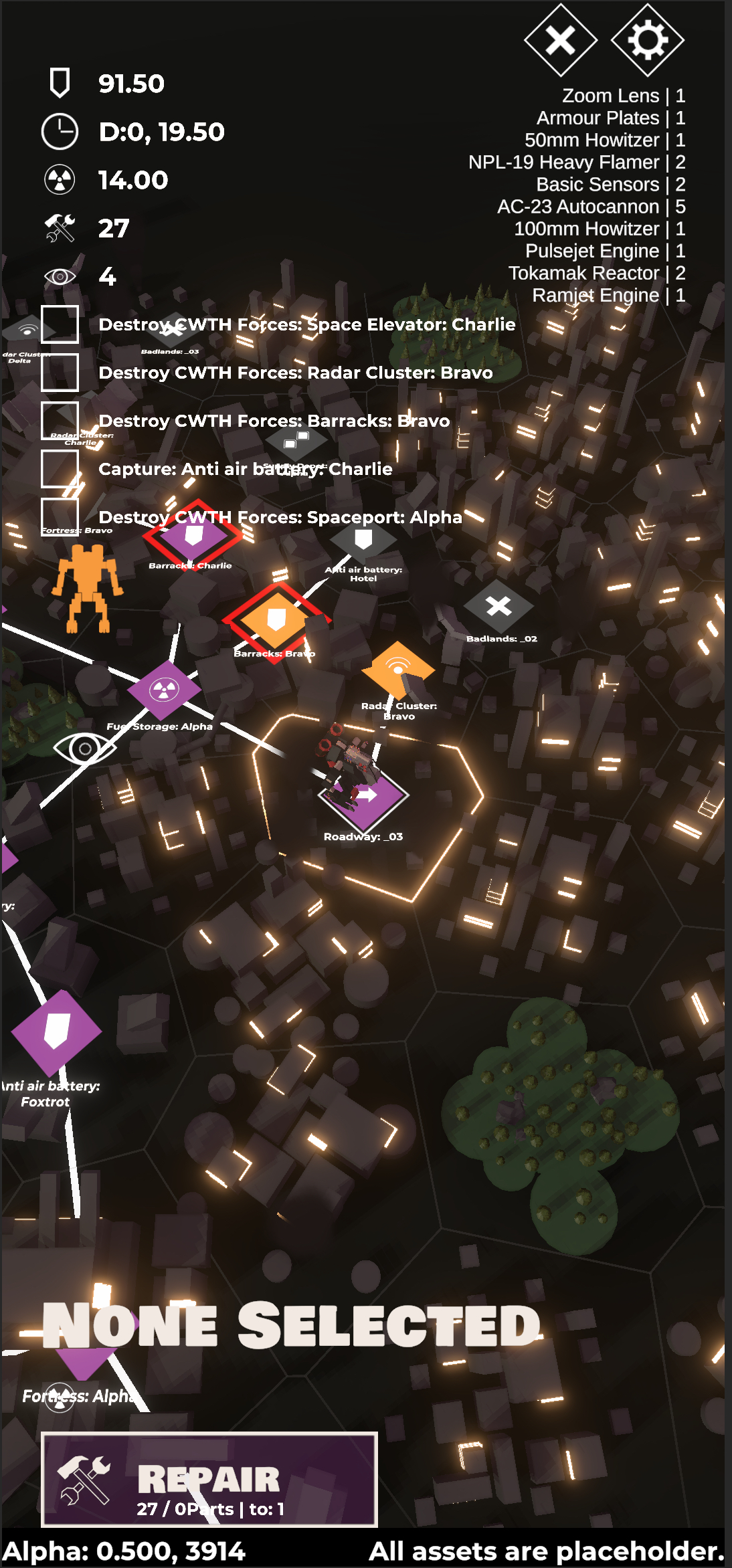
swanky looking new ui.. notably there's still some issues..

On the more personal front this week has been kind of great. It's the first week in a long while where I feel like I've been able to get stuck into my work properly. Can't exactly say why, as I'm still surrounded with boxes, and there's a fair amount of chaos going on in the background, but something clicked and I managed to power through tasks with more gusto than the past few weeks. Potentially its because a few things fell into place on the project, and that I worked through some issues that'd been plaguing the UI rework, potentially it's just that it's not as hot right now.

Exoloper Tasks completed:

  • UI: Campaign - Exobay
  • UI: Campaign - Salvage
  • UI: Campaign - Responsive layout for all screens (partially completed)
  • Bug: Opening roster without switching campaigns causes no-campaign data nullref. (on device)
  • UI: Campaign - Post Campaign screen
  • Campaign: record lost units + equipment throughout a campaign (to show in gameover)
  • Campaign: Detailed repair functions
  • Campaign: Ditch items anywhere in campaign.
  • Campaign: Combats now reward UAVs
  • Campaign: better highlights for movement in campaign map

Hunt Showdown

You don’t have to travel too far on the internet to get an opinion on Crytek’s Hunt: Showdown, most of it gushing over the games incredible sense of atmosphere, or its unique gunplay, or how it’s an underrated gem. But there’s one component that I don’t see talked about much: how it manages to remain consistent in its darker theming whilst still recognising that it’s a game at its core, and the game should be fun.

Let’s look at a couple examples: first and foremost, the game is monetised through a primary up front payment followed by in app purchases for character and weapon skins. These skins are all thematically consistent, they never break out of their own IP, and always keep the weird west theme at heart. even when the skin is utterly ridiculous. There’s the “Redshirt” a farmer with a big haystack target on his chest, there’s the Mountain Man, a bearskin clad lad, Cain, a naked swamp weirdo. Heck in the latest update they introduced Santa as the “Coalbearer”. It’s silly, but it gives freedom of expression within the bounds of the games style and lore. You can choose to dress up as an occult seer with a blindfold, or you could run around as the barefoot deckhand.

The real brilliance is how this same mentality plays into gameplay. Few serious shooters have as many affordances for silliness as Hunt does. For some quick context, the core gameplay of Hunt involves intense firefights with slow mostly single fire, not even bolt action weapons. Due to that speed, the game uses a two-or-three tap rule for most weapons, meaning you need to hit someone usually at least twice to take hem out. The obvious example of silly game design in this context is the since combined “Tomahawk” trait, which would allow the player to throw a sledgehammer overhead, or hurl a pitchfork like a javelin. These attacks are slow, well telegraphed, easy to counter and leave the player vulnerable, but if you manage to successfully take someone out with them, it’s a heck of a rush.

There are examples of this silliness across all factors of the games design, the “bonk” sfx of the baseball bat, a particular spot in the Desalle map that’s covered in sound trap sticks (and accompanying wheelbarrow full of sticks). There’s the spyglass tool which allows you to zoom in by default at the sniper optical range (already much more than most game scopes will allow) but then has an alternate mode that zooms in twice that, which makes it extremely useful for… spying texture details on your teammates whilst waiting for the game to start.

By and far, the single enabler of a lot of the silliness in the game comes from its proximity voice chat system. Sure there’s other games that use prox chat, but I feel that Hunt has been doing it longer, and has a community of players willing to push its silliness. I’ve been in situations where instead of fighting over the core game modes bounty, both my team and the opposing team decided to have a six way boxing match, on top of a roof. A third team showed up, but in proxy chat we all yelled “keep punching” while the third team took shots at us.

The biggest takeaway here for me is that all of this feels intentional, like there’s a certain tone and style that is applied not just across a single department, but across the entire game in a consistent and thoughtful way. This is extremely hard to do across a dev team, let alone one that holds itself to AAA standards. Of course, its not just the silly factor, but the entire gamut of the game that's produced in this manner, including the very things I mentioned at the start.

Looking at similar games in the genre, none have as many affordances for fun within their mechanical spectrum as Hunt. Epic's Fortnite is built to look fun, and shortcuts into that mindset easily, however, its core gameplay verbiage is comparatively limited. Activision's Warzone & DMZ have a wide range of character skins for player expression, but quickly travel off the initial tone setting each release gets. Arguably Hunt's closest competitor, Escape From Tarkov, has only janky appeal in its design language, the kind where you get animations that seem unnatural and can then be classed as funny, nothing in it's many loops has anything close to fun written on it.

New Year

2023 existed, happened, is done. 2024 also looks to exist.

First week back at work was a slow one for work, I caught up with some old mates, we had our place sprayed for roaches, boxes arrived for our upcoming move, I had a job interview, and a mole (maybe skin cancer?) removed, and finally, caught up with my stepdad. In amongst all that I managed to rework a couple unexciting UI classes, and built out the start of the model for the standard Exo.

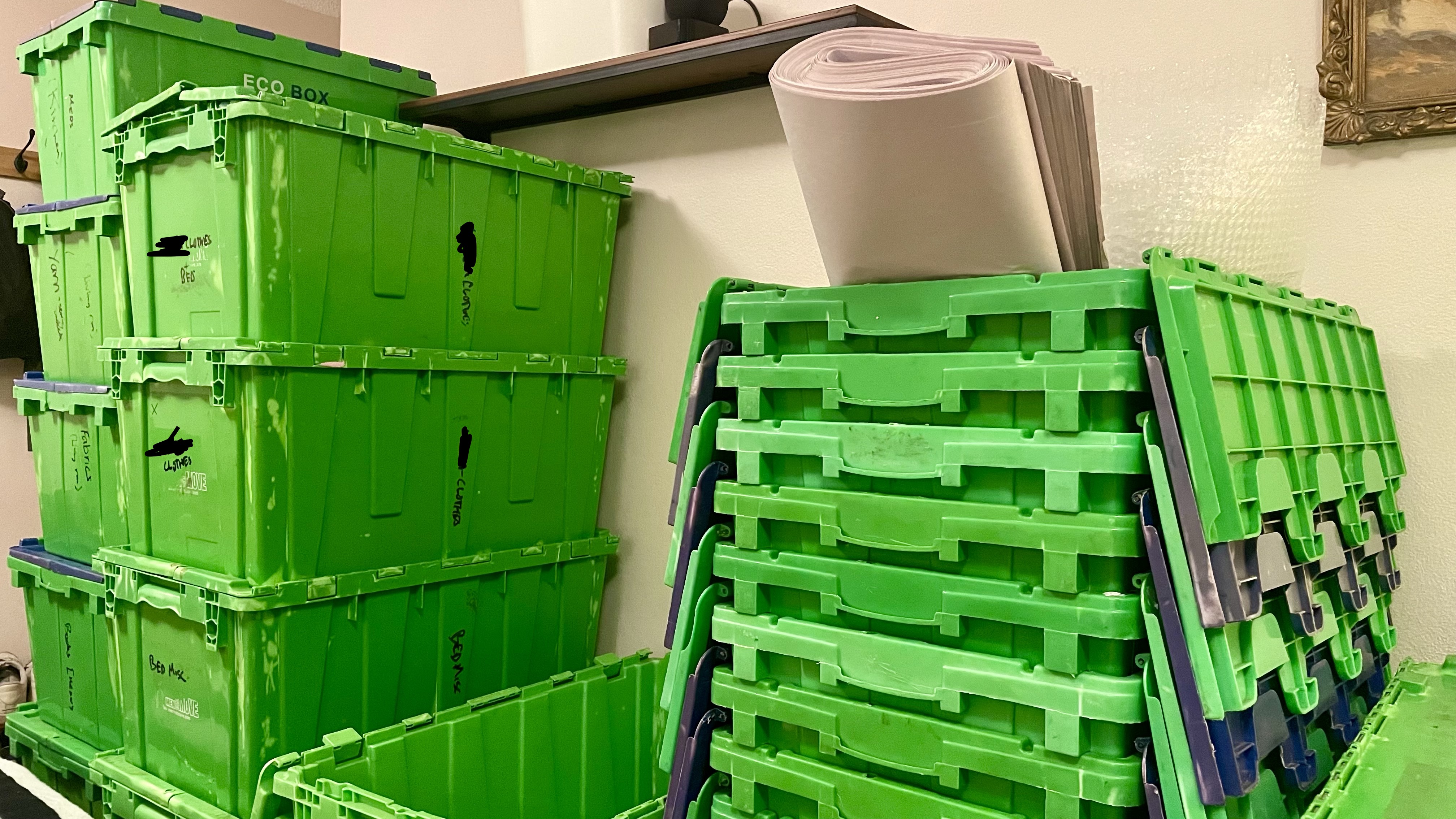
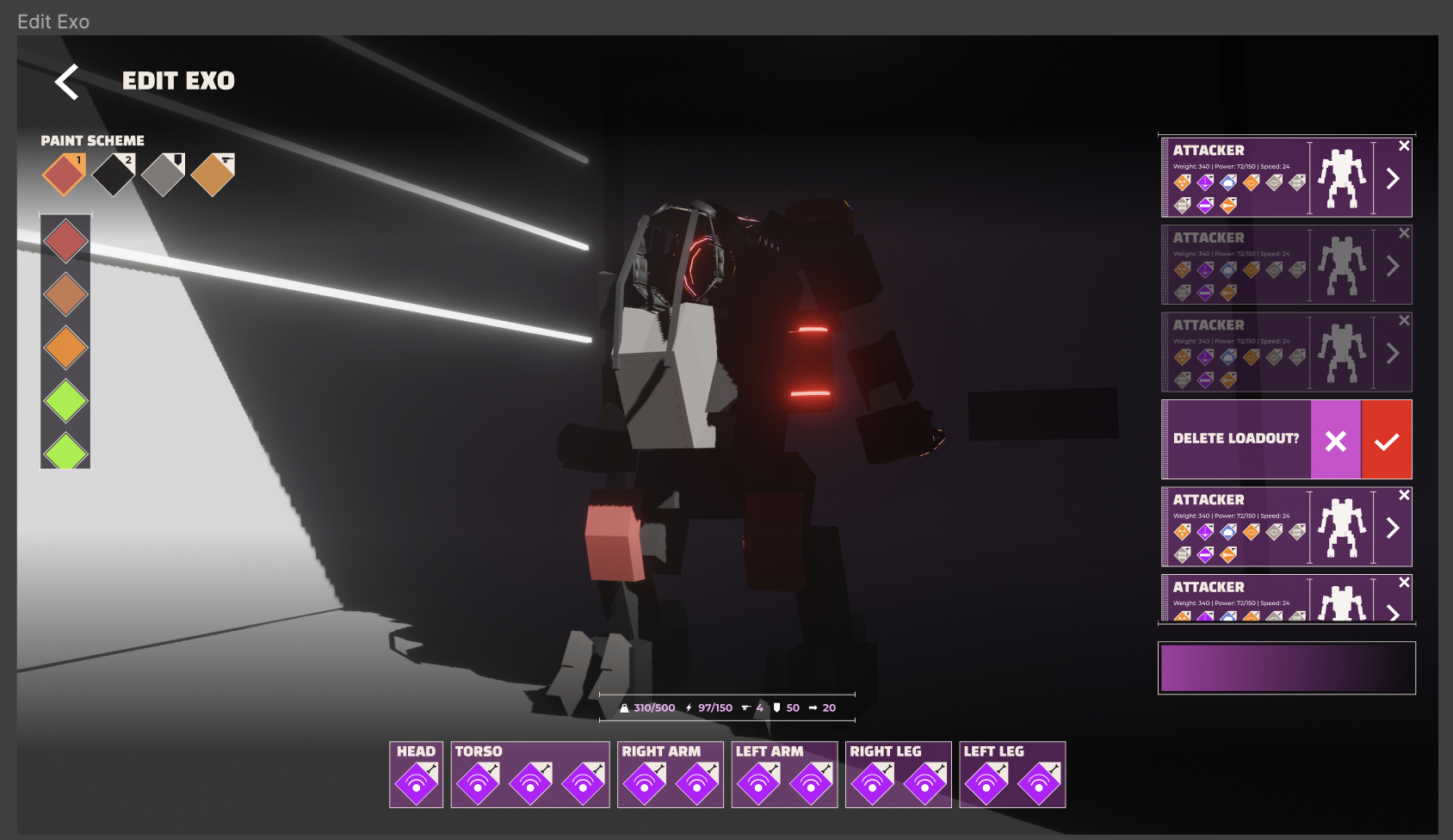
Our life for the next two weeks lives in these great boxes.

New Exo Model

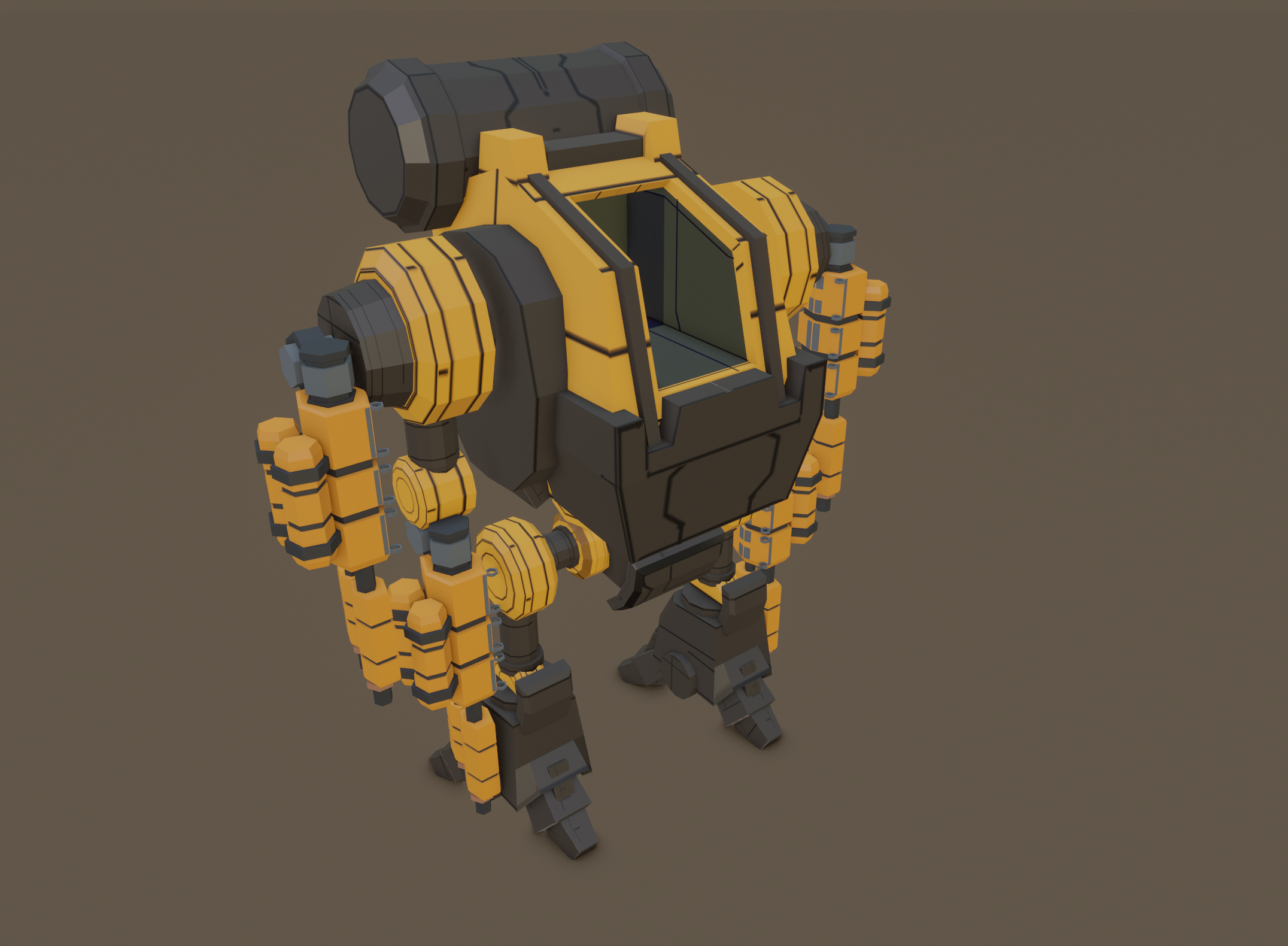
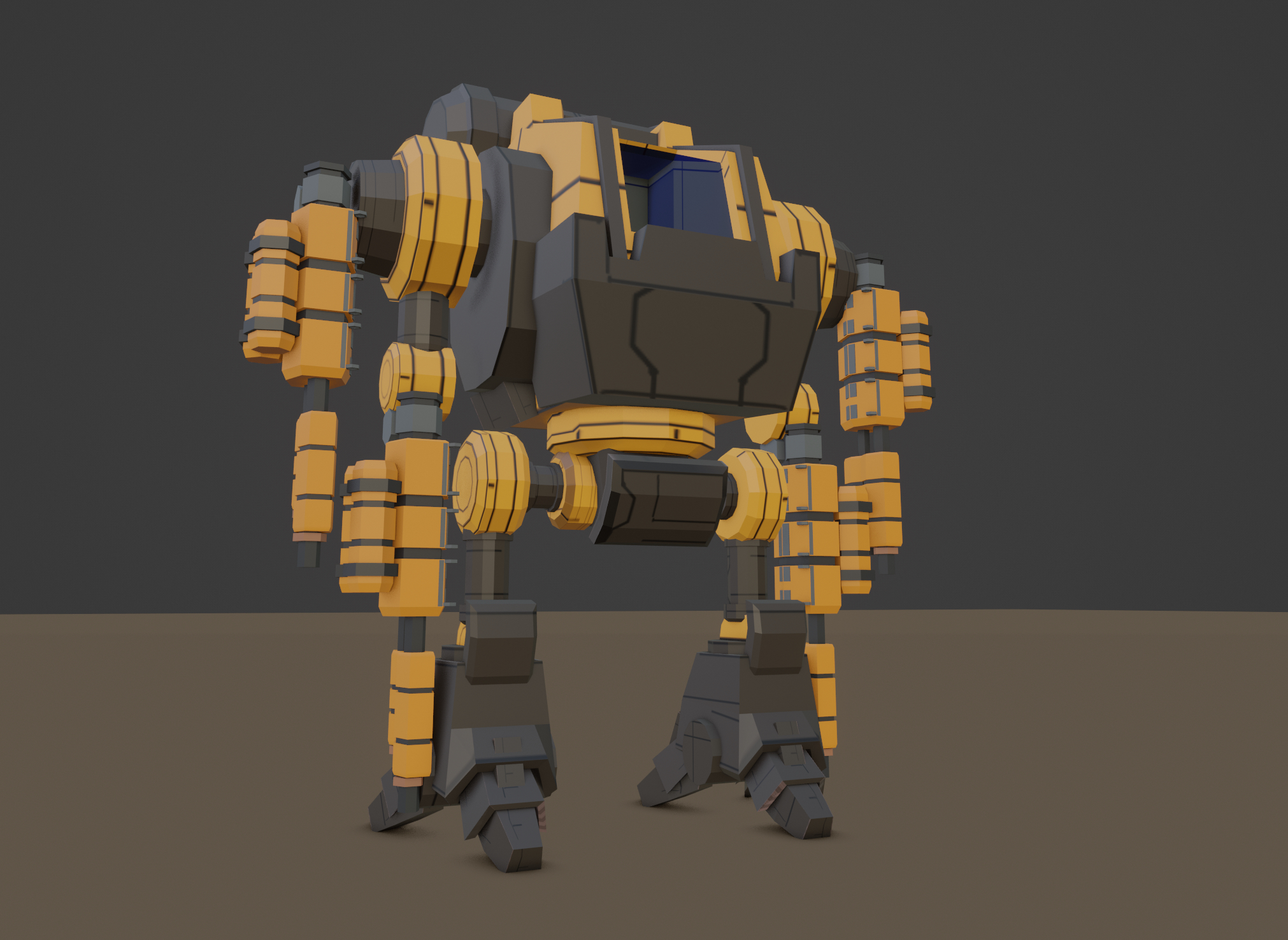
The work on the standard exo has been great. Once again working from NoLeternox's amazing concepts, this ones coming together pretty quickly. The major forms are done so far, I've got a decent sense of how the textures are going to come across, so the next step is building out the detail. I've borrowed some weaponry from Interloper to stand in for the time being, but I honestly don't hate it? Might end up keeping those heavy flak's! Hard to go wrong with a good orange and black theme.

Given that the proportions are different to the existing stand in Exo, one thing that's likely to happen is that I'll need to redo all the animations I've done so far. This is a bit of a pain, but it'll be more than worth it. Overall I'm super happy with how this is coming along.

The goal for the next week or so is to crank out the final work on the UI and get a damn build live. It's been too long, and the delta between the live version of the game and my dev version is getting pretty large.

The Old World

Before I sign off though, its been damn good to watch the launch of Warhammer The Old World. I was super concerned when I started work on Charge, to realise that this was coming, and while GW has seemingly done a pretty good job at reviving Warhammer Fantasy battles, they in my opinion, haven't done much to address the many issues that system had, so I'd like to quickly go over what I reckon they are and why I thought Charge can/would solve them.

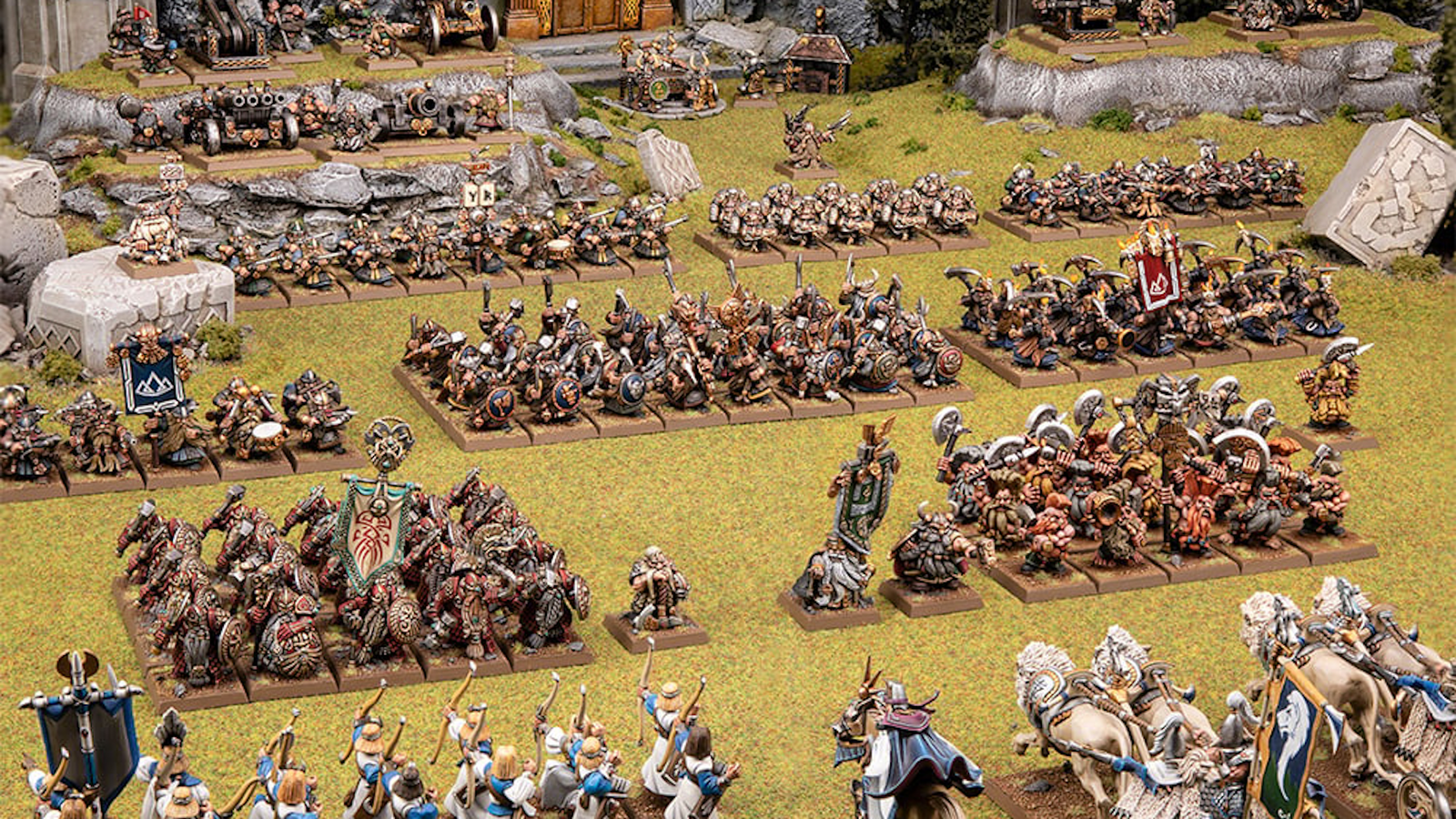
There's something about ranked forces facing each other that just fills me with excitement

Models in Units First and foremost this is the most frustrating thing they've refused to change. WFB requires not just movement of dozens of ranked individual models, but calculation on their attacks, hits, wounds, etc. It's infuriatingly slow, argument prone and doesn't really contribute all that much to the game's outcome? Kings of War streamlined this in a lovely way, reducing units from models to single large bases. You still get the cool factor of heroes doing their thing as individual bases, but without 90% of the faffing about.

Command and Control No popular Rank and Flank (is that an oxymoron?) has any concept of this. Sure they might have bonus leadership scores for units in range of a powerful leader unit, but it feels wrong that you could send a unit out on their own without consequence in a battle of this type. A unit left alone and without command could make disastrous choices, could open up a flank, or potentially, could win the day. They're a chaotic factor in the calculus of the battle.

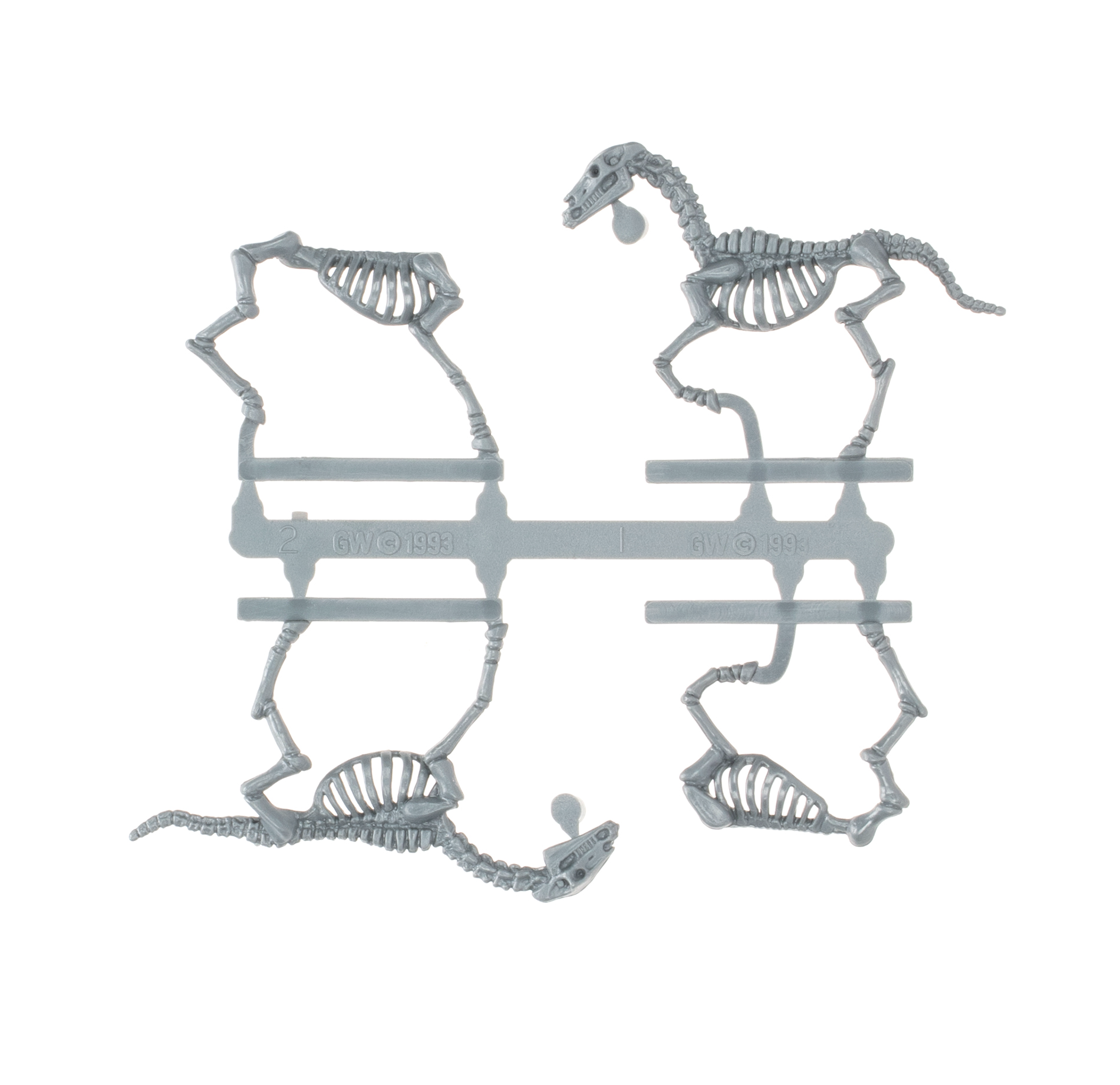
New Models A huge part of the tabletop hobby is building & painting your little toy soldiers. It's an awesome experience seeing your units ranked up together, ready to face your opponent. To relaunch the game with sprues from 1993? Come on. A certain part of me says "if it aint broke, don't fix it" but also, this is Games Workshop, they're not shy on money to pay for the artists + tooling required to build out some new undead horsies. GW copyright 1993, or the year before I started in the hobby

Next week will likely be rather busy as well, with lots of moving boxes and whatnot. Really hoping I'll get that build up though.

Exoloper Tasks completed:

  • Graphics: Unit editor should show parts on unit.
  • Unit: Standard Exo
  • UI Bugfixes

Code Style

Preface:

I wrote this up for a job application (don't worry, going to keep working on Exoloper) but I figured it might actually work as a nice little showcase of how I code. It's worth keeping in mind that I'm 100% self taught here, so there's likely some very odd choices being made.

UnitMover.cs

UnitMover.csHere's the file, feel free to download it

So the main file of focus is UnitMover.cs. The purpose of this file is to be the one stop shop for moving for any kind of unit within the game. All units' movement is controlled via a standard Unity NavmeshAgent, though their inputs will vary based on unit type and whether it's controlled by the player or an AI.

I live and breathe inside VSCode whenever I'm working on Exoloper, and I have a bunch of VSCode Snippets to generate my classes. They pre-namespace and layout the basic class depending on its purpose.

//  Created by Matt Purchase.
//  Copyright (c) 2023 Matt Purchase. All rights reserved.
using System.Collections.Generic;
using System.Collections;
using UnityEngine;
using UnityEngine.AI;

namespace Anchorite.Exoloper.Game {

    public class UnitMover : EX_Component {

Every one of my classes come with a set of comments that seperate out the class. These headings are: Dependencies, Properties, Initialisation Functions, Unity Callbacks, Public Functions, andPrivate Functions. It's just an easy way for me to keep track of my files and quickly skip to the right sections.

All my variables are named with camel-case, hungarian notation. I personally prefer this as it easily allows me to seperate out function variables from class variables (and also allows me to quickly seperate out my variables from Unity's)

One thing to note is that UnitMover is subclassed from EX_Component (file provided). All EX_Component does is house virtual events for Initialise(), Disable(), and OnEventRecieve(n_eventType type, EntityEventArgs ea). Every active gameobject in the core gameplay scene will be made of an EX_Entity and at least one EX_Component and the core gameplay is achieved by entities passing events to components. I explicitly chose not to use Unity's similar implementation here as I wanted something far more structured, particularly, limiting events to only those that are available within the scope of the enum n_eventType which helps significantly for both cpu speed (no string parsing), refactoring and scoping.

        // Dependencies

        // Properties
        [SerializeField] private NavMeshAgent m_agent;
        [SerializeField] private Transform m_aim;

        // TODO: maybe this be subclassed?
        public bool m_tankMovement = false;
        public bool m_tankRotating = false;

        public float m_currentSpeed { get; private set; }
        public float m_maxSpeedReverse { get; private set; }
        public float m_maxSpeedForward { get; private set; }
        public float m_desiredSpeed { get; private set; }
        public float m_targetSpeed { get; private set; }
        public float m_acceleration { get; private set; }
        public float m_rotationSpeed { get; private set; }


Almost every gameobject facing class I write has some kind of initialisation method that isn't explicitly tied to Unity's callbacks and UnitMover is no different. Here we're just initialising the local variables based on the UnitData struct.

   // Initalisation Functions
        private void OnUnitInitialised(UnitData data) {
            m_maxSpeedForward = ((UnitController)m_parent).m_campaignData.m_speed;
            m_maxSpeedReverse = -(((UnitController)m_parent).m_campaignData.m_speed / Config.Instance.m_defaultReverseSpeedDivisor);
            m_acceleration = data.m_moveAccel;
            m_rotationSpeed = data.m_rotationSpeed;
            m_agent.enabled = true;
            m_agent.angularSpeed = data.m_rotationSpeed;
        }

UnitMover is a pretty core piece of code in Exoloper, so unfortunately it's OnEventRecieve is a bit of a doozy. It should all be pretty self explanatory. Each event type comes with it's own EventArgs struct, though not every use case of the event requires that. For brevity's sake I've only included a couple lines of this switch statement, feel free to see the full statement in the source code.

public override bool OnEventRecieve(n_eventType type, EntityEventArgs ea) {
            switch (type) {
                case (n_eventType.unitInitialised_UnitInitialisedEventArgs): {
                        UnitInitialisedEventArgs init = ea as UnitInitialisedEventArgs;
                        OnUnitInitialised(init.data);
                        break;
                    }
                case (n_eventType.mover_setToPlayer): {
                        OnPlayerSet();
                        break;
                    }
                case (n_eventType.mover_setToAI): {
                        OnAISet();
                        break;
                    }
                case (n_eventType.mover_setDestination_Vector3EventArgs): {
                        Vector3EventArgs args = ea as Vector3EventArgs;
                        OnDestinationSet(args.pos);
                        break;
                    }
                case (n_eventType.mover_teleport_Vector3EventArgs): {
                        Vector3EventArgs args = ea as Vector3EventArgs;
                        OnTeleportRequested(args.pos);
                        break;
                    }
            }
            return base.OnEventRecieve(type, ea);
        }

I try to keep my code that executes within Unity's callbacks as thin as possible. It might look like I'm doing something stupid with broadcasting player speed every frame, but another pattern I follow is that each function should (generally) have it's own conditions.

        // Unity Callbacks
        private void OnEnable() {
            m_agent.enabled = false;
        }

        private void Update() {
            if (m_agent == null) { return; }
            BroadcastPlayerSpeed();

            // TODO: Subclass this or something?
            TankStopWhenInRange();
            TankRotateOnSpot();
        }

Another pattern that I've tried to follow as much as possible with Exoloper is to keep the publicly available content of a class to a minimum, instead letting the classes interface via a set of events, making it easier to maintain each class in isolation. These functions aren't anything particularly special, and that's kind of the point.

While I'm on the topic of patterns, a major style choice I live by is writing my code as though it needs to be read by a junior programmer. I avoid ternaries, limit inlining and shorthand wherever possible, and generally try to do the simplest implementation of a function I can. This is for two reasons, 1) it's easier to come back to code that's dead simple to read, and 2) if someone else has to pick it up, even without comments, they should be able to understand it quickly without having to fight a bunch of inlining or lambda functions. this does mean that I end up writing more lines of code, but it's not like screens are small or storage space is limited.

        // Public Functions

        // TODO: Add reset functions?

        public void ModifyBonusSpeed(float mod) {
            m_maxSpeedForward += mod;
        }

        public void ModifyAcceleration(float mod) {
            m_acceleration += mod;
        }

After this point most of the rest of the class is just a ton of private functions that get called from the OnEventRecieved() function. I'll highlight a couple that I think are interesting.

One of the odd function calls inside the update loop. I'm in the process of deciding if this should be inside the AI code for tank enemies or not so it's flagged as such. I like using TODO's particularly with a highlighter extension in vscode that also indexes the locations and count of TODO's, so that I can come back to them later.

The intention of this function is to slow a tanks throttle down when within a certain distance of it's target. I don't want to call stop on the agent as that behaviour looks unrealistic in game (instant stop).

You can see a rare instance of inlining an if statement. Many of my functions may have multiple bailouts based on certain conditions, in this case, if the mover doesn't use tank movement we don't want to execute this function. Here you'll also see a reference to Config which is a scriptable object that contains all my lovely magic variables. This is setup to be easily tweaked for a designer (aka, me later on.) I try to push as many variables out to the editor as possible, but sometimes can be lazy, especially when the number is inconsequential. (see the -1000 number).

        // TODO: Move to AI?
        private void TankStopWhenInRange() {
            if (m_tankMovement == false) { return; }
            if (Vector3.Distance(transform.position, m_agent.destination) < Config.Instance.m_aiStoppingDistanceNavigate) {
                OnThrottleRequested(-1000);
            }
        }

This function highlights the use of the Messenger system that I've been using in my newer projects. Previously I used standard C# delegates and events, but that required having a direct reference to an object, and I wanted a more global system. So using this allows me to Broadcast events off into the void, and for other classes to subscribe to those events. Again, I like using enums instead of strings for event types for refactor and speed purposes, so I changed the Messenger source to listen to enums instead. It makes it slightly less portable, but it saves me so much time in refactoring.

Here I'm using a slightly unconventional naming system for the enum n_eventTypes where I split it into sections * combat_ denotes the area of the game that this event belongs to, aka the combat scenes. * playerSpeedis the camelcase name for the variable * FLOAT is the expected first argument for this event as this Messenger system doesn't enforce Typed arguments. A little hack thats saved my sanity a couple times so far.

   private void BroadcastPlayerSpeed() {
            if (m_parent != CombatController.Instance.m_player) { return; }
            Messenger.Broadcast<float>(n_eventTypes.combat_playerSpeed_FLOAT, m_agent.velocity.magnitude);
        }

Generally this is as complicated as the majority of my functions get. The purpose of this function is to respond to events like MouseAim or Controller Aim and rotate the m_aimcomponent of a unit by a Vector3. The m_parent variable refers to the EX_Entity of the current unit. The general thinking here is to modify the rotation of the m_aim object and then to correct it back within bounds based on Config variables. I'm using config here instead of a unit variable as I don't plan on separating that out on a per unit basis, though switching it will be trivial if I choose to.

If I wanted to optimise this I'd probably cache the Vector3that I assign to localEulerAngles.

        private void OnTorsoRotateRequested(Vector3 rot) {
            m_aim.localEulerAngles += new Vector3(rot.x * m_rotationSpeed * Config.Instance.m_pitchRotationFactor, rot.y * m_rotationSpeed, 0);

            float pitch = m_aim.localEulerAngles.x;
            float yaw = m_aim.localEulerAngles.y;

            if (pitch > Config.Instance.m_maximumPitch && pitch < 180) {
                pitch = Config.Instance.m_maximumPitch;
            }

            if (pitch < 360 + Config.Instance.m_minimumPitch && pitch > 180) {
                pitch = 360 + Config.Instance.m_minimumPitch;
            }

            if (m_parent != null) {
                m_parent.SendEvent(n_eventType.unit_torsoRotated_FloatEventArgs, new FloatEventArgs(yaw, gameObject));
            }

            Messenger.Broadcast<float>(n_eventTypes.combat_unit_torsoRotated_FLOAT, yaw);

            m_aim.localEulerAngles = new Vector3(pitch, yaw, 0);
        }


I love coroutines, and well, here's one (and it's accompanying executor function).

The core experience of this game is piloting big heavy robots that whack each other with heavy munitions. Getting knocked around by heavy ordinance really helps to sell this, and provides the player with an incentive to not get hit, as it also applies a slowdown, making further shot more likely to connect (not quite a stunlock, but not far from it.)

I'm not amazing at maths, so I'll frequently turn to StackOverflow, Google, Unity Documentation or other sources that are written by humans (I don't trust LLM's in the slightest) to point me in the right direction. Fortunately for me, you can google nearly anything for action games. Every time I do this I'll leave a comment for the code I've copy-pasted, so I know what I'm looking at, and so that I can rewrite it in a format that matches my styling.

The Coroutine here is pretty boring, nothing super special, and upon review, I can see I should be caching that WaitForFixedUpdate somewhere, but it's a pretty good indicator of my general approach to them.

   private void OnProjectileKnockback(ProjectileDamageEventArgs dam) {
            if (dam.m_knockBackPower <= 0) { return; }

            // Gets a vector that points from the player's position to the target's.
            // var heading = target.position - player.position;
            // var distance = heading.magnitude;
            // var direction = heading / distance; // This is now the normalized direction.

            UnitController parent = (UnitController)m_parent;

            Vector3 heading = dam.context.transform.position - parent.m_raycastQueryPoint.position;
            float dist = heading.magnitude;
            Vector3 direction = heading / dist;

            StartCoroutine(DoKnockBack(dam.m_knockBackPower, direction));

            for (int a = 0; a < Config.Instance.m_defaultKnockBackTime; a++) {
                OnSlowDownRequested();
            }
        }

        private IEnumerator DoKnockBack(float power, Vector3 dir) {
            for (float a = 0; a < power; a++) {
                Vector3 moveDir = dir * Time.deltaTime * power;
                // TODO: add these to debug visibility bools
                Debug.DrawLine(m_agent.transform.position, m_agent.transform.position + moveDir, Color.magenta, 10.0f);
                Debug.DrawRay(m_agent.transform.position + moveDir, Vector3.up, Color.white, 10.0f);
                m_agent.Move(moveDir);
                yield return new WaitForFixedUpdate();
            }
        }

I hope this gives you a general idea of my approach to programming, and that I like to keep it simple, legible, and refactorable.

Models

This week my motivation was rock bottom. Working on the UI for so long and seeing such incremental results, combined with searing temperatures and a couple weeks worth of distractions had led to a kind of burnout. In art school the lecturers always stressed the importance of stepping away from a task when you feel it isn't working, to go occupy yourself with something else, So I did. 3D modelling, like anything else in gamedev, looks like rubbish until it's done.
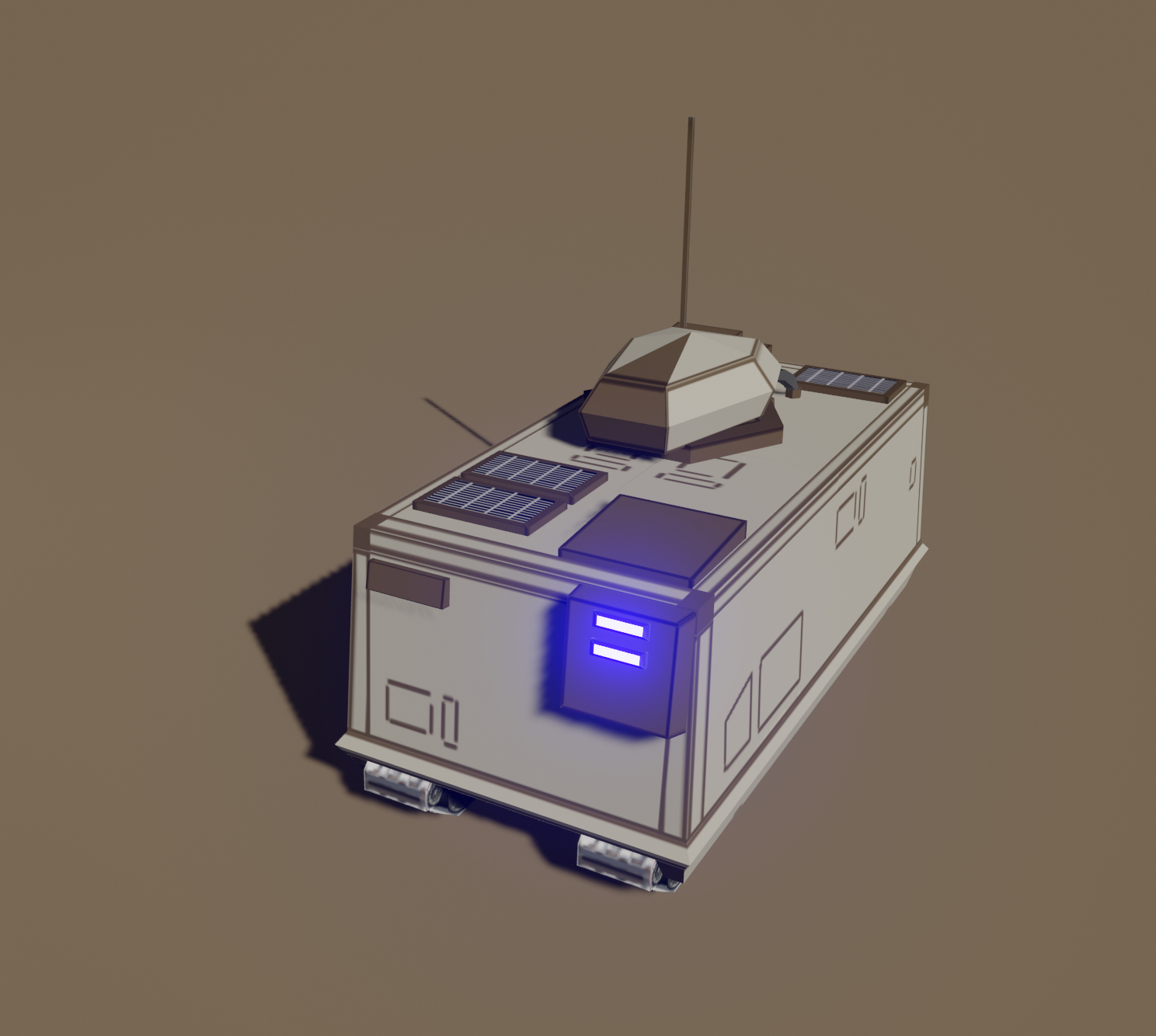
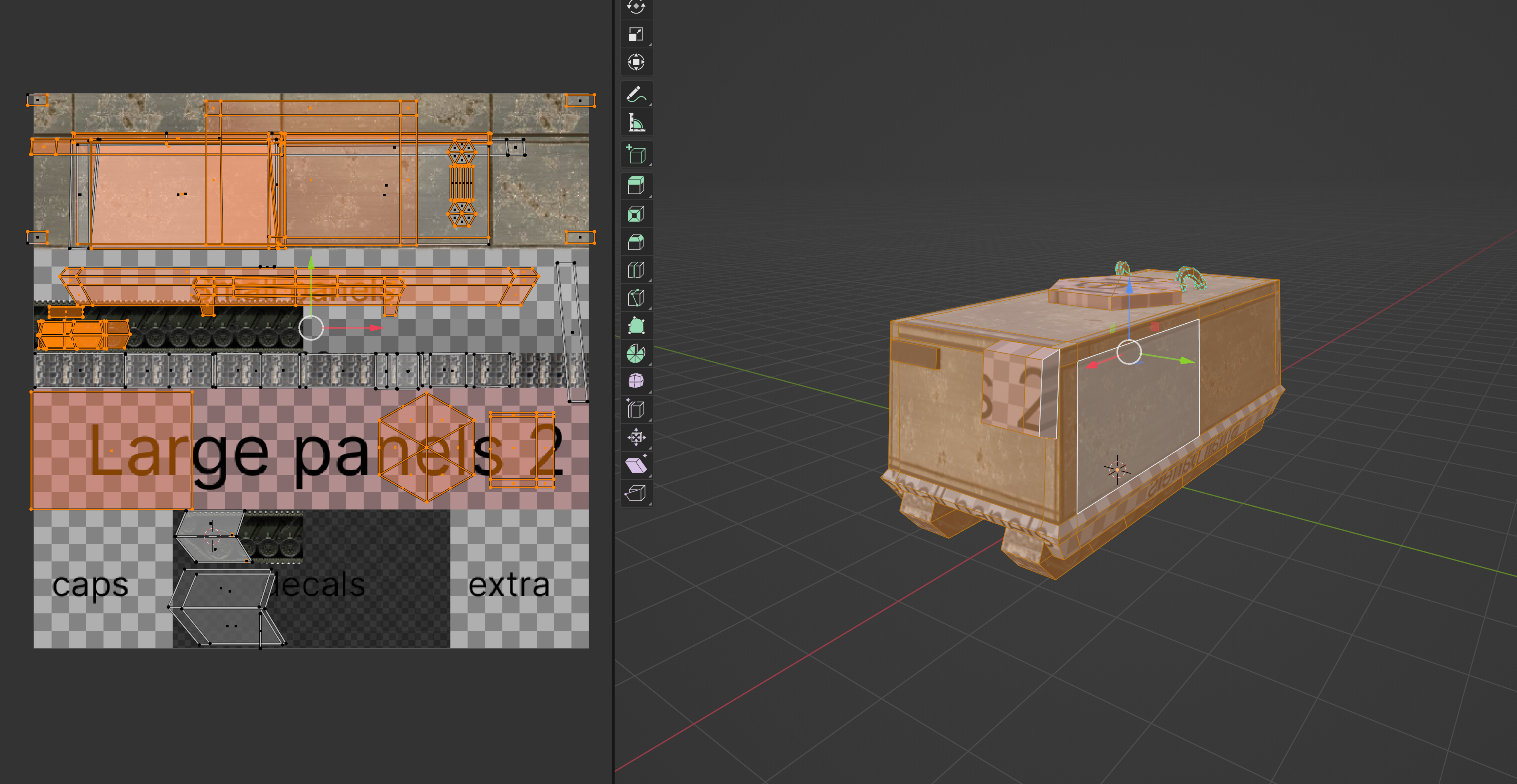
I fired up Blender, pulled up the excellent concept art I'd commissioned from Eduardo Rossi, and started making an APC. I'd been thinking for some time that I'd like to use Trim Sheets for textures in this project, so I jumped straight into UV Unwrapping. Normally this is something I try to avoid. In Interloper there's extremely minimal UV unwrapping, as everything is just mapped to solid colours, however this time I thought I'd try to get more comfortable with it, and try to add some actual texture to the game, (space can be clean, but if you're at ground level, there's gotta be a lot of dirt, detail, texture)

As simple as APC!

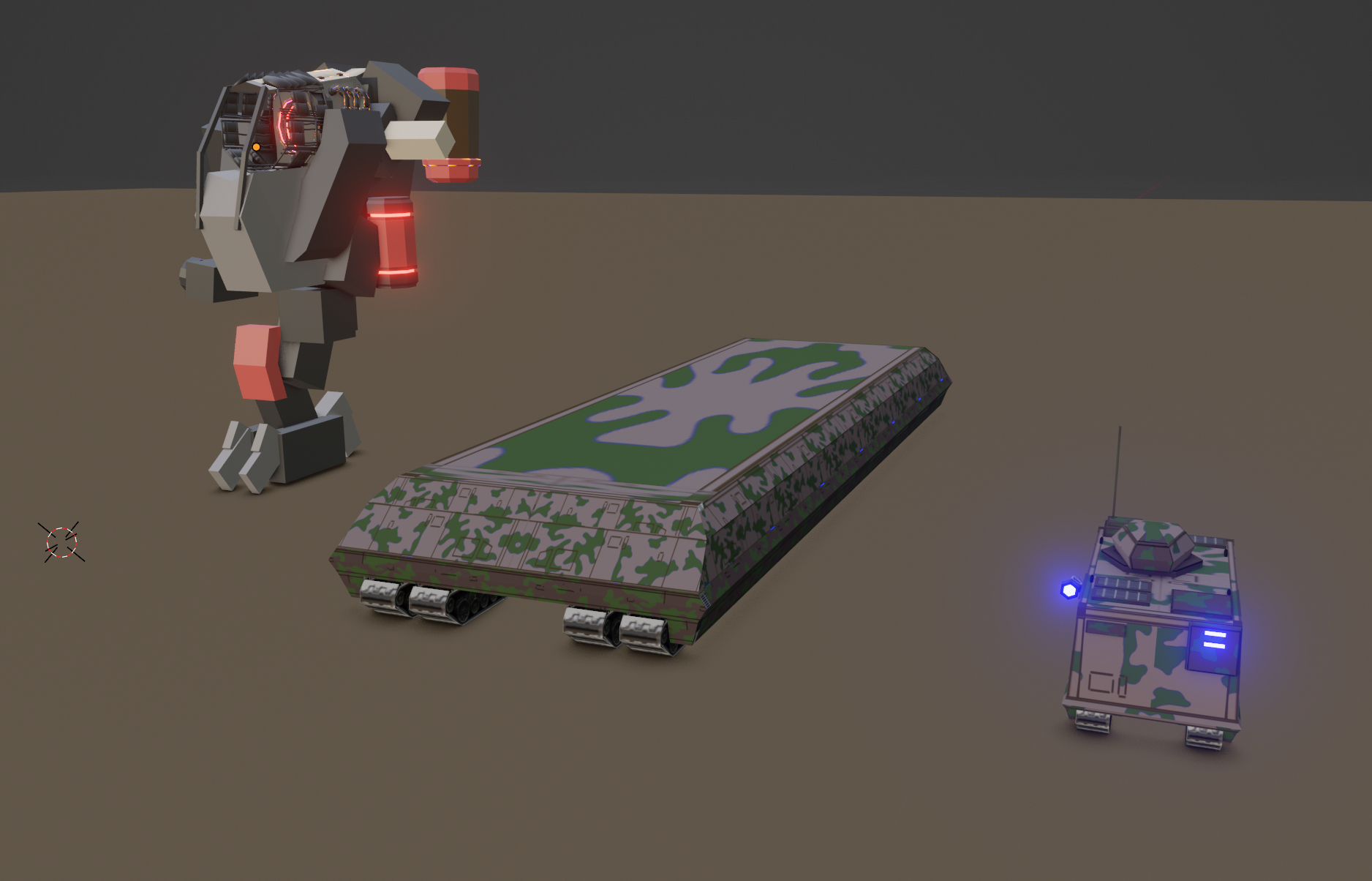
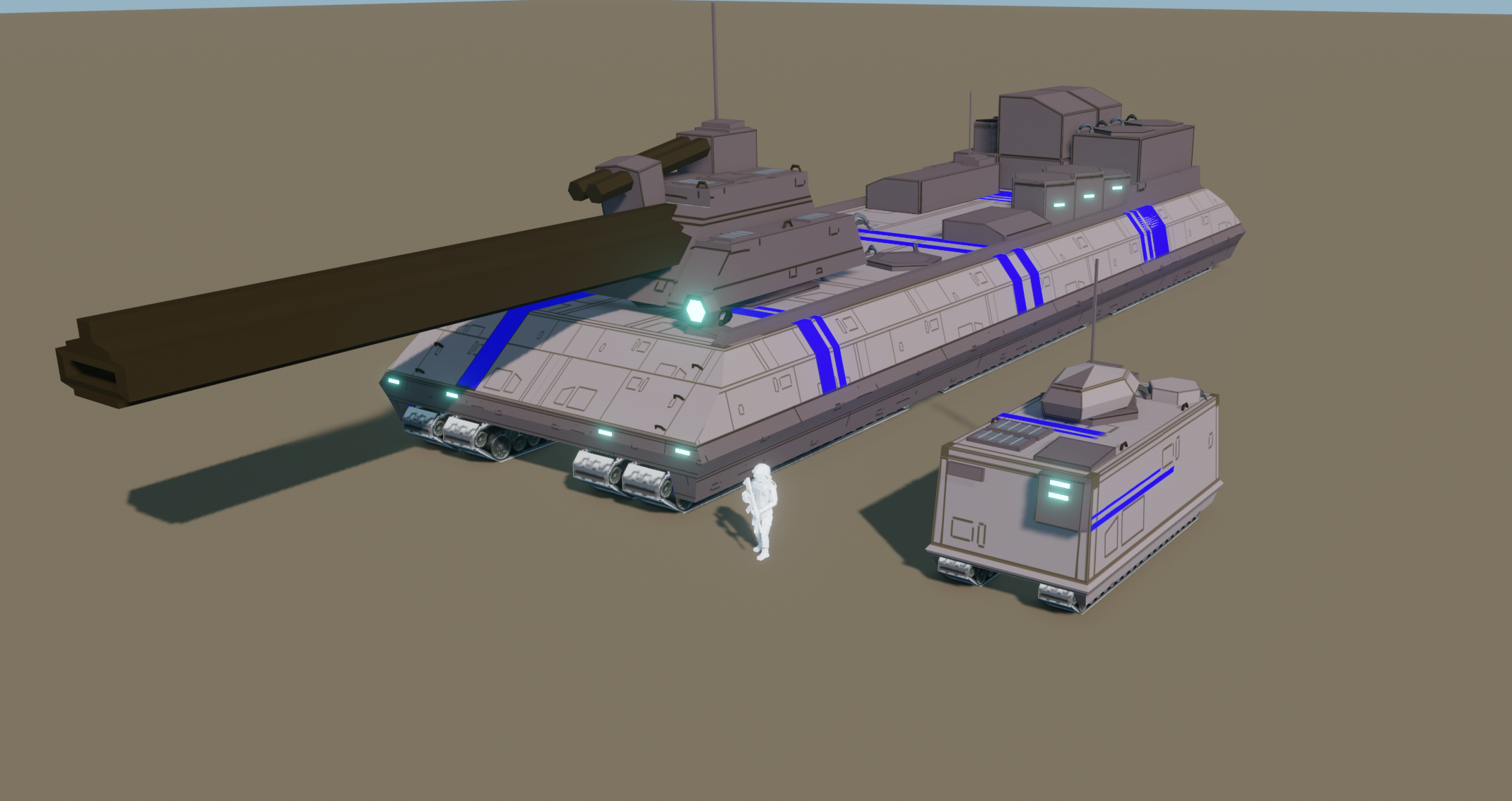
Once I'd built the first model, I was hooked. I quickly started working up the second. I wanted to go from the smallest unit in the game (not counting infantry) to one of the largest. I wanted to know, how far could I push the trim sheets, how much detail I could squeeze out of a relatively simple texture. I briefly toyed with using camoflauge patterns, but quickly decided against that in favour of using simple line based detailing (added to the mesh via a decal no less.)

Those lines are so much more legible and sci-fi .
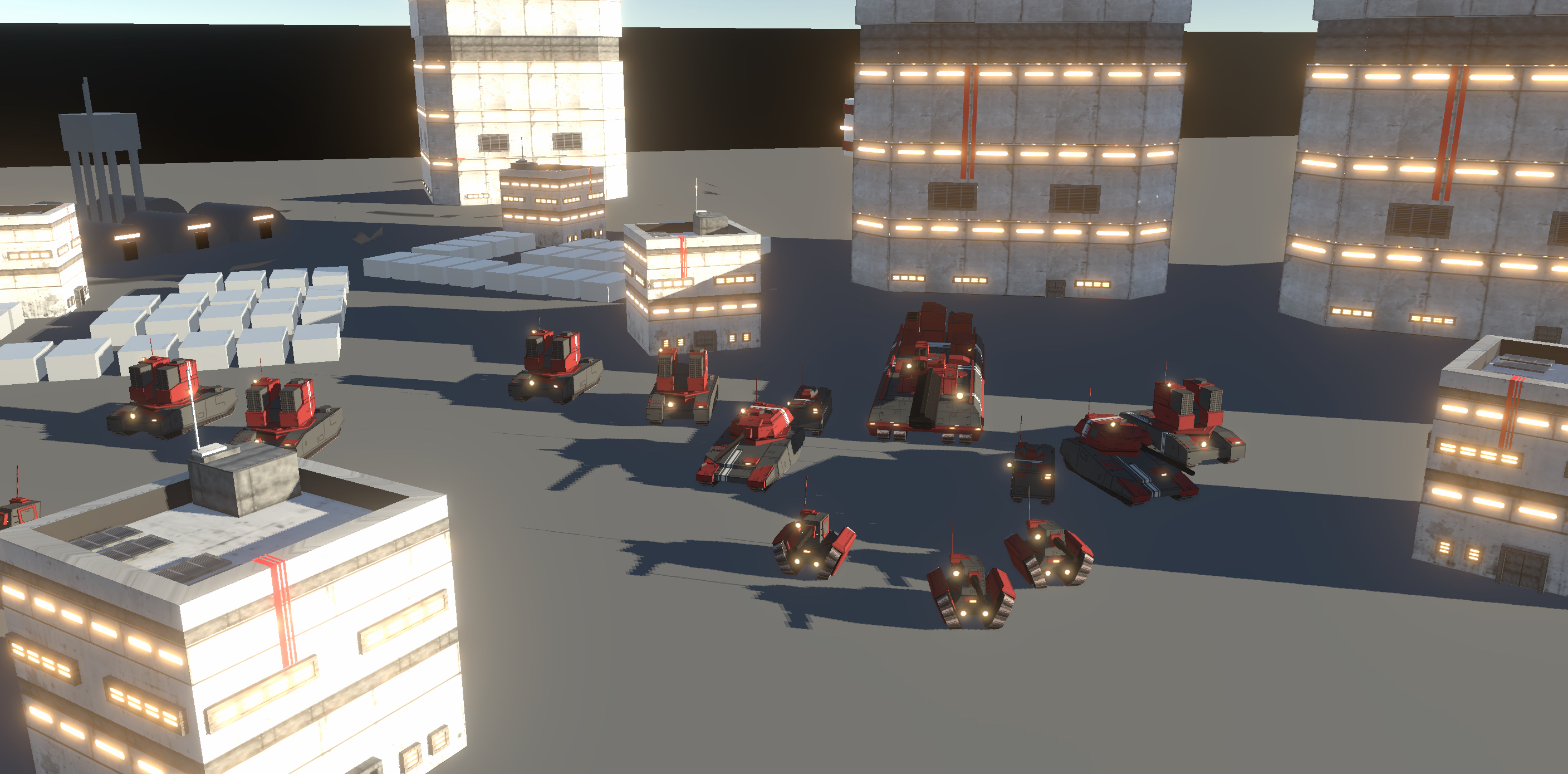
Before long, I'd produced a bunch of these things, which are now ripe for variation, extension and modifications. I've gone from spending a day making an APC through to building new tank models in about an hour.

Honestly, I'm looking forward to making the Exo's next.

Prefab architecture... literally and figuartively.
For giggles I qucikly whipped up some basic buildings too. I'm really liking this style. A nice and chill way to end 2023's worth of work.

Exoloper Tasks completed:

  • Enemy Unit: Light attack - ac
  • Trim sheet: Units
  • Loadouts: Need to only remove items from player inventory on campaign launch
  • Saved loadouts: Need to be disabled when the player doesn't have requisite items
  • Bug: When selecting loadout items sometimes they don't equip?
  • Bug: Nullref on open Edit Unit VC
  • UI-Rework: Settings
  • SFX: UI: Haptics
  • Build New Sprint
  • Hanger: Exo Painter
  • UI: New Campaign: Paint Exo

Best Laid Plans

Another slow week this week unfortunately. I vaguely remember saying something to the effect of "maybe this week will be better" in a previous post, but alas, that was not the case.

I started this week with the intention of knocking over the post-campaign screen layout, the settings layout and cleaning up a couple issues with responsivity in the existing screens. It turns out that real-estate agents can waylay even the best laid plans. After a rollercoaster of outcomes, emotions, and cash, it looks like we've finally bought this apartment we've been chasing for three weeks now.

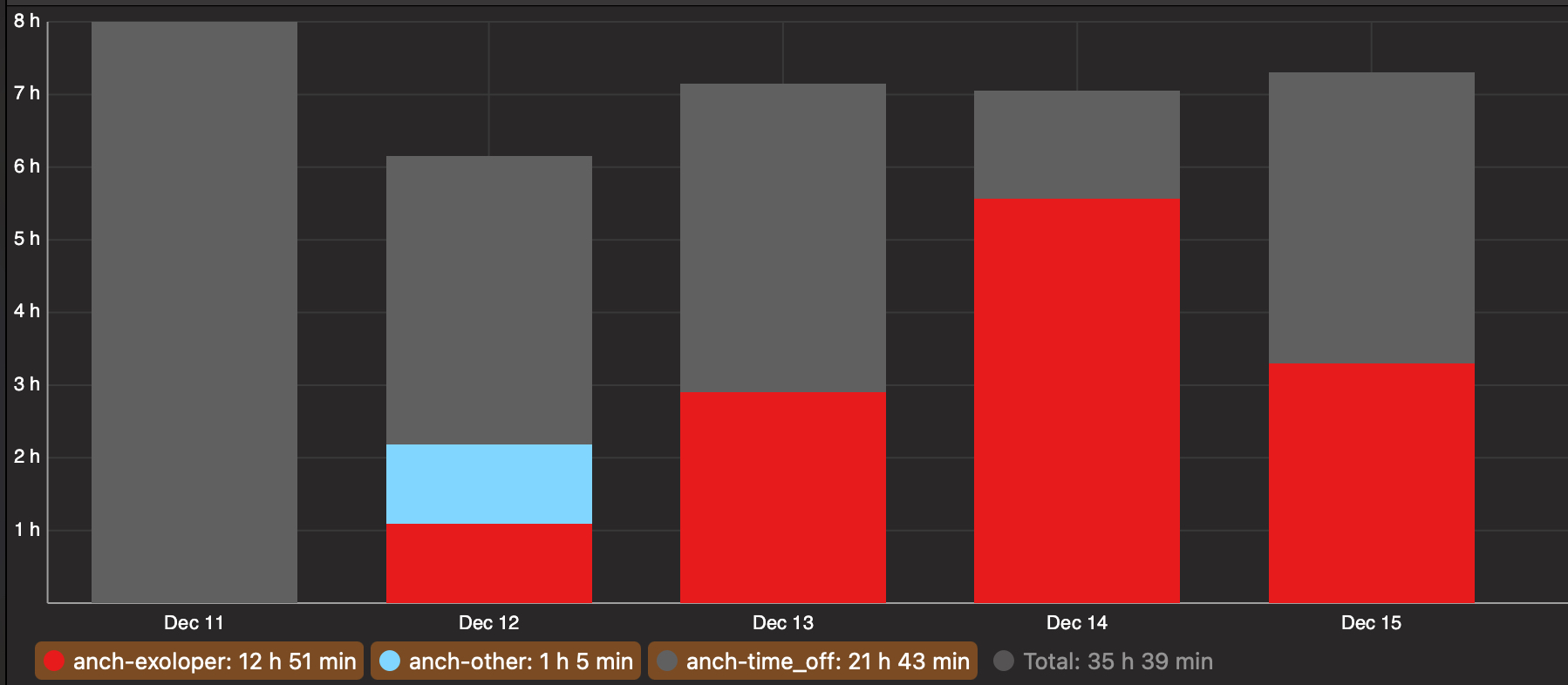
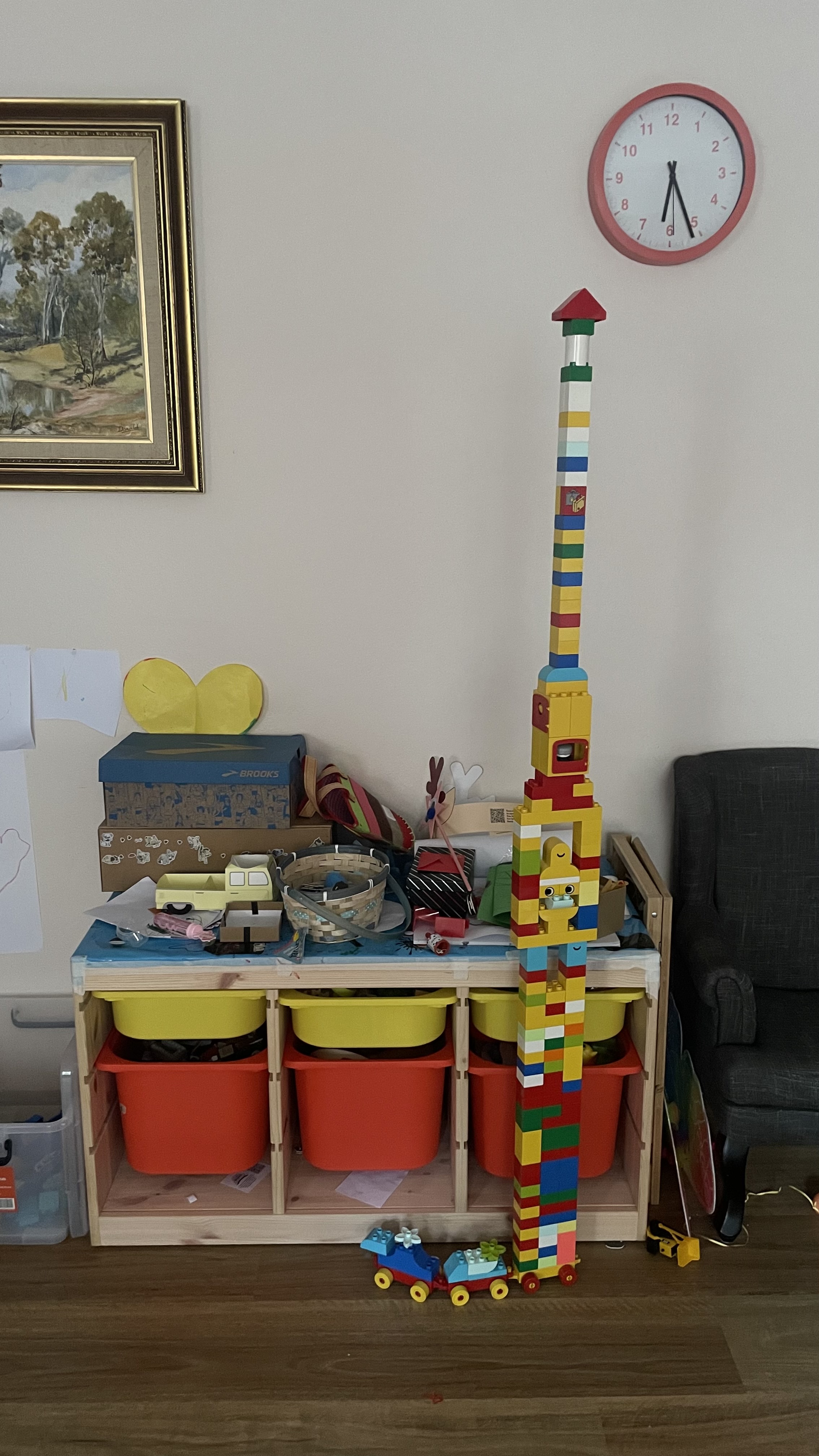
A screenshot of time tracking software showing a bar graph seperating my weekly time into time spent on exoloper, time spent on other (admin) and time off (for various activities) Time off was 21hrs, 43mins, Time on exoloper was 12hrs 51 mins, and admin was 1hr 5 mins.
I promise this won't turn into a blog post on time tracking as a parent, but its relevant to gamedev, I swear.

I took Monday off to recover from not having any personal space for nearly two weeks. Then Tuesday through to today had me on the phone nearly non-stop to real estate agents and dealing with components of the upcoming move. This combined with a seasonably hot week (40C on Thursday was a banger) has led my overall motivation to be through the floor.

Anywho, to the good stuff.

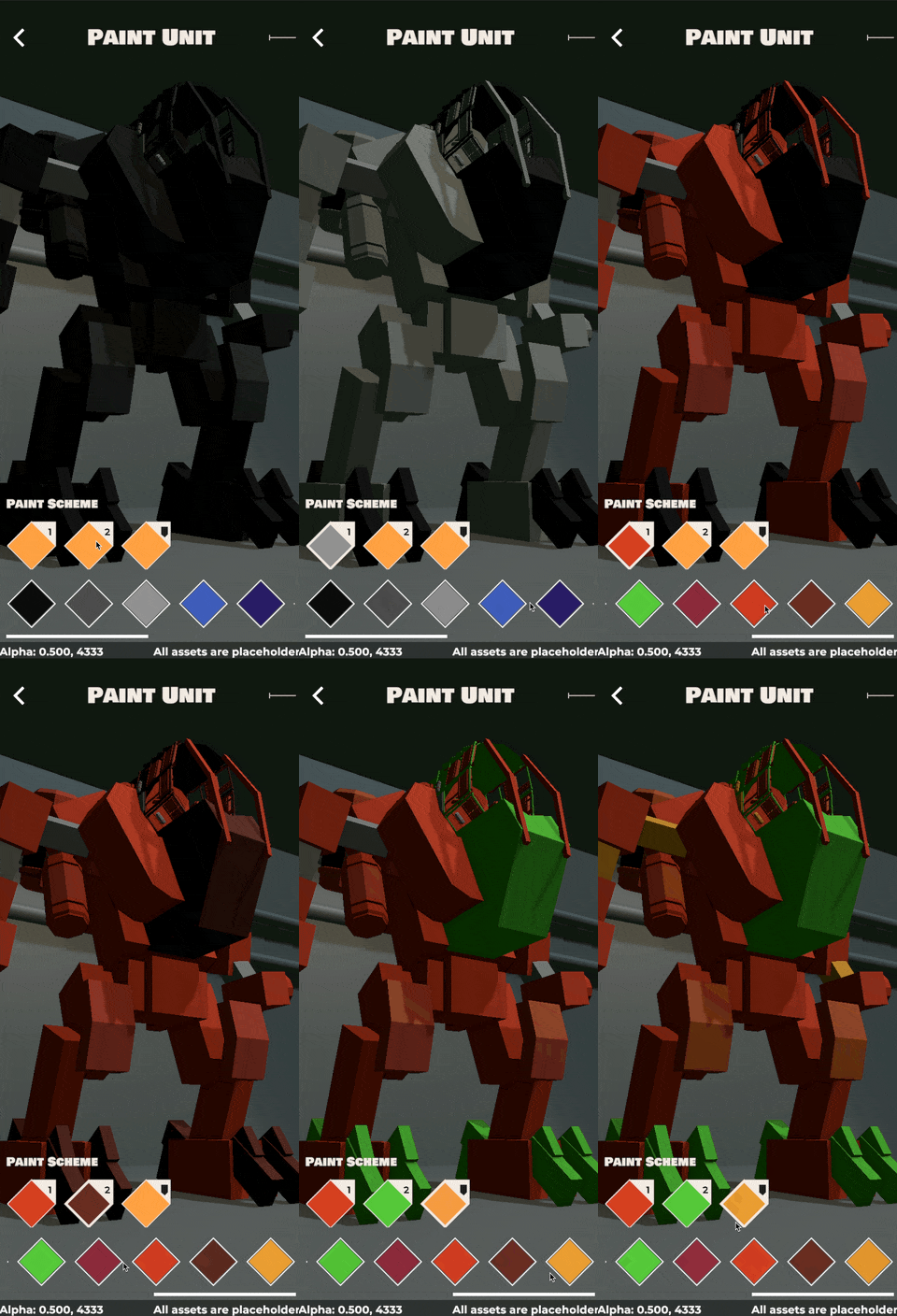
While my initial plan of two extra screens + some fixes didn't quite work out, I did manage to implement the Unit Paint functionality. Its more or less lifted from Charge, but has scope for some interesting applications, particularly in that I plan on using a system called "Trim Sheets" to texture units in the game. If you haven't come across Trim Sheets before, go read this article. Basically instead of texturing every UV surface 1:1 on the UV map, you create strips of texture to reuse across the model / multiple models. This will work particularly nicely with greebling and adding detail to the Exos / tanks down the line, something I didn't bother with so much with Interloper.

For now, you get to see the paint system in all it's glory here. It's just big blocks of colour, nothing too special, but you get the idea. A gif of the loadout screen, paint-section in Exoloper. It shows the user pressing colour buttons in the UI and those colours showing up on the exo in pre-defined spots. Glorious technicolour
I've also refactored my UI layout systems further to accomodate switching between portrait and landscape more seamlessly (which required some headache inducing fights with Unity's UI systems) and finished most layouts for the core main menu pages, if a page isnt finished, it's at least stubbed out.

One last note, the current live build has a quickplay feature, where you can just dive into a game without having to worry about a campaign. This will be removed as of the next update. It'll be added back in a post-launch patch, but with it's own unit editor, map selection tools, and more. I've dropped it temporarily to allow me to focus on the core launch package.

To finish up: I'm sure next week will be easier, surely.

Exoloper Tasks completed:

  • Unit Painter Functionality - Campaign Unit Data
  • Unit Painter Functionality - saved loadouts
  • Unit Painter Functionality - in game
  • Unit Painter Functionality - Model
  • UI-Rework: Roster + Edit pages iPhone Landscape
  • Build New Sprint
  • UI: Unit Editor Saved builds
  • UI: Large screen multi-layouts
  • UI: Menu backgrounds + handler
  • UI-Rework: Exo Editor - paint unit page

Sick Days

This past fortnight has been a bit rough. It all started on the Sunday before last when my kid came down with a fever. They’ve been having issues with regular infections for the past year and a bit, and every time they get one it means theyre sick for one or two days, and bored for the following three while they go through their course of antibiotics. Last week was no different. The doctors couldn’t find a cause for the fever, they gave my kid antibiotics and then I spent most of the week dealing with a bored cranky kid.

This week however is proving to be more testing. To try and figure out the root cause for the fevers we took my kid in for some tests at the local hospital. They weren’t easy tests for kiddo, but they needed to be done. Turns out everything came up fine, aside from the fact that kiddo came down with yet another fever between them, and away the cycle starts again.

Im relaying all of this because it has directly affected my work over the past three years. I mentioned this on Mastodon earlier in the week, but this year alone I’ve had seventeen weeks with at least one day off, a majority of those have four days off. If I were working at either of my previous gamedev companies I’d have been fired by now.

It’s especially difficult as it makes sense for me to take the time off, I earn less and my pay comes in regardless of whether Im actively spending hours on the work (thank you people who buy Interloper! Really!) So it means that while my partner does take time off, I end up taking the majority of the time.

This past two weeks Ive been able to work a total of four completely disconnected days. The biggest effect this has is that I have trouble keeping momentum on my work. So for instance with the current UI tasks, the way I’d plough through these kinds of tasks in the past is to plan out my weeks worth of work, starting with complex tasks on Monday, and using the high from completing those to check off the easier tasks later on in the week as my motivation wanes. Having to stop, and in particular having to change modes of daytime work from thinking to constant conflict resolution just breaks any momentum I might’ve gained.

I love my kiddo to the moon and back, I love spending time with them, but also I struggle when I don’t get time to work, to build these dinky little games I love building so much.

my life for the past two weeks

On the Exoloper front, I’ve put together the Roster and Edit Exo pages, including layouts for all screen sizes, from phone to desktop to iPad and tv. This is gruelling work (as far as software design can be gruelling) it involves running the UI to that page, testing it against the various screen sizes, checking for flow issues in each screen size (as the flow slightly changes per page based on the screen) and then going back, fixing those issues, checking them again, so on and so forth.

I’m almost certian there’s gonna be bugs with this. The hope is that most of these bugs will be on platforms that see less use, and that the core platform, iPhone portrait and landscape is absolutely spotless. Time will tell.

Tasks completed:

-

Screens

This week was a bit slow. We're in the middle of trying to buy a new apartment (and sell our existing one) which has been particularly stressful.

The main brunt of the work for this week has been reworking the existing UI in the main menu to match the newly made graphic designs. There was one major issue preventing me getting started with this though. The UI framework I'd built was primarily built for mobile screens.

I'd made some relatively hacky changes to it for Interloper to allow it to sort of conform to larger screens, but at its core it only ever allowed one "view" on screen at a time. What I really wanted was to show multiple views on screen at once on a larger screen (iPads, desktops and tv's). This should make the game feel more native across the board, but this provides a bit of a technical challenge.

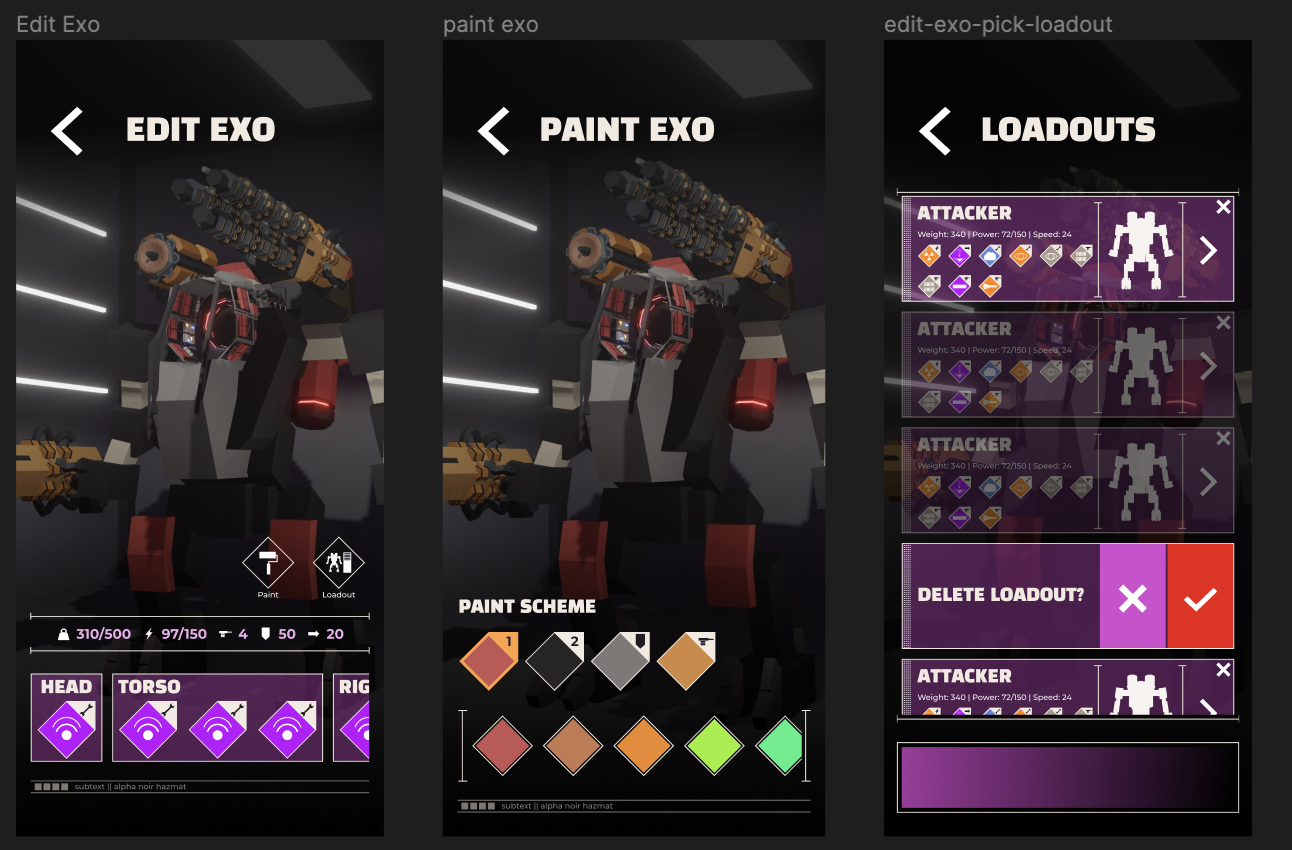
three screenshots of the mobile version of exo editor flow of the game. The first shows the core edit screen where you can change your equipment, the second shows a painting screen where you can pick the colours of your exo and the third shows a saved loadouts screen, allowing you to pick from a pre-built loadout A screenshot of the desktop version of the exo editor, combining all three screens into one cohesvie flow for the desktop version of the game.
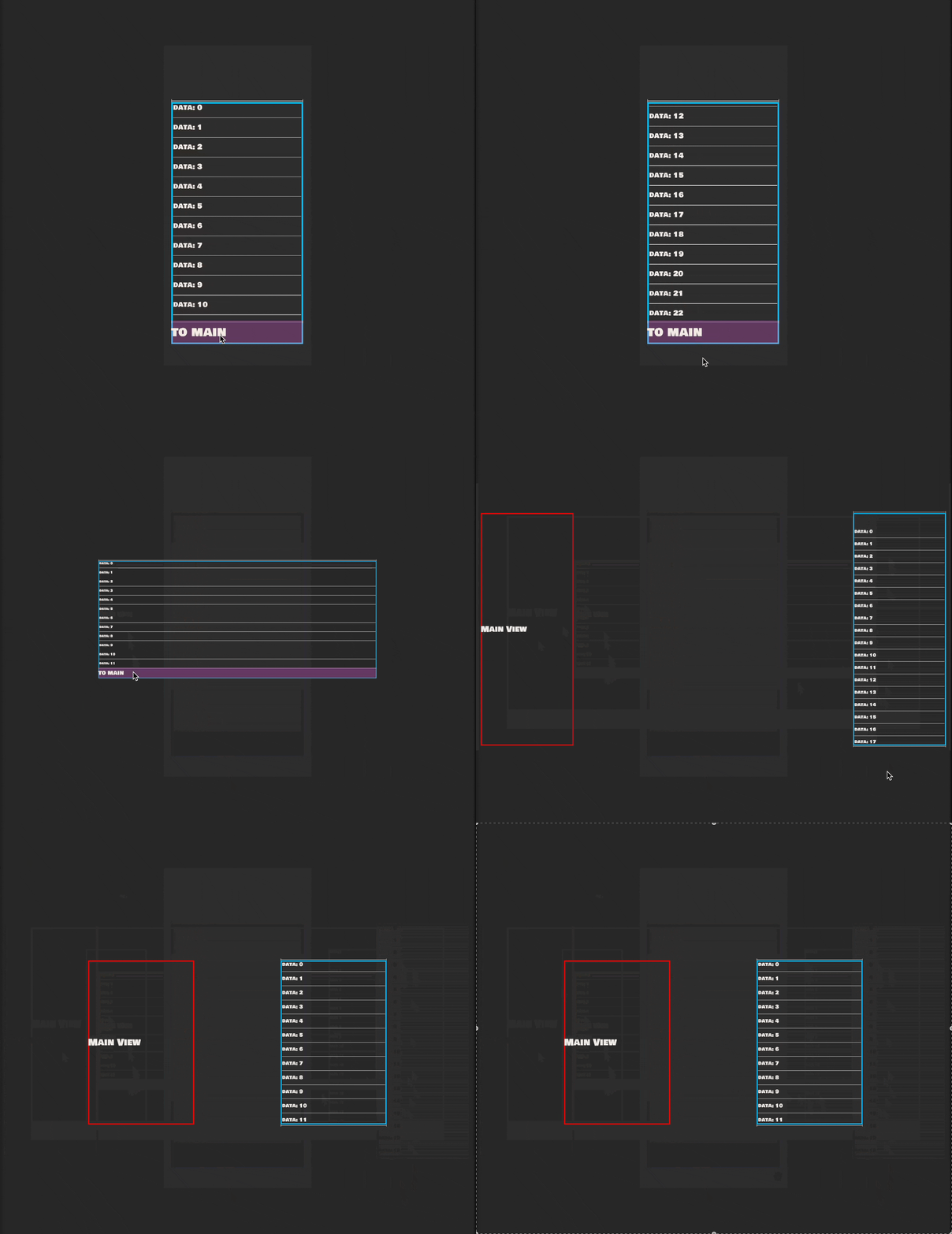
I needed to change my existing UI framework from a view to view based system to a ViewController with subviews whose visibility is controlled by a media query. So in the above example, we've got three views that can transition to each other on mobile, but all three are visible on desktop. There's some subtler differences too, the navigation buttons are gone, and there's only one heading. The general concept is that the UI should be grouped into these larger views, then when it comes to mobile, inject a navigation layer between the sub views.

A gif showing a ui wireframe morphing from mobile, with a single view, to larger screens, splitting into multiple views
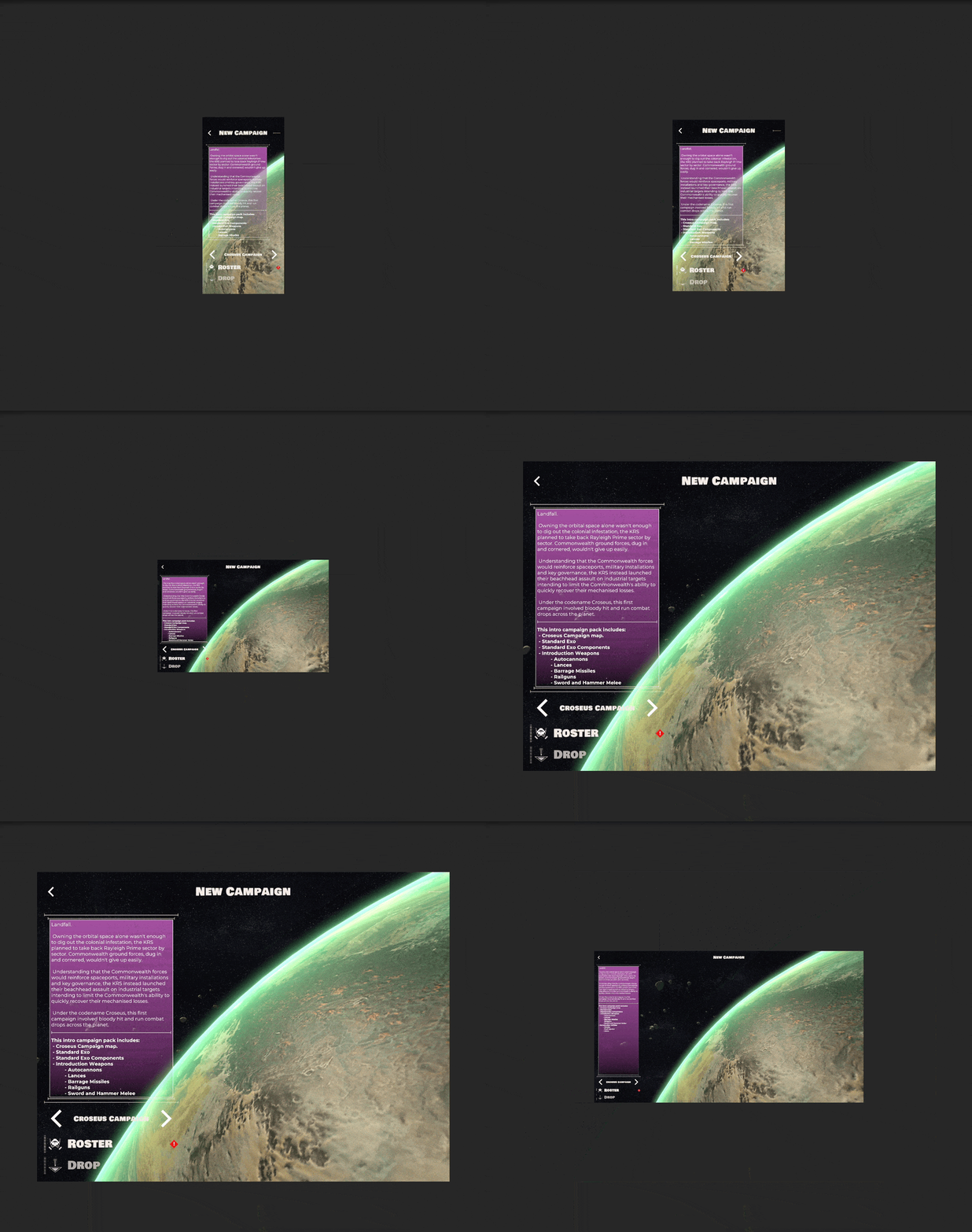
So I ended up spending half the week retooling my underlying UI tools to support this paradigm. The end result works pretty much as expected. Supporting all these various aspect ratios is a bit of a pain, but I think it'll be worth it in the end. So far this week beyond the system upgrade I managed to get both the main menu and the campaign choice views complete, only ten more pages worth of this to go! (wish me luck)

A gif of the New Campaign screen, changing size and positions depending on the screen it's on
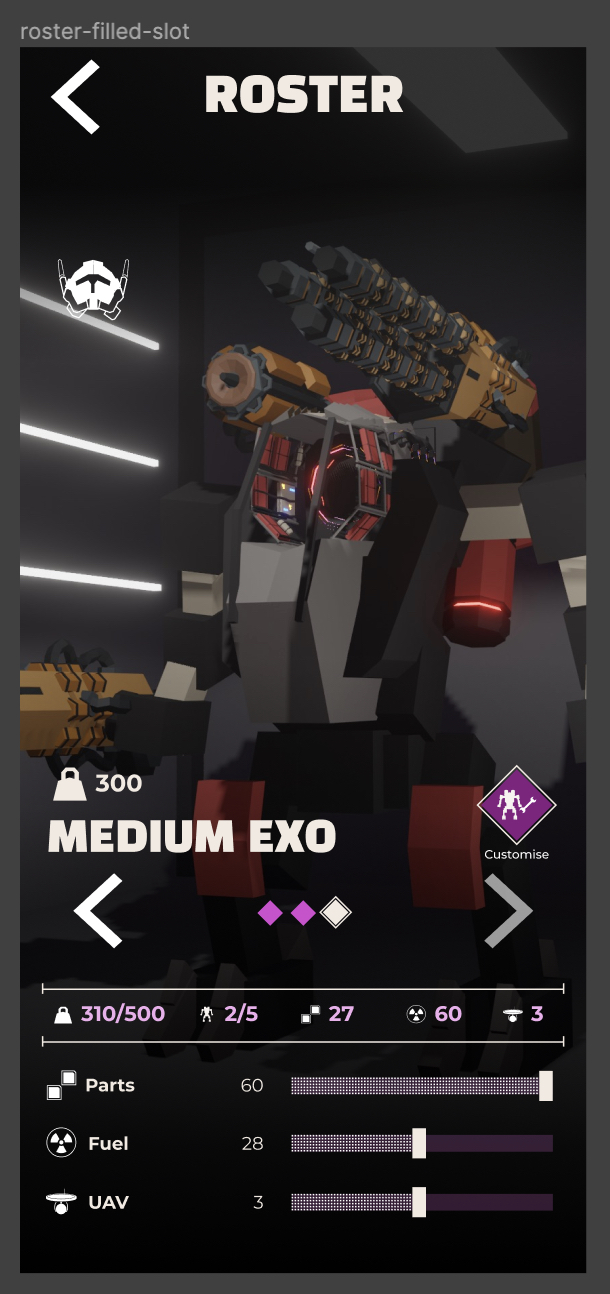
Beyond the UI work this week I also spent some time finalising my content for the Australian governments Emerging GameMakers fund application. I realised after submitting the application that it's really for... game ideas and games in preproduction... not... games that are in beta. Whoops. Ah well, good experience.

Exoloper Tasks completed:

  • System: UI needs to properly respond to show multiple views on larger screens.
  • UI-Rework: Campaign Page
  • UI: Identify all pages requiring reworking
  • Emerging GameMakers fund application
  • UI-Rework: Main Menu
  • UI: implement proper view handling for multi screen views
  • Graphic Design: Build layouts for all aspect ratios

Exoloper Graphic Design

In 2015 I was asked by someone I used to help out from time to time to do some graphic design work. Up until this point most of my graphic design had been completely in games, but this was for an app. I said sure, why not. I was freshly out of a job, wrapping up work on Unstoppable and kinda needed some cash. What I proceeded to make was utter crap work, wasn't proud of it, but I got paid. Since then I've worked on improving my skills, once again self taught. I eventually picked up a full time job with the person who contracted me for a couple years, mostly doing graphic design, game dev and app dev. Now I wouldn't say I'm a great graphic designer, but I can certainly do the work and this week consisted almost entirely of graphic design work. While I'd spent some time near the start of the project laying out colours and basic layouts, this week was a complete pass. I went over every screen, filled out missing ones, refined existing pages. Honestly I could probably spend another two weeks on this, but time is of the essence, so what I've managed to get done will have to do.
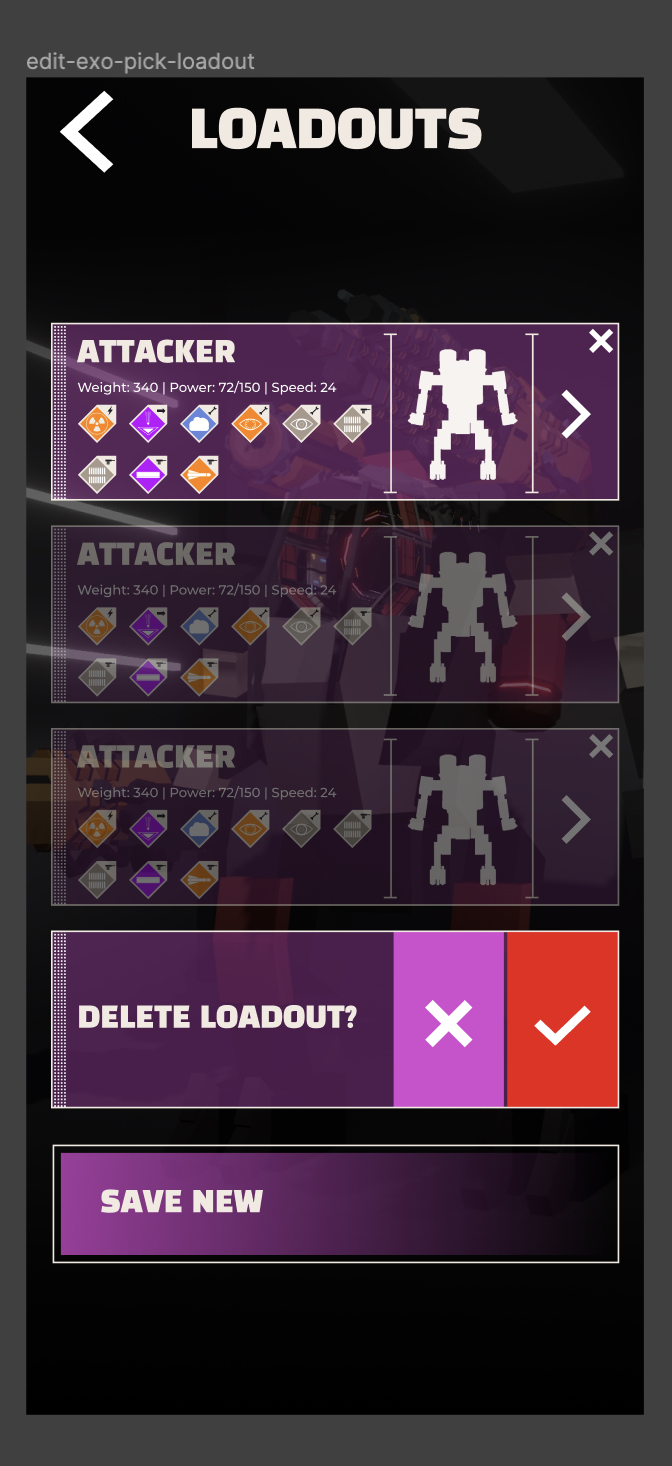
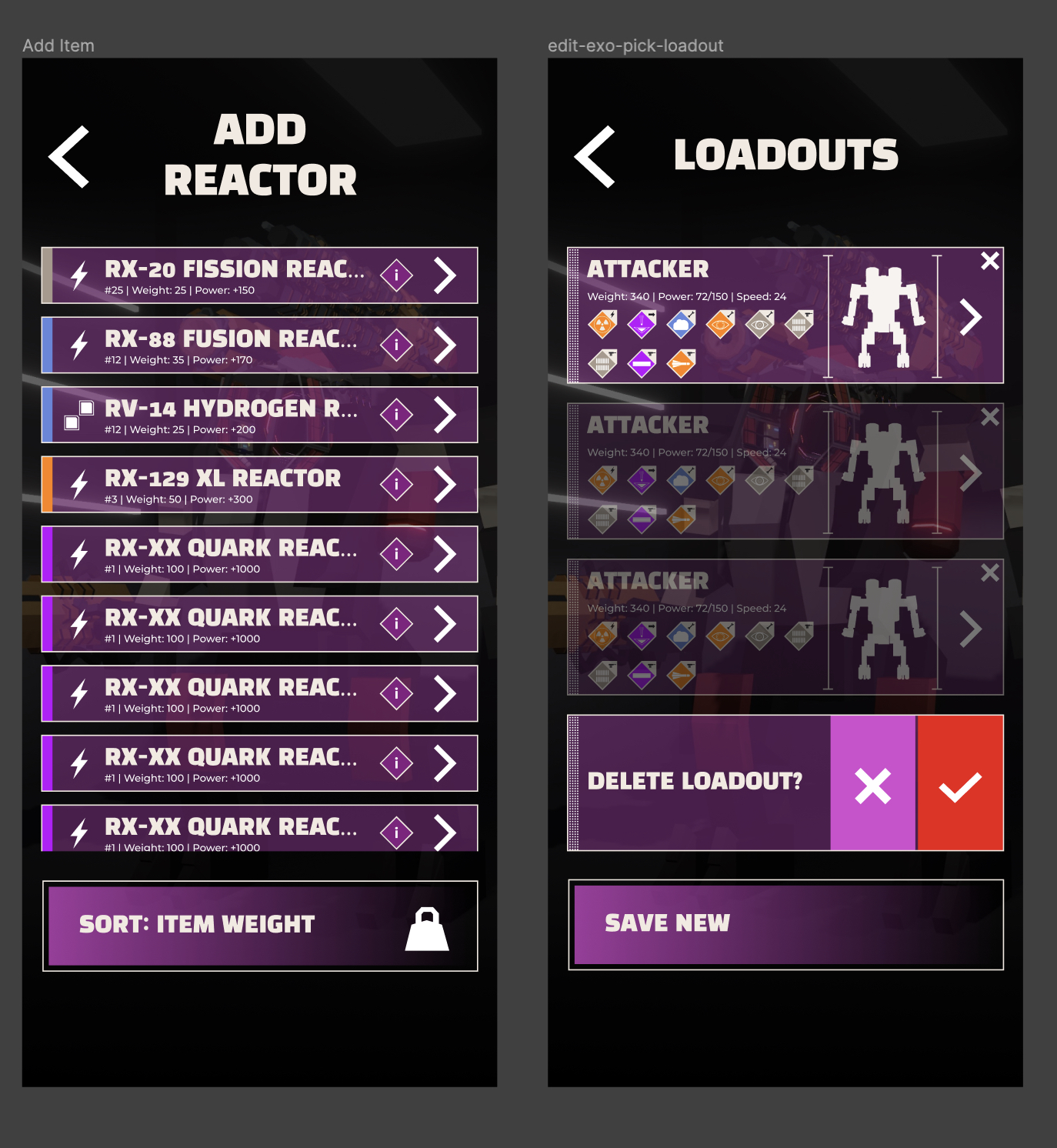
The net feeling is much a tighter and more controlled iteration of what I already had. I did spend some time looking at alternative designs, different colour palettes and such, but nothing could quite tear me away from this lovely shade of purple. Overall I'm happy enough with where this is all going. Just have to design for all the screen orientations and sizes now. Wish me luck!

Exoloper Tasks completed:

  • Graphic Design: Figure out menu backgrounds.
  • Graphic design: figure out required icons
  • Graphic design: Icon - max weight
  • Graphic design: Icon - component genre
  • Graphic design: Icon - campaign menu - roster
  • Graphic design: Icon - campaign menu - tutorial
  • Graphic design: Icon - campaign menu - quickplay
  • Graphic design: Icon - campaign menu - Continue campaign
  • Graphic design: Icon - campaign menu - new campaign
  • Graphic design: Icon - roster - Mark unit as player-controlled
  • Graphic design: Icon - UAV
  • Graphic design: Icon - edit unit - paint unit
  • Graphic design: Icon - edit unit - saved loadout
  • Graphic design: Icon - inventory - component properties / sort types
  • Graphic design: Icon - campaign - exobay
  • Graphic design: Icon - campaign - campaign remaining time
  • Graphic design: Icon - campaign - salvage
  • Graphic design: Icon - campaign - repair
  • Graphic Design: Menu Campaign: Hall of honor (completed campaigns) (resets on loss?)
  • Graphic Design: Settings: Save handler page
  • Graphic Design: Controller: Edit bindings
  • Graphic Design: Settings - in game - vs - menu
  • Graphic Design: Full graphic design pass
  • Graphic Design: Identify missing pages.
  • Graphic Design: Unit Editor: Saved builds (think the auto-buy loadouts from Hunt)
  • Graphic Design: Quickplay: Build exo
  • Graphic Design: Quickplay: choose mission
  • Graphic Design: Unit Editor: Paint Exo
  • Re-evaluate remaining Todo's for Exoloper based on current knowledge
  • SFX: Vehicle Movement
  • SFX: Exo Movement
  • Identify tasks for DLC features

Alpha Complete

I skipped posting here last week mostly because I couldn't be bothered. That happens sometimes. Life's too short to get all tied up on some deadlines.

The past two weeks have had me wrapping up a lot of the loose ends for Exoloper's Alpha phase. I'd be lying if I said it wasn't satisfying as all heck to tick the last box in the pre-alpha phase. project management: satisfying at best

With gameplay more or less sorted for combat and meta-game inventory, the last part that needed unfolding from its prototype phase was the campaign. There were a couple systems missing from the campaign but I honestly had no idea what exactly they were, only that the campaign lacked any kind of tension. It was mechanically easy to complete the objectives and extract, and there didn't seem to be any real challenging decisions along the way.

So I played the living heck out of the campaign. I spent half a monday playing through campaign after campaign after campaign to get a feel for what worked, and what didn't. I found a couple things - There was no resource tension. Partially a balance issue, but, you could leisurely run around doing whatever you want. Fuel did apply a resource cost, but on its own it wasn't enough. - The player had perfect knowledge of the world. You know your path as soon as you drop into the world, making it just a matter of choosing the right nodes. - The decision system wasn't filling the narrative role I wanted it to fill. And voila, I now had a plan for the things that needed to be changed. So now, when you start a campaign, a mechanic not unlike Darkest Dungeon's recon system reveals the contents of nodes that are close to you at semi random intervals, a new rare and limited resource (UAV's) has been added to allow you to fire this recon at will, paths between nodes are hidden (though not inaccessible!) and decision nodes have been hidden entirely. Now it really feels as though you're traversing unknown territory and finding your way through a dense colonial cityscape, and you're always at risk of spending too many resources on going the wrong way, or running blind towards your goals. The one concession to all of this extra difficulty is that at any point you can choose to leave via a spaceport/space-elevator, and that you always start at one. undiscovered nodes sit alongside objectives, and discovered nodes
Beyond the campaign, another critically missing piece was the games tutorial systems. Interloper launched to an extremely lacklustre, and text heavy tutorial. This time I want to give the players time and space to figure the game out at their own pace, whilst also reducing the amount of text I throw at them out the gate.

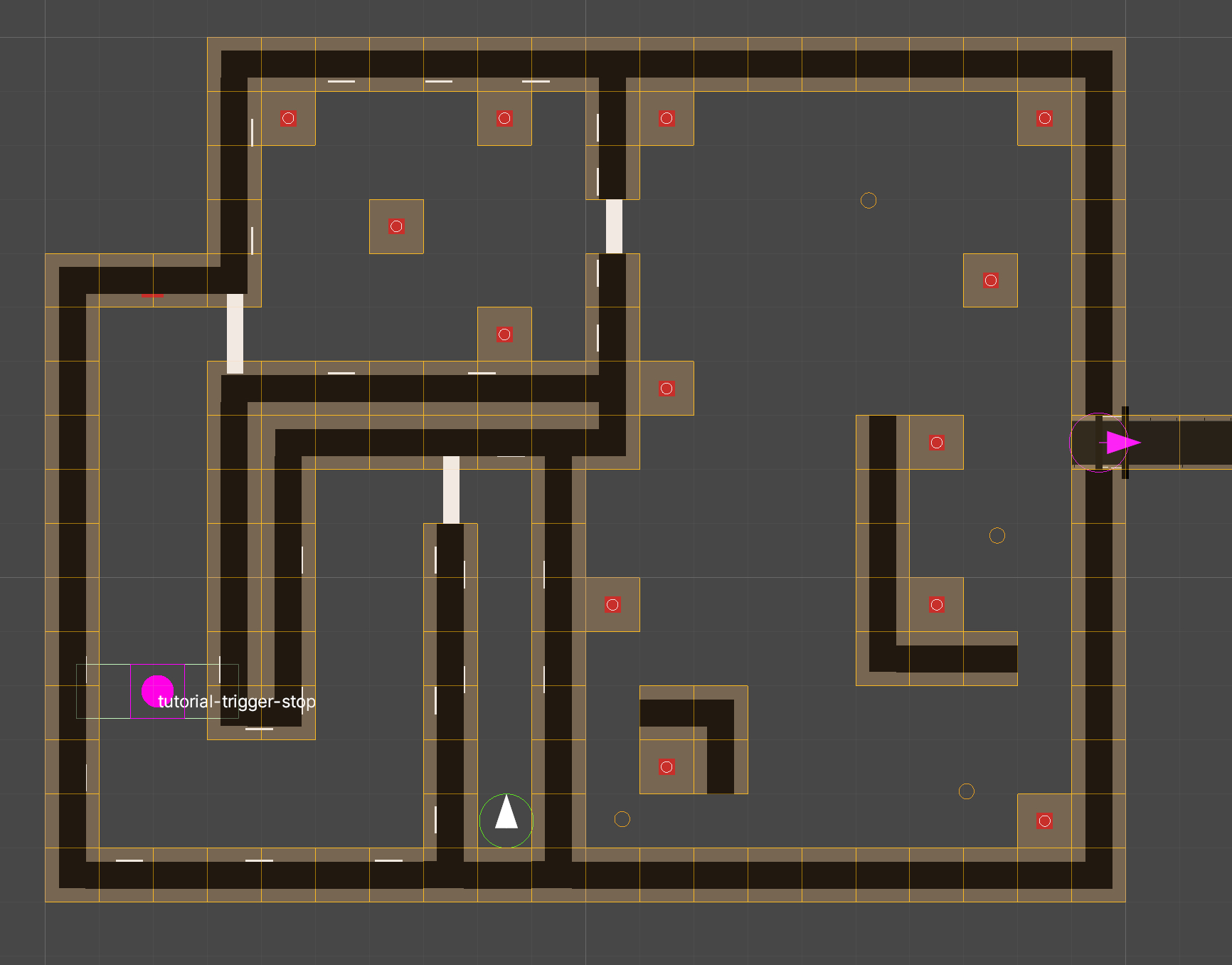
The main goal here is to get the player to learn the combat games basic controls using level design as a main teacher. I monitor the player unit's condition for things like "current speed", wait for trigger boxes, or enemy destruction and change the state of both the tutorial and the UI accordingly, revealing new controls as the player completes objectives. The tutorial level's layout from above. The tutorial kicks off with just the throttle available.
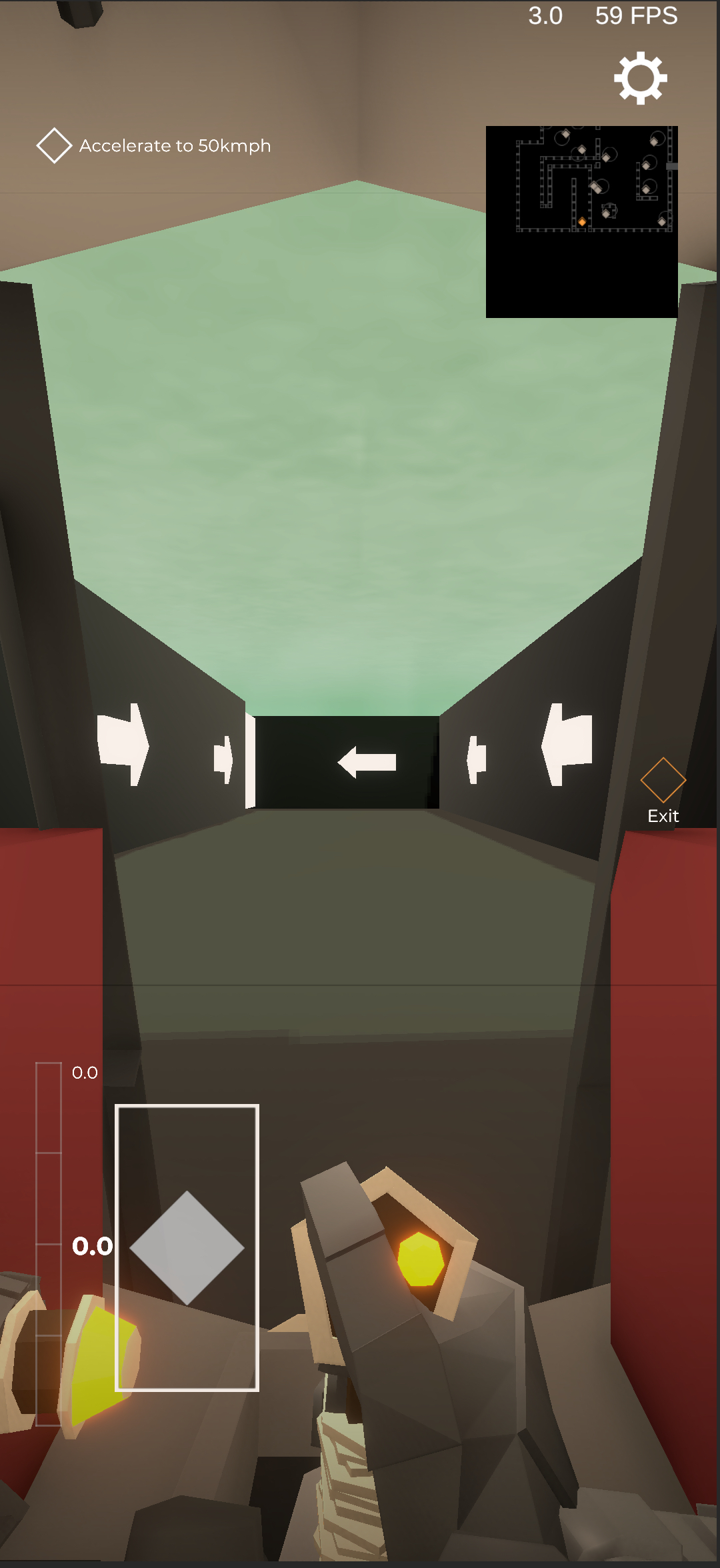
I'm proud as punch of what I've built so far and It'll be much harder to introduce concepts in a similarly progressive way for the campaign and for the exo builder, but I'll figure something out. I fully imagine what I've built so far isn't going to be anywhere near final, but it's a starting discussion point for the alpha community.

And then the final piece of the puzzle for Alpha. Monetisation.

I've been avoiding this topic here because my decisions around monetisation have flown in the face of every game I've released under the Anchorite banner. I strongly believe that the App Store deserves high quality games where you, the player, do not have to think about money after you pick the game up. Thats how I grew up playing games, and I find most games with micro-transactions to be insulting in that the purpose of the game blurs from an entertaining product to a wealth extraction/generation machine.

With that said, Interloper has to this date sold 31 thousand copies. I'm incredibly proud of this number, but it's netted me a living wage of averaged out to AUD $34K / annum (which incidentally is under the minimum annual wage in Australia, of 39.9K).This is despite having a worldwide feature at launch where over 50 miillion people saw its app icon, and a continual set of minor features that net approximately one million views each week. Thats still 34K that I've earned from my work and as I say, insanely proud of it, but it's not enough (literally).

With all of that context: Exoloper will be free to play. But.

I still want to create a game that treats it's players with respect, and so the monetisation strategy is as such:

The core game, with a single campaign will be released for free. That's more or less what the Alpha is right now. All the existing weapons, utilities, enemies, and so forth are included in this base game. Thats a lot of value for literally nothing. If you so choose though, there will be three additional campaigns built for the game. One will be available at launch, and two more post launch. Each will include a new campaign map, new biomes, environments, combat maps, weapons, utilities, exos, weather and more. These will be priced at $2.99 (USD) each. Anything you unlock for one campaign can be used in any other campaign.

And thats it. My hope here is that instead of trying to convince new players to spend money on the game out with a couple screenshots and videos, I'll do that instead with what I'm actually good at, which is making a compelling simulator experience.

I'd love feedback on this idea, so if you're reading this and you have thoughts, please feel free to reach out to me.

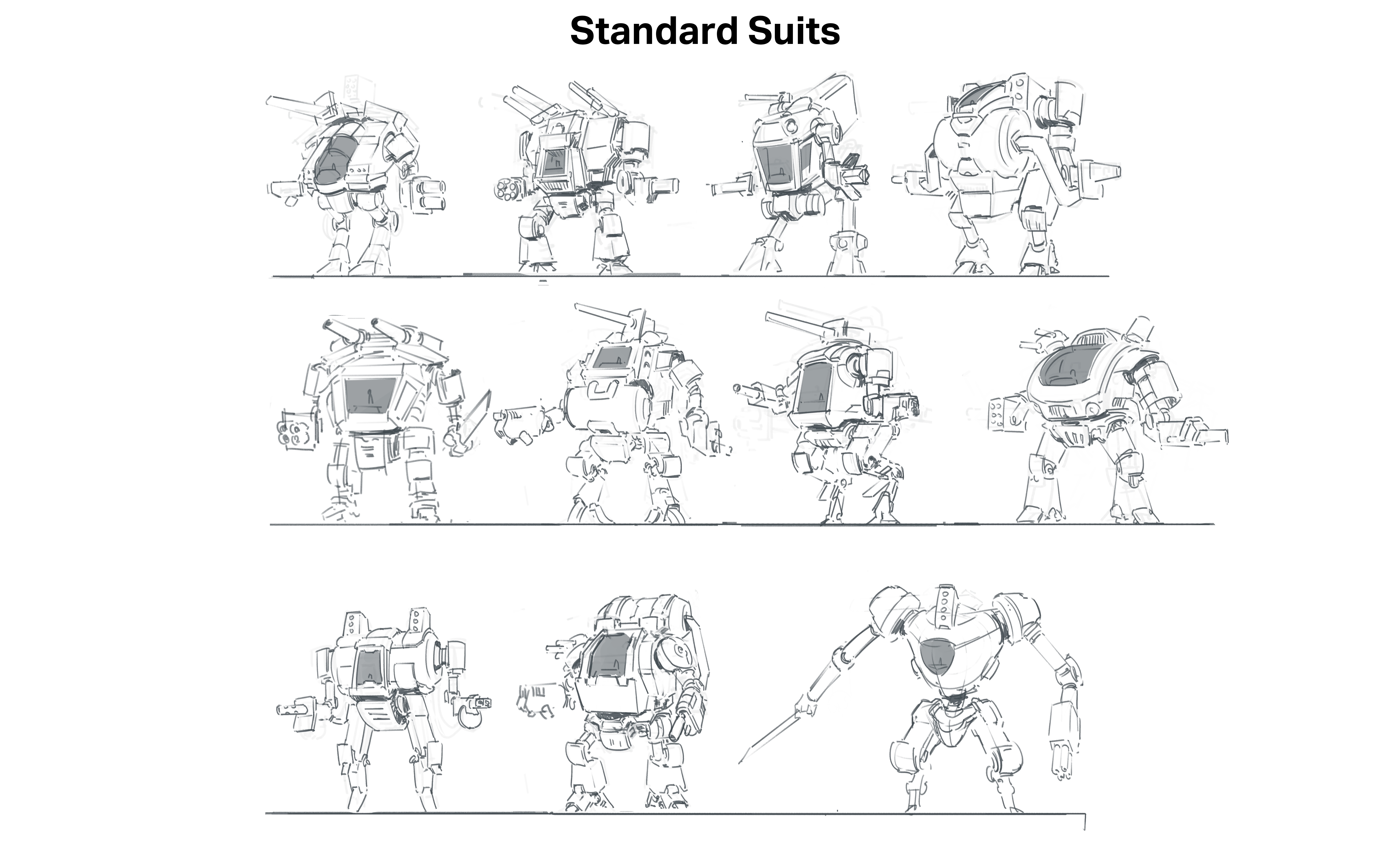
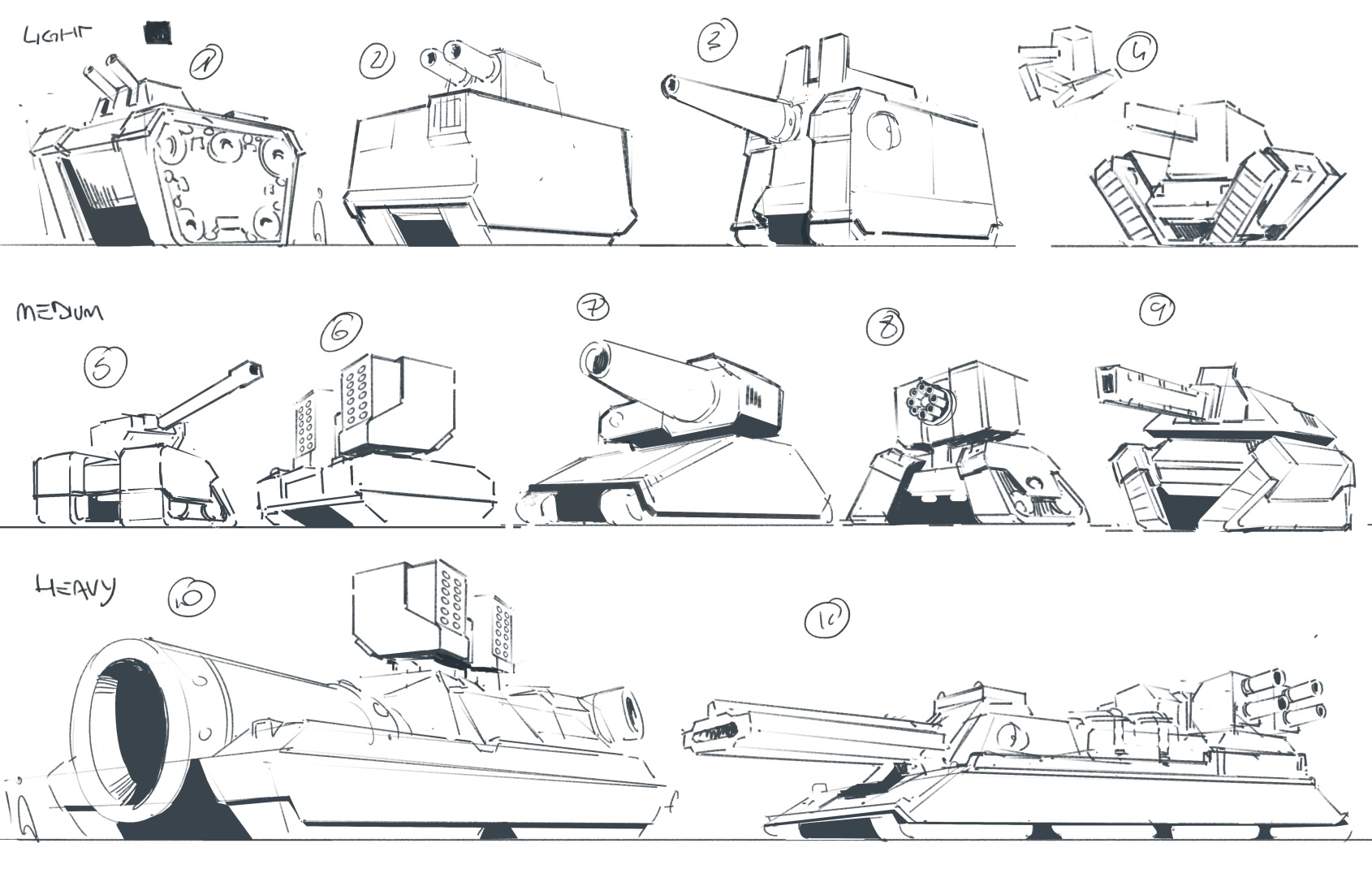
There's one last thing I'd like to cover today though, Interloper Discord member NoLeternox made some incredible, industry quality fanart for Interloper a while back, and I just couldn't resist asking them to draw up some sketches for Exoloper. What they've come up with is absolutely gorgeous and I can't wait to turn some of these into Exos / tanks in the game!

You can find their work here: https://www.instagram.com/leternox/

Exoloper Tasks completed:

  • Graphic design: Campaign page
  • Graphic design: Difficult decisions page
  • Graphic design: exploration of design identity
  • IAP: Add a tip jar?
  • IAP: handle iAP's not being available?
  • IAP: Handle Purchase failed
  • IAP: Split off “waiting” screen from the new campaign view, make it pop up anytime there’s an IAP pending
  • IAP: Disable iAP for regular testflight builds
  • IAP: Handle purchase clicked more gracefully
  • IAP: Handle restore purchases
  • Tutorial Systems
  • Tutorial: add to main menu + block gameplay.
  • Tutorial: Combat tutorial implemented
  • Tutorial: objectives
  • Tutorial: enemies
  • Tutorial: movement
  • Tutorial: Shooting
  • Tutorial: optional gameplay elements
  • UAV nodes reveal over time now
  • Map: Weather (Sunny)
  • Map: Generation / layouts
  • Core Systems: AI - Infantry
  • UI: Campaign - Difficult decisions redesign
  • Deal with cost requirements for difficult decisions
  • UI: Campaign - Node information page
  • Campaign: Visibility of enemies
  • Limit epic loot to objective missions + only when they’re complete
  • Campaign: Deal with combat scenario fail states
  • UI: Campaign - Difficult decisions redesign
  • UI: Campaign - Node information page
  • Deal with cost requirements for difficult decisions
  • Campaign: Visibility of enemies
  • Limit epic loot to objective missions + only when they’re complete
  • Campaign: Deal with combat scenario fail states
  • more balance tweaks, fixes for double click moving the player when it shouldn't
  • fix for bug where loot + parts were flipped on combat resolution
  • added in mission time
  • balancing decisions
  • difficult decisions reworked to use a % of player resources
  • resources now show on decision page
  • rebuilt difficult decision system
  • added radar POI, fuel POI now drops more decisions, sorting inventory by rarity.
  • Updated campaign objective UI
  • campaign objectives properly reflect the task at the poi
  • added UAV system to campaign
  • campaing fog of war added.
  • combat objective ui notifies on failure
  • added defend-building missions
  • added penalty for failing objectives
  • added penalty for failing missions