Anchorite is the personal work of Mathew Purchase and friends. So far we've released three titles, Unstoppable, Interloper, and Exoloper. Paw. We previously worked on and have since paused work on Charge.


Forest Assets

This week had a lot of errands to run, and a lot of fussing about with stuff that wasn't Exoloper related, but I still managed to get a chunk of cool stuff in.

It’s super encouraging to see how quickly I can add new and interesting types of content to the game, from maps, to weapons to ai archetypes. All hallmarks of a set of core systems that empower this kind of work. One thing im kinda toying with in the back of my mind is streamlining all these processes further by adding better editor tools, but my biggest angst here is the potential bugs with those same tools. I’ll think on it.

Pilot Mesh

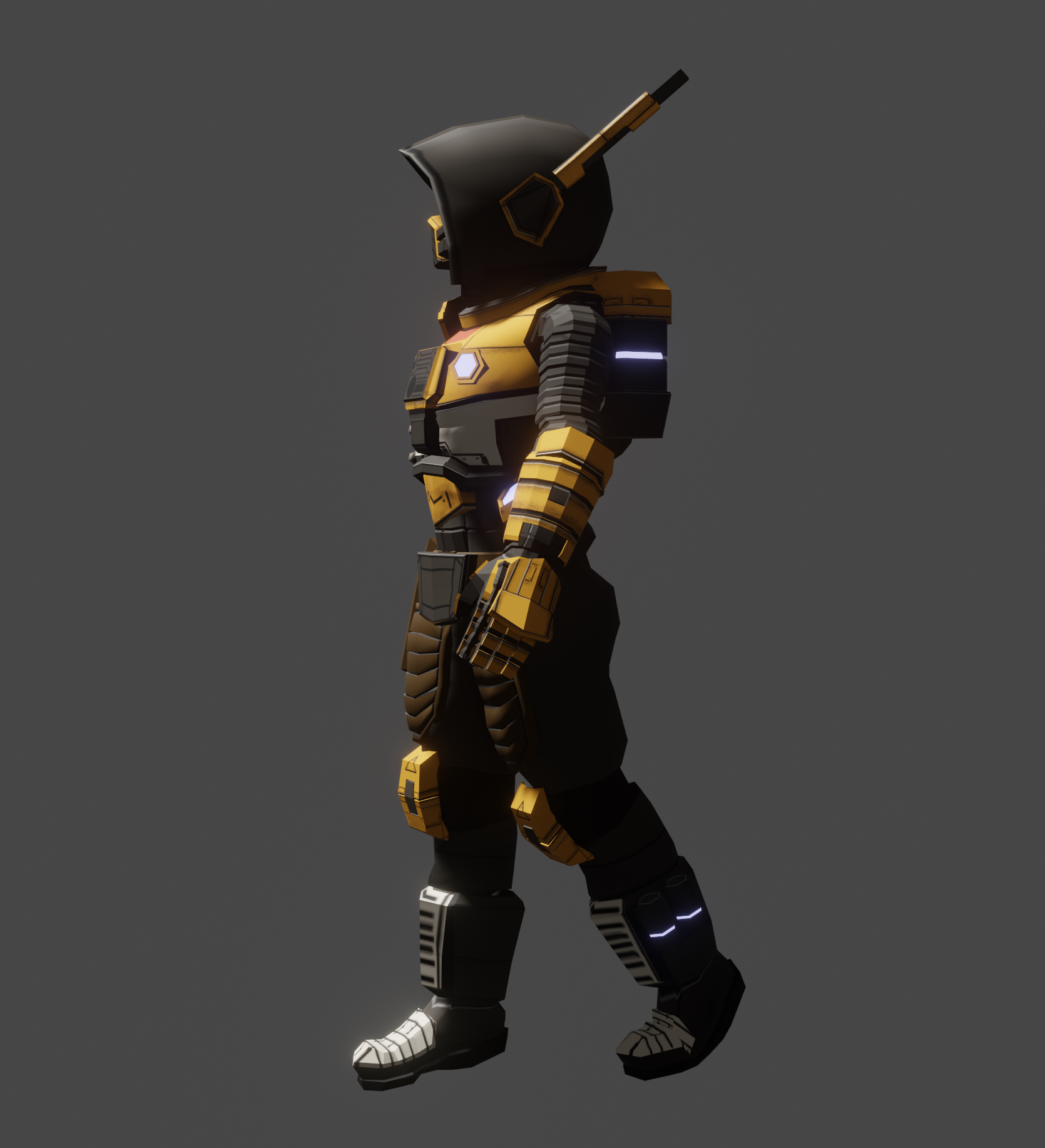
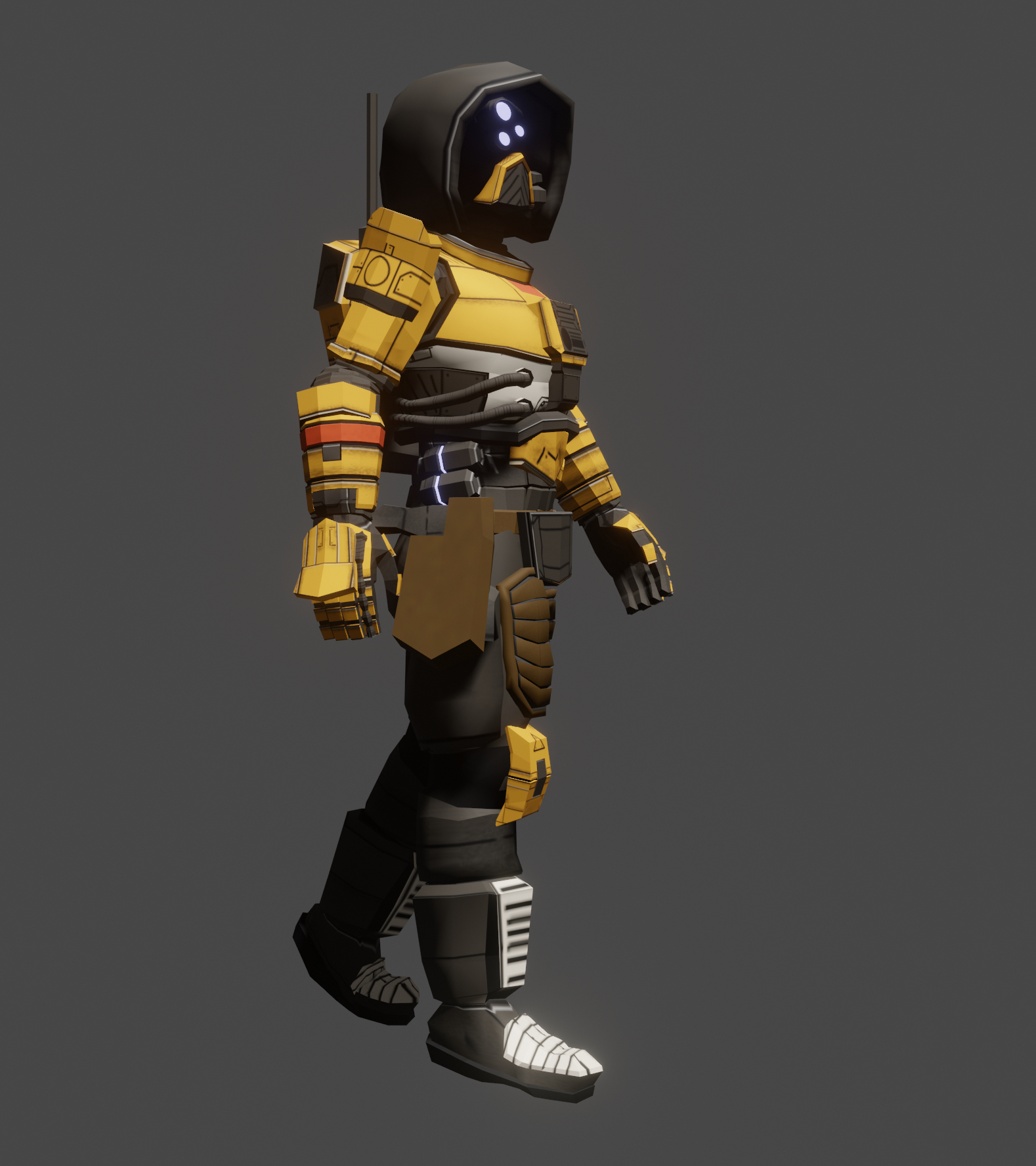
Kicked the week off by building out the pilot mesh. It's totally cosmetic, but the material will match that of the exo, so when you paint your exo, you paint your pilot.

Design wise I was looking for something a little more rugged than the Interloper Pilots. A uniform that looks as though it could survive some time on the surface, should their exo be destroyed. Are there parts that I wish I did differently? Sure. Am I pretty happy with it? hellyeah. I think going for a cohesive and yet seperate look helps to sell the concept that this is all part of a broader universe.
Forest Campaign Weapons

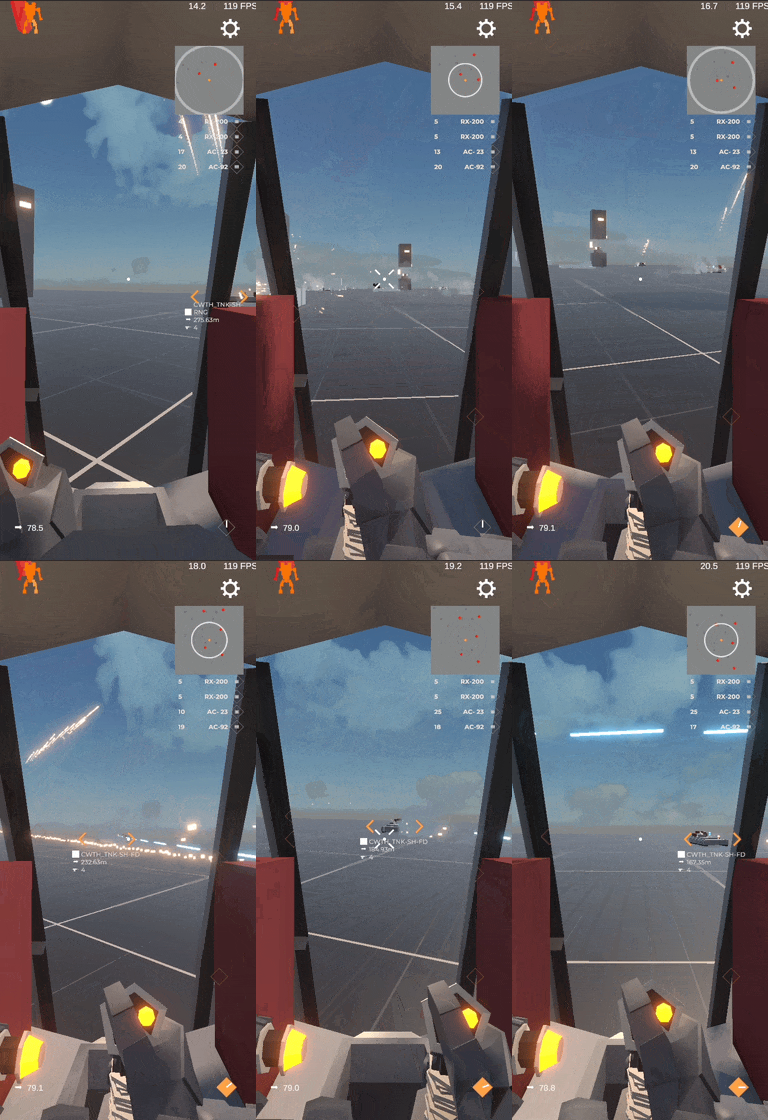
Beyond the pilot I spent the majority of the week building out the combat assets for the forest campaign. All of this stuff is coming along much quicker than I expected it to, which is really nice.

Repair Beam

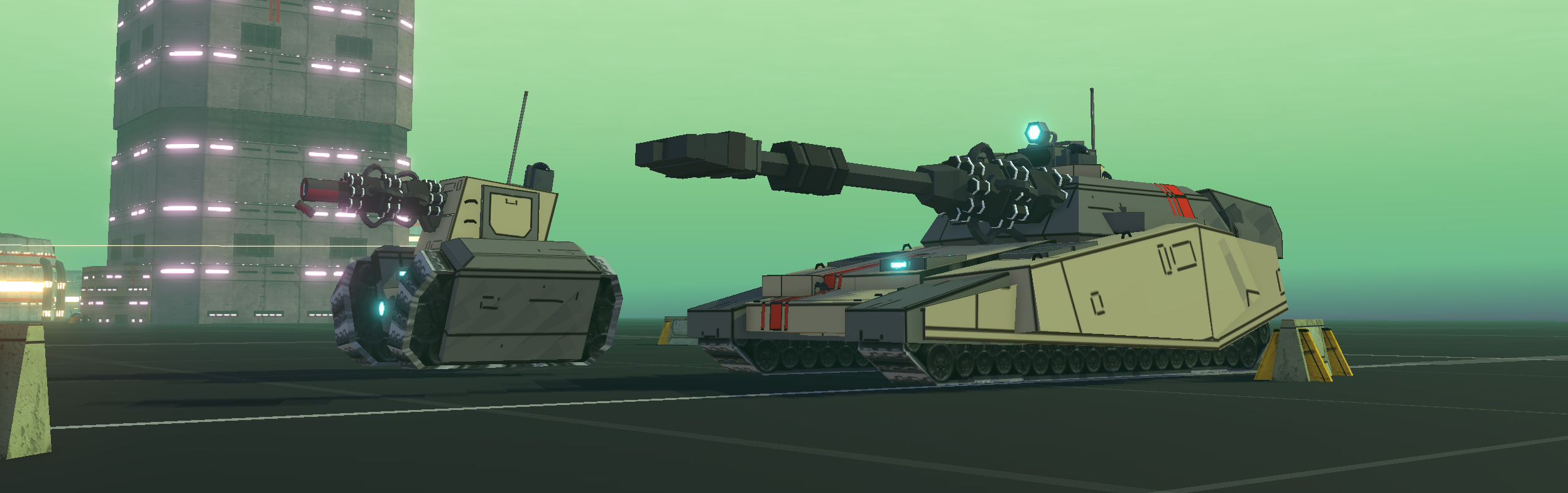
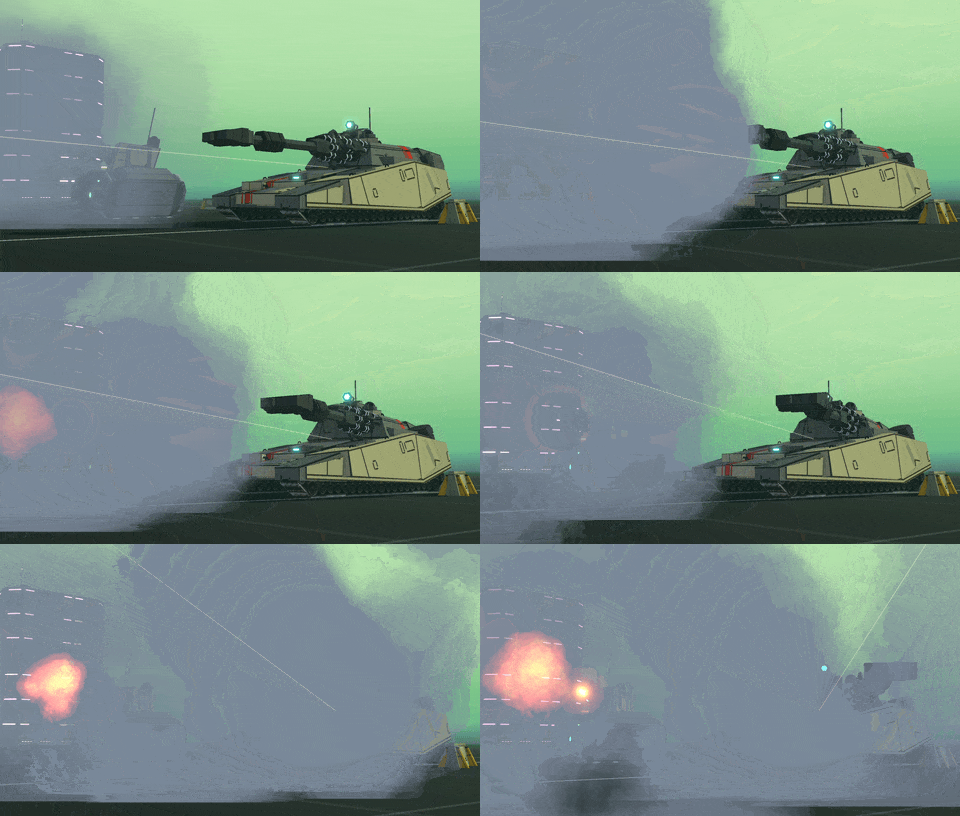
Look closely here and you'll see commonwealth tanks firing at each other, thats a new unit type that'll enter in the forest campaign that repairs nearby damaged units. Pretty common kind of game mechanic, but it adds a layer of complexity.
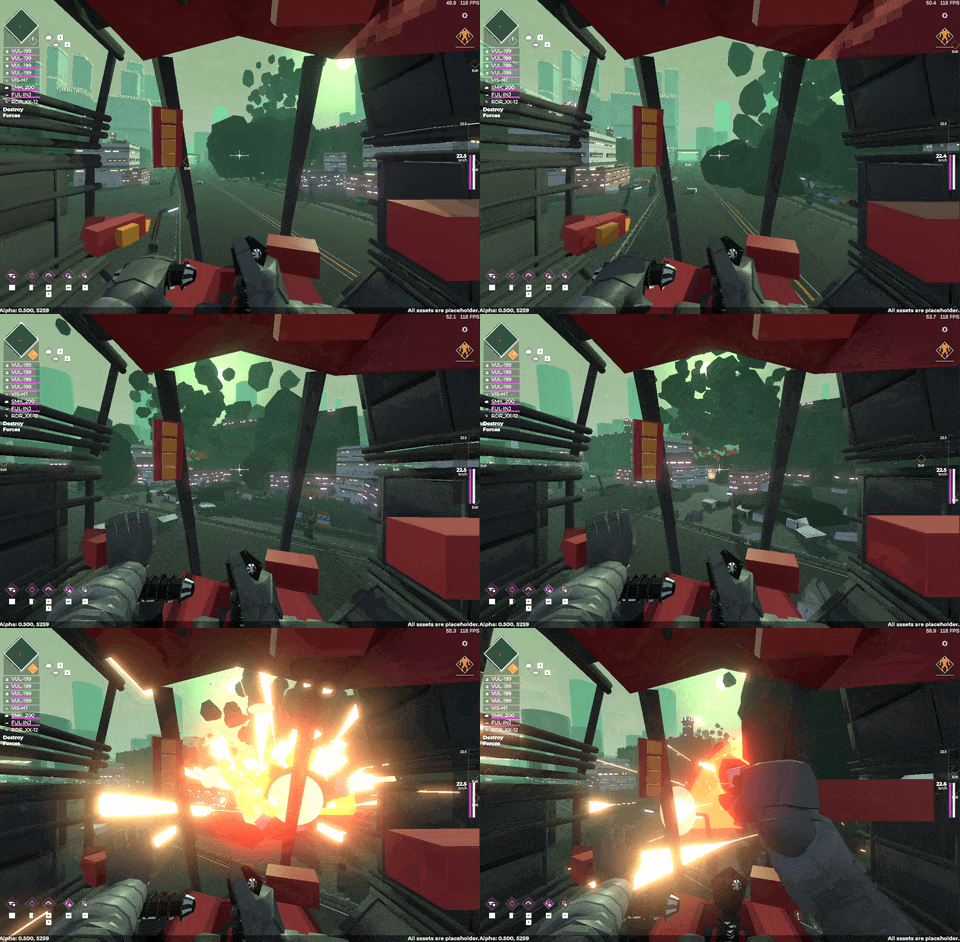
Direct Fire Missiles

The opening campaign will launch with the barrage missiles we've seen already, ones that fire up and over terrain. The forest campaign comes with direct fire swarm missiles. These streak erratically towards the currently locked target, shredding their armour. I've also generally upgraded the missile logic to better track targets. This means AI missiles now track you as well (for now, we'll see if that ends up in a lot of player deaths)
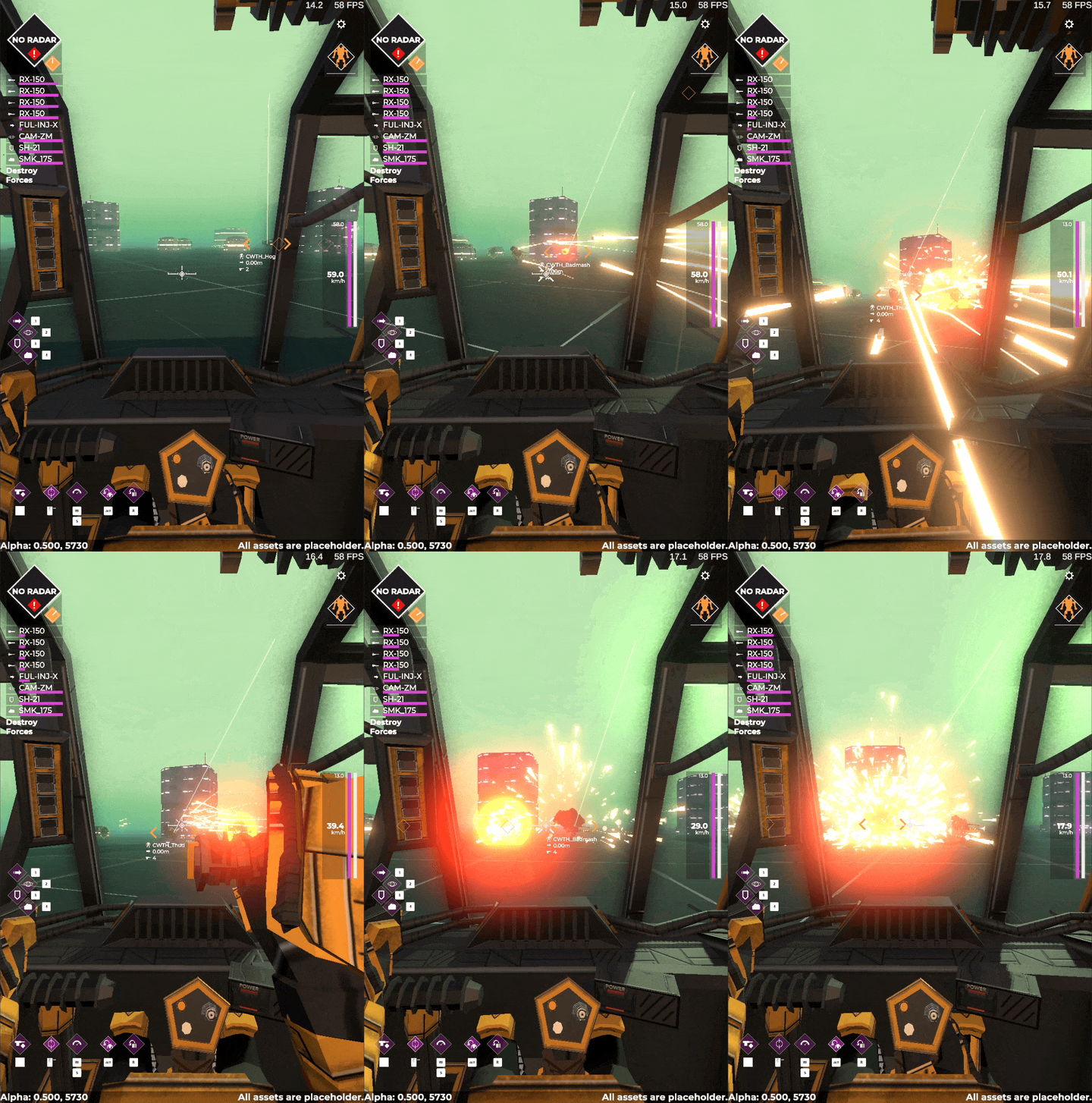
Shotguns!

What action game is complete without the old reliable shotgun. In game they're called Flak Cannons, but you get the idea. These will come in three variants, light, automatic and heavy and do incredible damage to lightly armoured targets. Great for clearing out swarms of enemies, or clearing utilities away from tougher enemies.
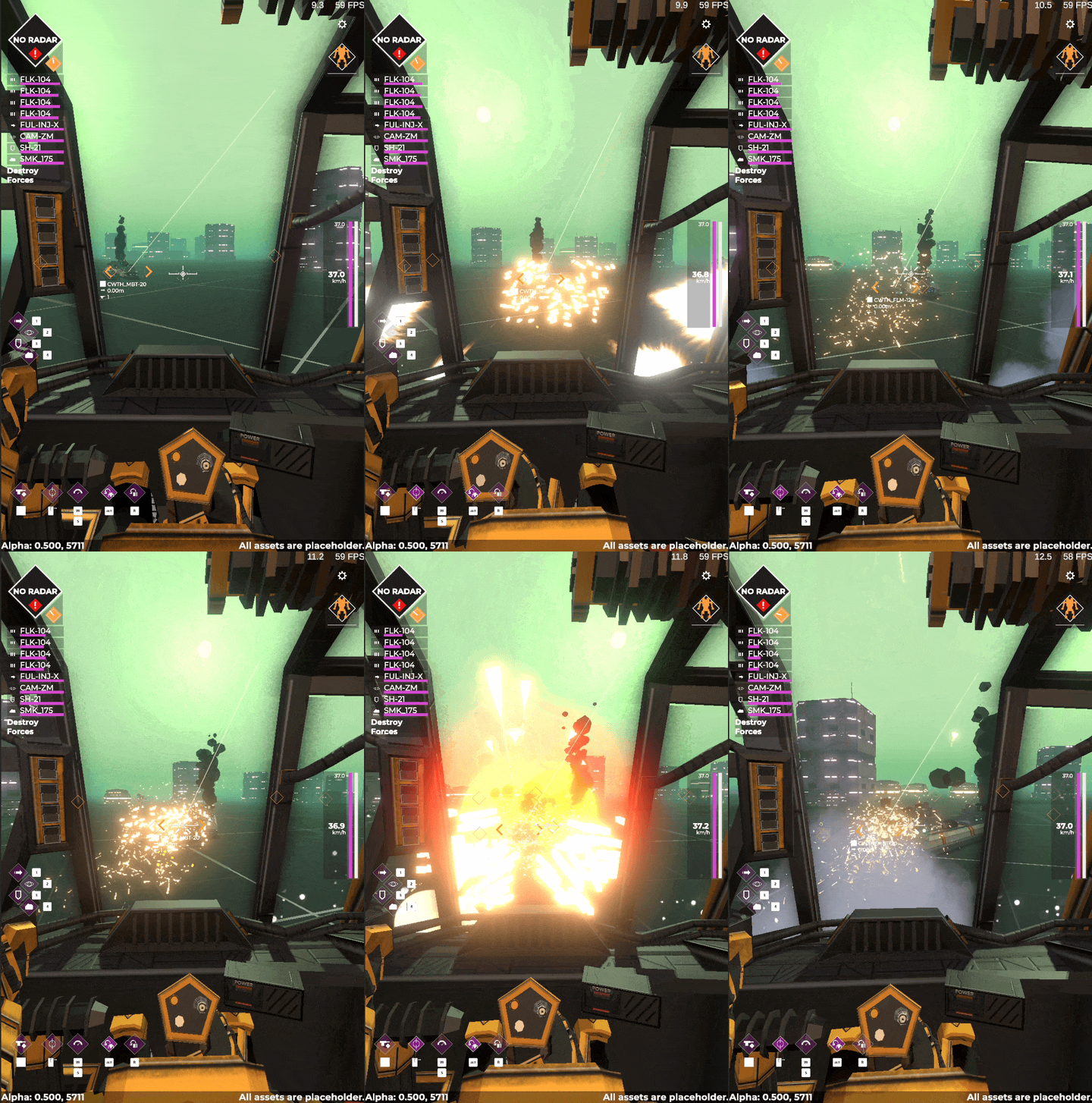
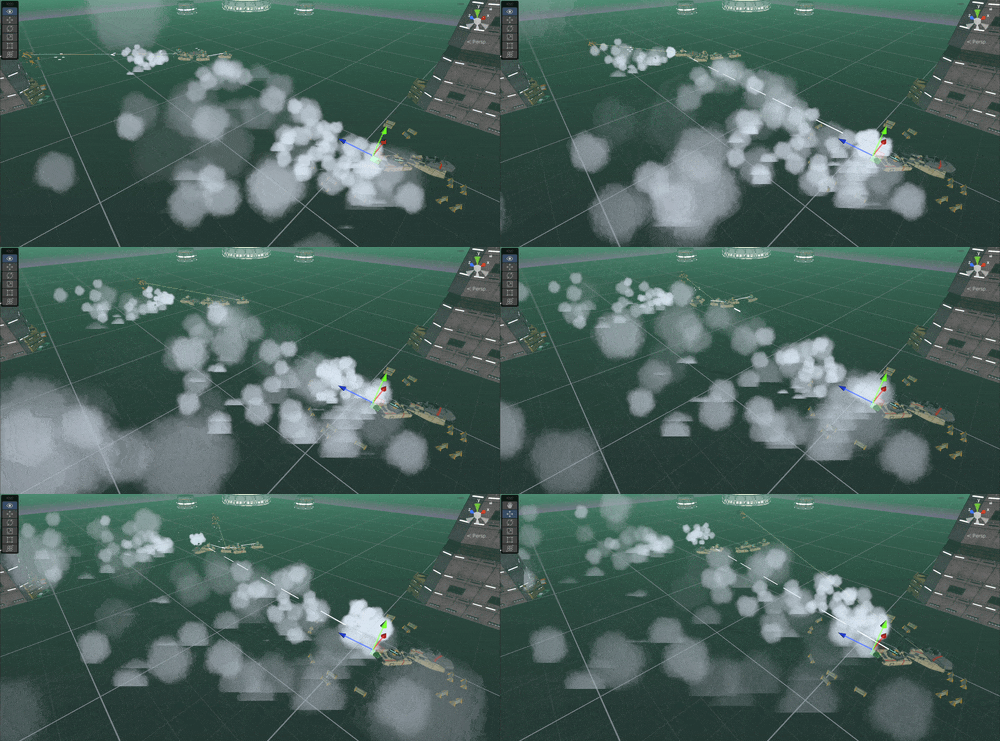
Shockwave attack

An ultra rare energy weapon designed to control the battlefield by reducing cover and pushing enemies around. I've been enjoying thinking up these kinds of more esoteric weapons that don't necessarily just do more damage.
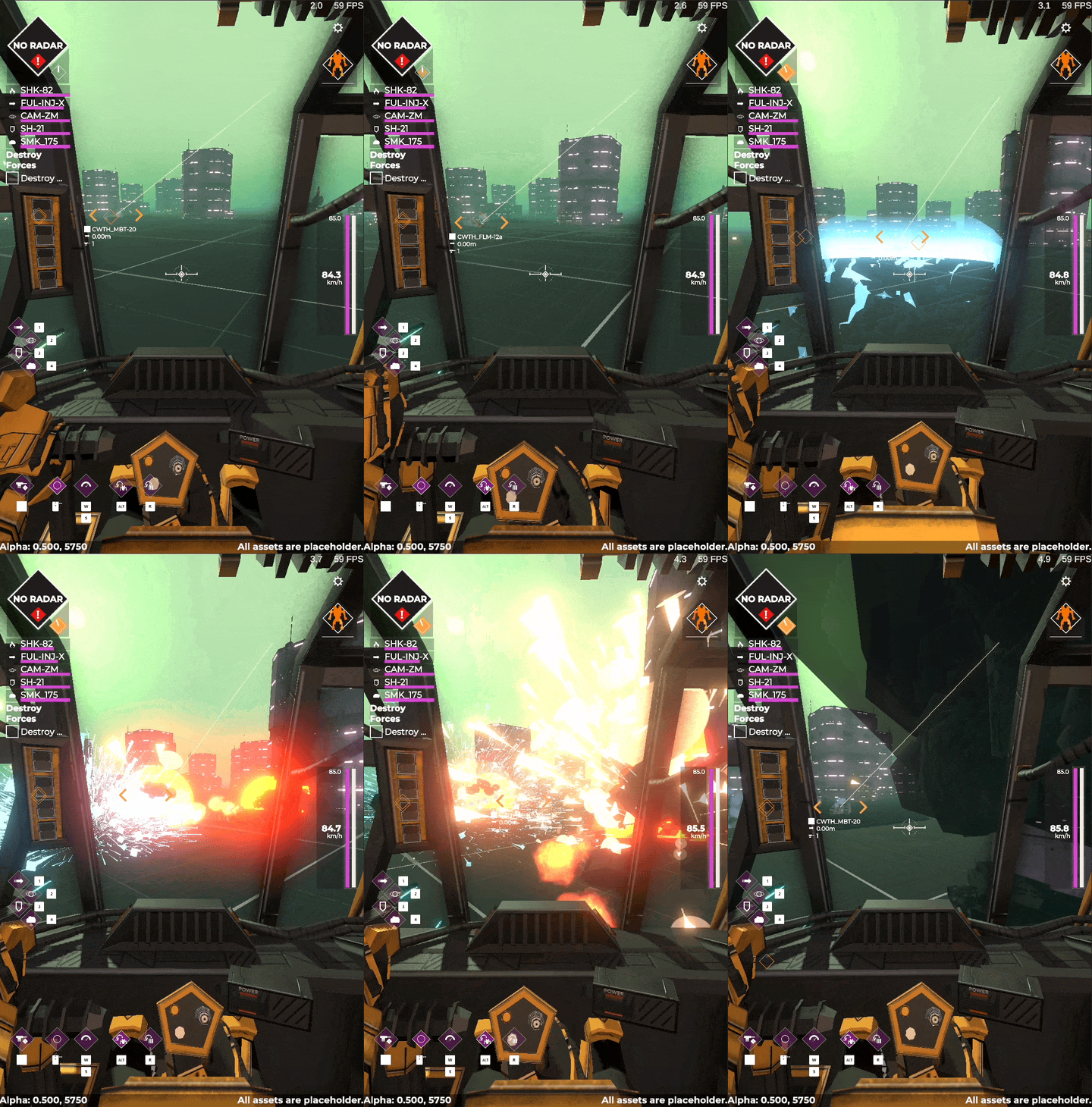
That’s all the weapons for both the introductory Industrial Campaign and the first unlockable Campaign, next up is finishing the remaining new components for the forest campaign, and then actually building out the campaign map assets for the forest.

Then it’s all bugfixin till launch day.

Exoloper Tasks completed:

  • Utility: zoom vision
  • Weapon: Energy: repair beam
  • Weapon: Missile: direct fire swarm
  • Weapon: Energy: jwst lance
  • Weapon: Ballistic: flak cannon
  • Weapon: Ballistic: auto Flak Cannon
  • Weapon: Energy: shockwave attack
  • Assets: FP Pilot model

Hangar and Weapons

Continuing with the theme of building out the games graphics, this week has been tying up the final bits and bobs for the intro industrial campaign. That includes building models for weapons and utilities, and building the hangar environment for both the menu and the drop sequence.

I've taken the approach of using a little bit of stuff rom interloper, but for the most part making new elements that look and feel appropriate in atmosphere, and that suit a more modular use case.

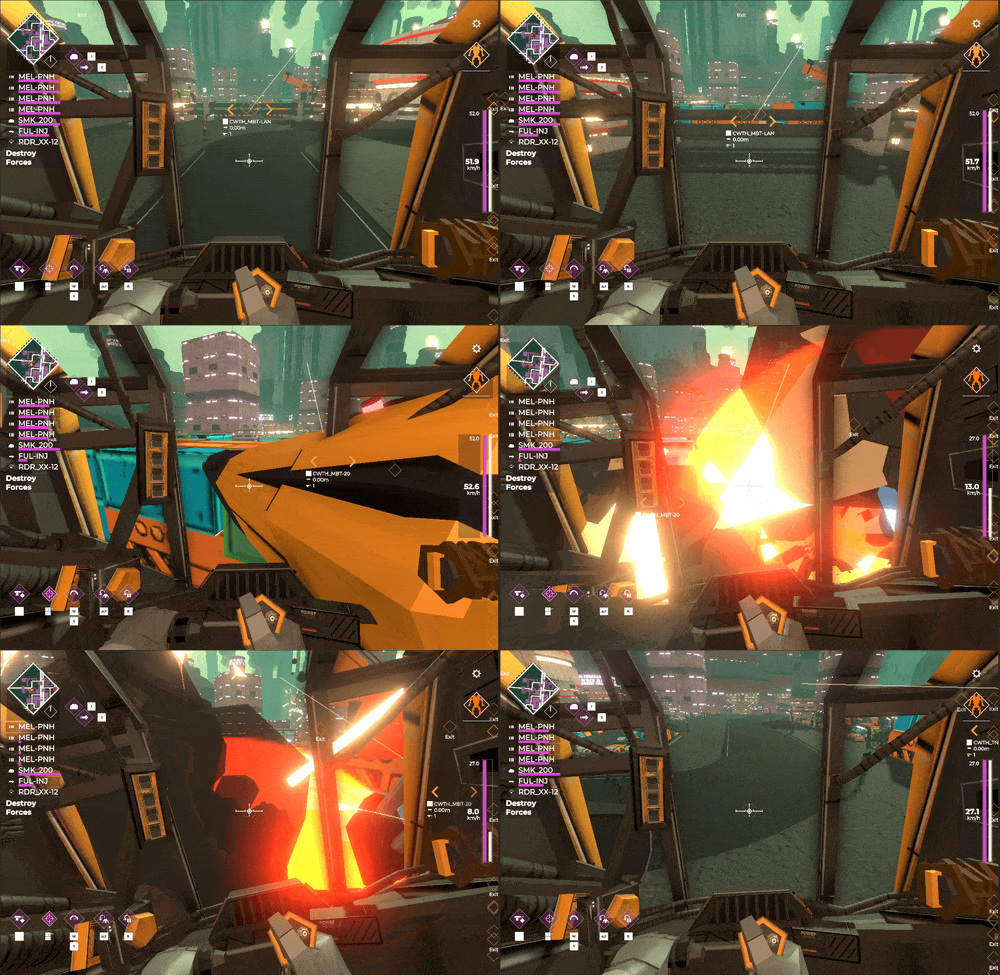
yes, you can outfit an Exo with 4x pneumatic hammers, this is a valid loadout. it's as chaotic as you'd expect
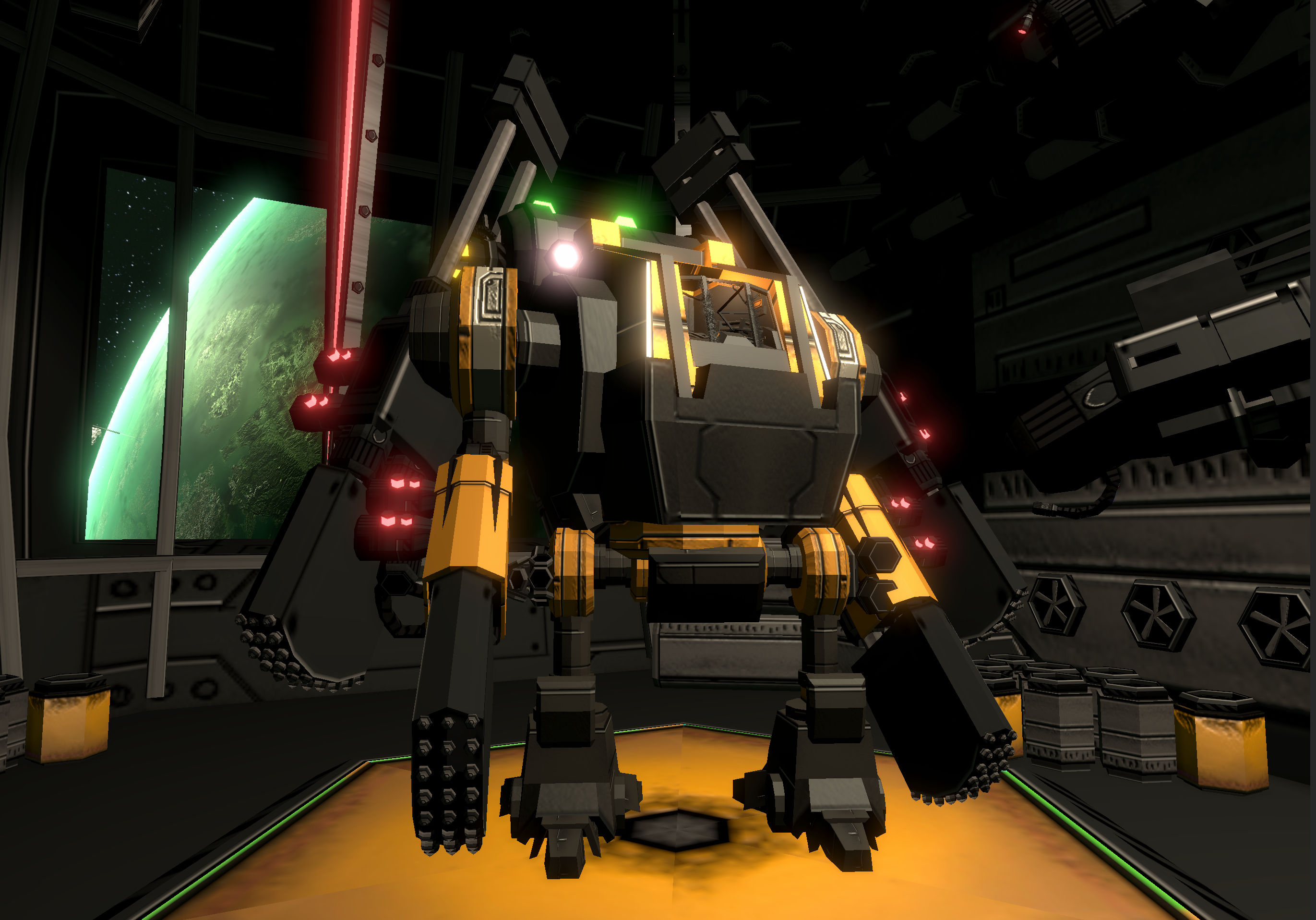
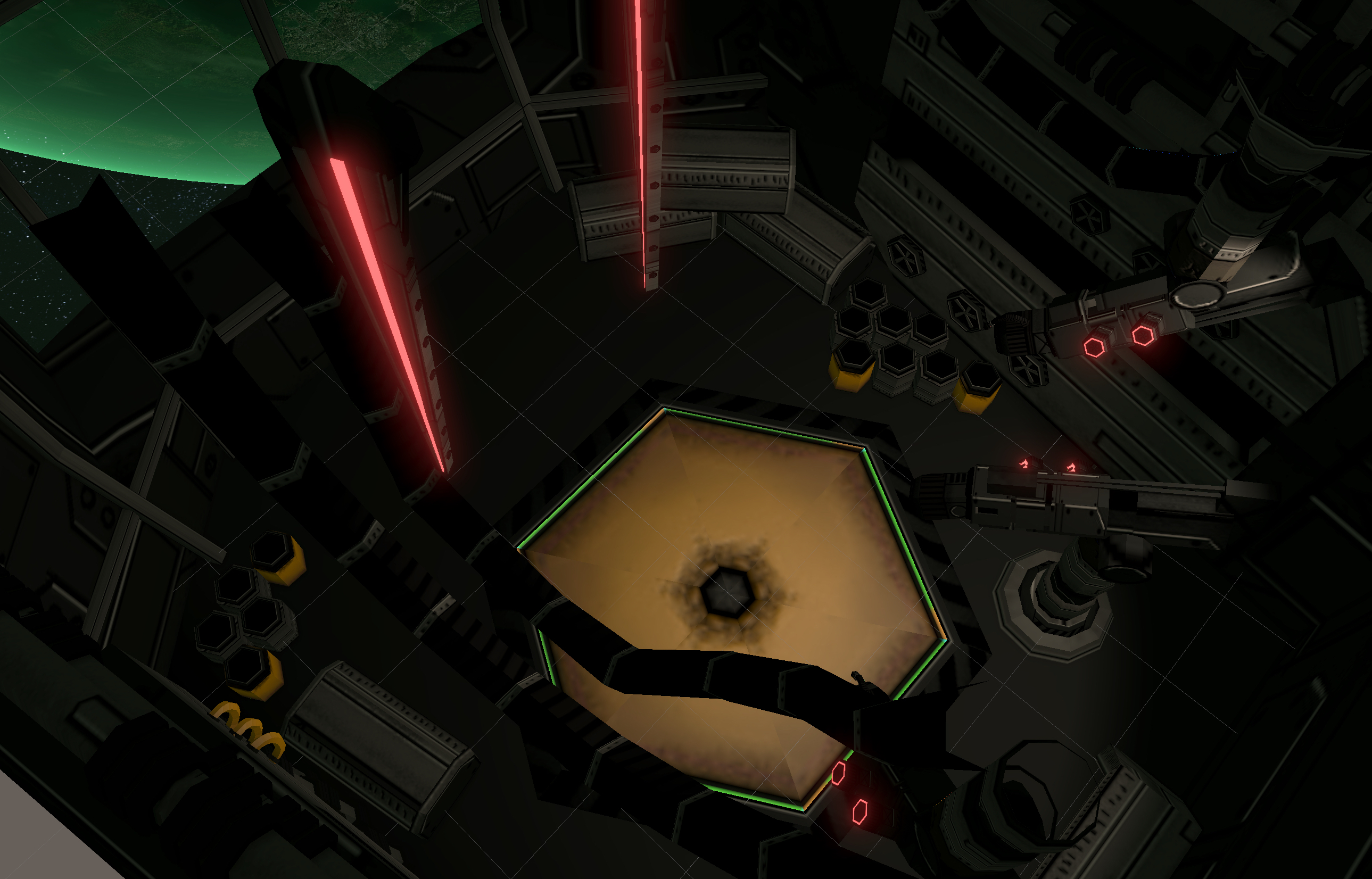
I've also spent a bunch of time working on the hangar environment. Coming into making this I was mostly unsure what I wanted, with only two things I knew for sure: That the planet should be in view, and that it should feel pretty tight.

I started out working with some shapes, I knew I didn't want a cuboid environment, and it had to be some kind of specific housing for units within a KRS Carrier. What I ended up with was a kind of reverse egg shape, after that it was just details, packing the environment with as much crap as I could feasibly fit without impeding the turntable camera in the loadout view.

Playing around with forms and shapes I found a narrative building. The key thing was when I grabbed the warp lance from Interloper's Pariah B-skin. Those red glowy bits and elongated forms made a nice frame against the window, but also suggested a way for the unit to warp down to the surface. Everything extended from this logic, the parts for these units would be carted in, piece by piece into this room, they'd be assembled in the space, with no way to navigate beyond this room, and then warped to the planet surface when required.

One other thing I've done here is use a single texture sheet for all the weapons, and the hangar environment. This cuts down on draw calls significantly, but also unifies the look and keeps the hangar dim, so that the player's unit can stand out. Being able to check off so many things with one relatively simple choice is how I generally prefer to optimise my games.

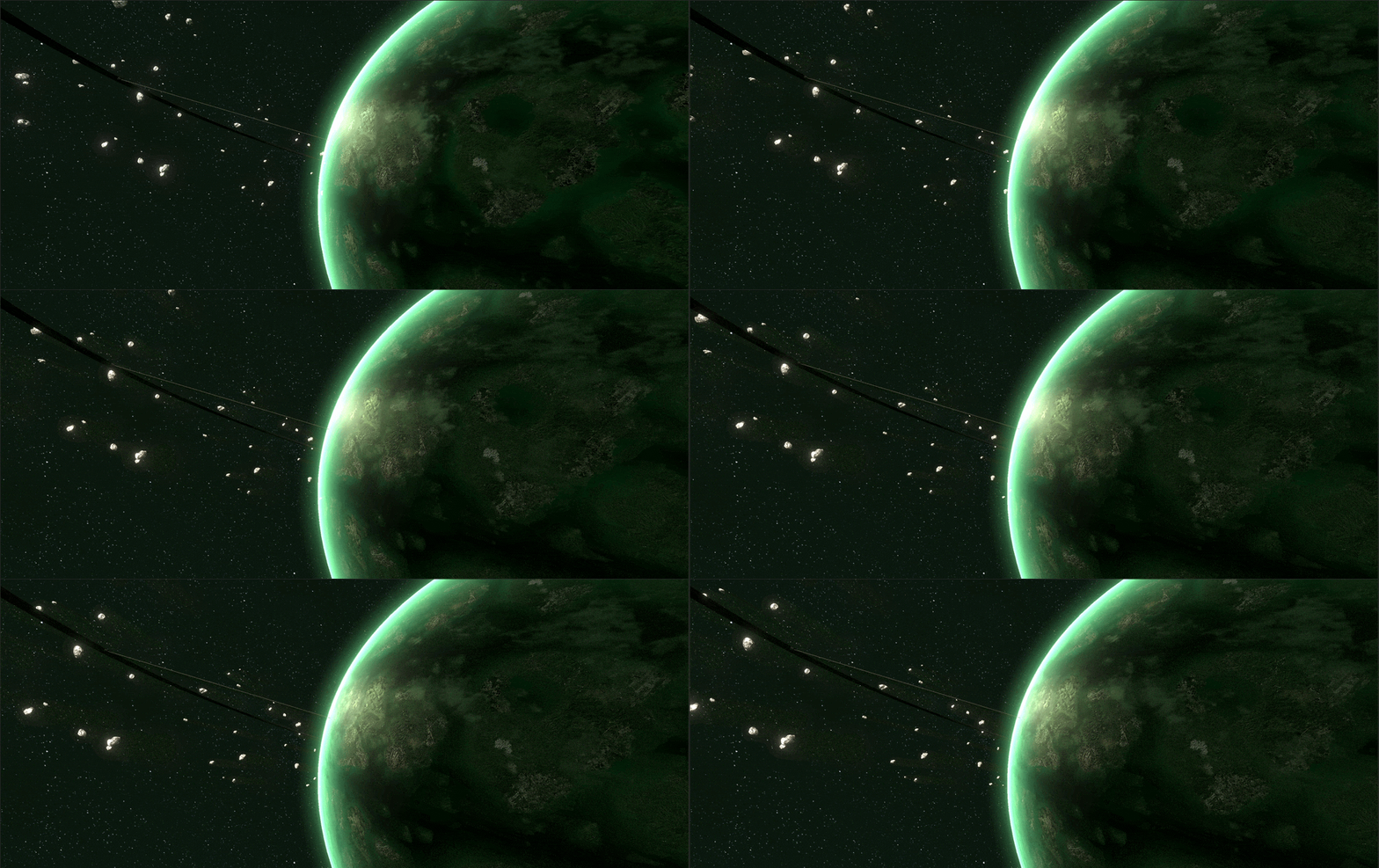
Finally this week I also spent a bunch of time working on the planetary background for the menu / hangar. It's a relatively small task, but it's arguably going to be one of the more common things you see in the game so it deserves a little bit of time.

The textures I had in place beforehand were all just assets I'd found online, temporary stuff to fill the void for the time being, so I kicked off by building out the planet's texture. As with the temp files, even building out a 4k texture wasn't quite enough for the proximity to the planet, so I've simply tiled it a bunch to increase its texel density. It looks ugly if you see the full planet, but you'll never see it.

In the skybox art in Interloper Rayleigh Prime has a Commonwealth constructed orbital ring, and attached space elevators. These play a function in the game, but I wanted to represent them here in the menu too as these structures are both colossal and also very sci-fi.

I also took the opportunity to beef out the planet's detail a little, adding a cloud layer, adding texture to the asteroids and splitting out the lighting to get the impossible situation of both a rim-lit planet and rim lit asteroids. Could I have done this with a shader? Yes. Is it easier to just use two directional lights, set to different layers? Hell yes.

This leaves a single task to do before the first campaign is asset-and-gameplay ready, the pilot arms and body. Exoloper won't have the same kind of pilot system that Interloper did, so no need for a lot of customisation here, but it'll still be a ton of work comparative to everything else I've done so far.

Once that's in, I'll build out the remaining assets for the second campaign, clean up the remaining bits and bobs, make some music and then the game will be ready for a full open beta. I'm terrified.

Exoloper Tasks completed:

  • Menu: Replace menu planetary texture with something handmade
  • Drop Sequence Hangar Environment
  • Trim Sheet: Hangar Environment
  • Weather: Clear
  • Util: Speed uncommon
  • Util: Speed rare
  • Util: Shield epic
  • Util: Smoke common
  • Util: Smoke uncommon
  • Util: Armour uncommon
  • Util: Armour rare
  • Utility: Set: Basic Engines epic
  • Utility: Set: Basic Engines rare
  • Utility: Set: Basic Engines uncommon
  • Utility: Set: Basic Engines common
  • Utility: Set: Basic Reactors epic
  • Utility: Set: Basic Reactors rare
  • Utility: Set: Basic Reactors uncommon
  • Utility: Set: Basic Reactors common
  • Utility: Set: Basic Sensors epic
  • Utility: Set: Basic Sensors rare
  • Utility: Set: Basic Sensors uncommon
  • Utility: Set: Basic Sensors common
  • Allied Unit: Salvaged Medium Tank Chassis
  • Weapon: Ballistic: Rail Guided
  • Weapon: Melee: Hammer
  • Weapon: Ballistic: 25mm cannoan
  • Weapon: Ballistic: 50mm cannon
  • Weapon: Missile: Barrage
  • Weapon: Ballistic: Rail
  • Weapon: Energy: Flamer
  • Weapon: Energy: Basic Lance
  • Weapon: Ballistic: Vulcan
  • Weapon: Ballistic: 200m cannon
  • Weapon: Ballistic: Autocannon

Cockpit

School holidays have struck. It's the first time they've meant anything to me in nearly twenty years, which.. even writing that makes my back ache. This means I'm short a few days this week and last. In what time I have had though I've spent working on all sorts of little graphical bits and bobs for Exoloper, starting with Enemies.

Don't talk to me or my son ever again. I made these models at the end of last year, but never had the time to fully get them into the game, so it's been a real pleasure seeing the tanks running around doing their thing in full detail. A consequence of this has been that there's now three classes of tank enemies in the game, with light tanks now supporting their medium and superheavy siblings in firefights. These little guys rip away at your feet and are super annoying (by design).
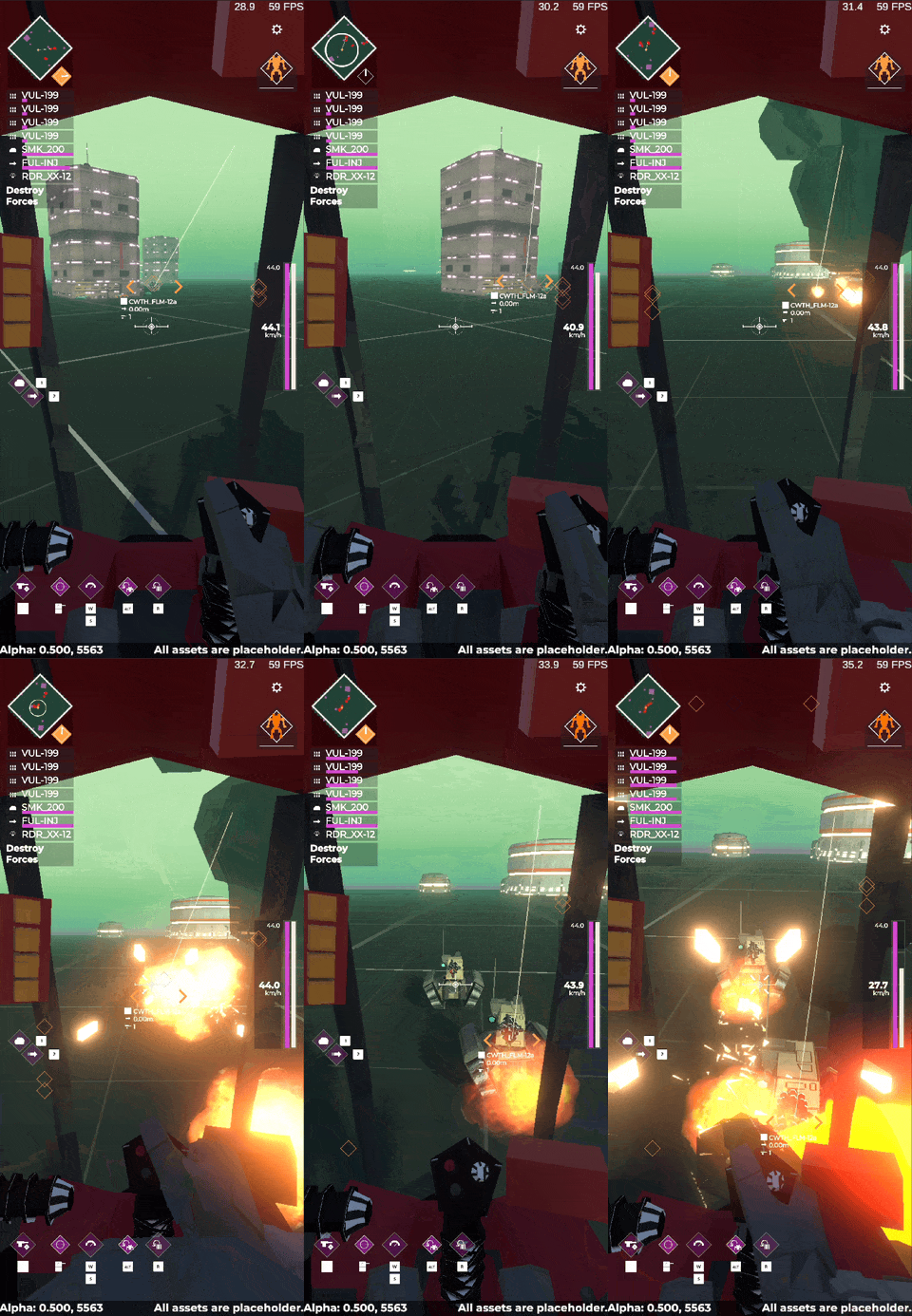
I can't stress quite enough how nice it is to finally see the game coming together visually after all this time staring at grey boxes. In my minds eye I could see how it all worked, maybe not exactly as it's turning out, but a vague kind of outline, and to see that outline resolving into something tangible is really exciting.

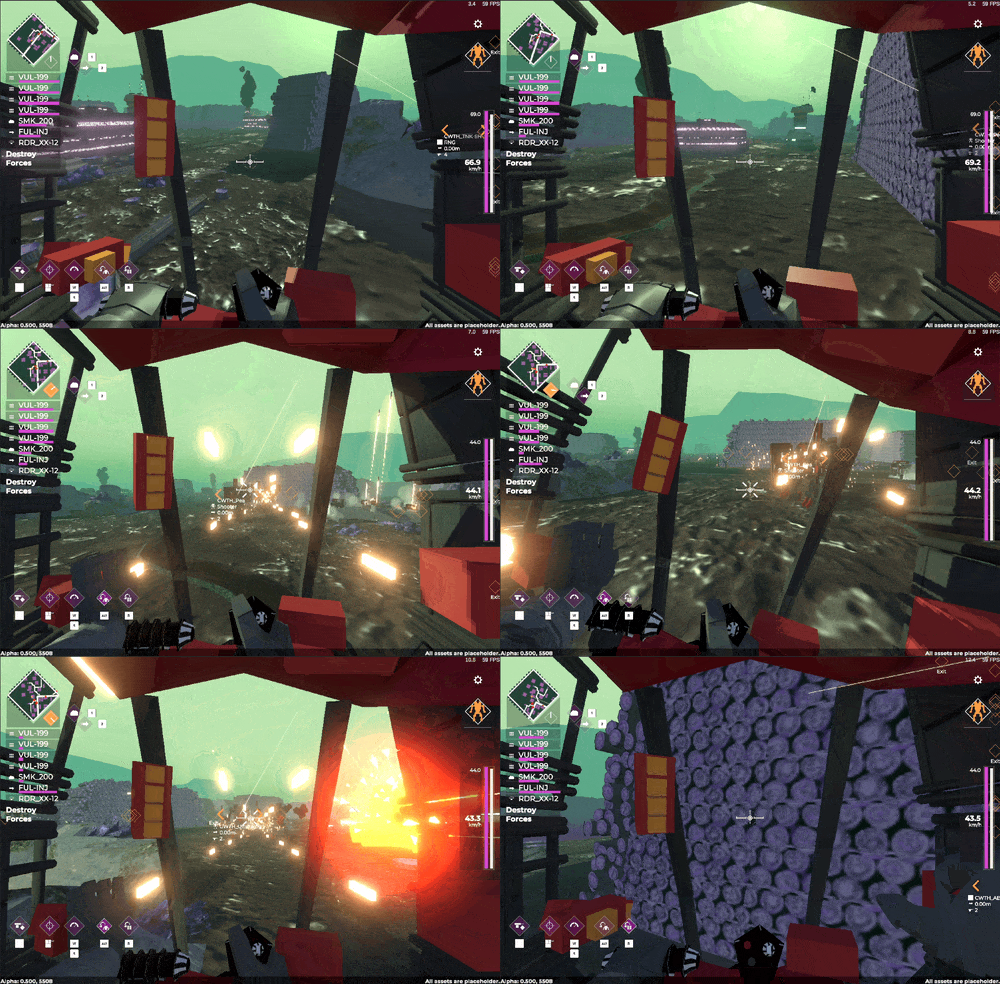
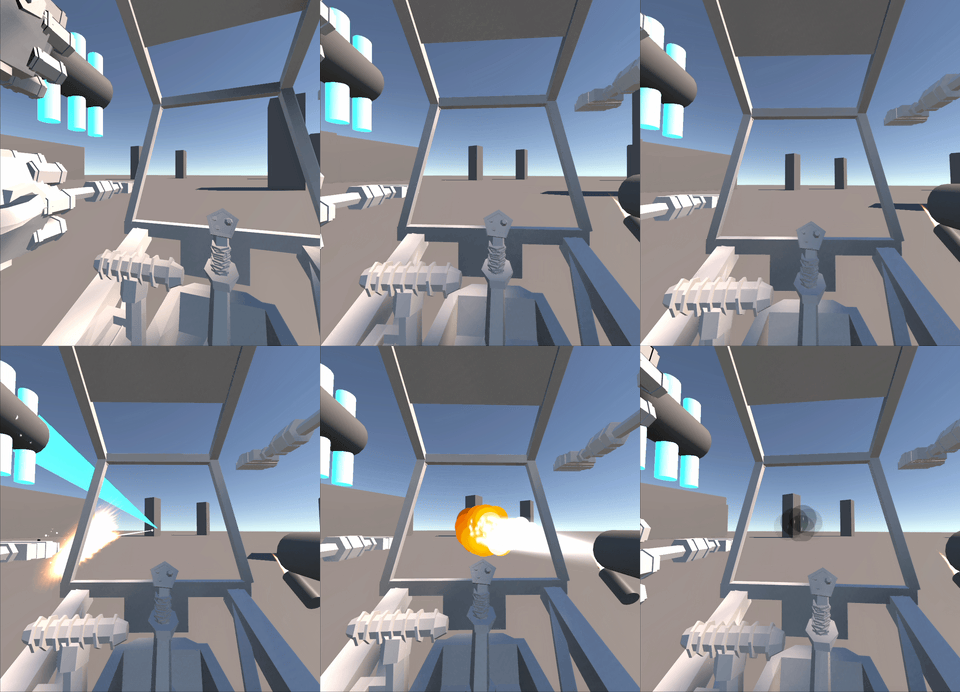
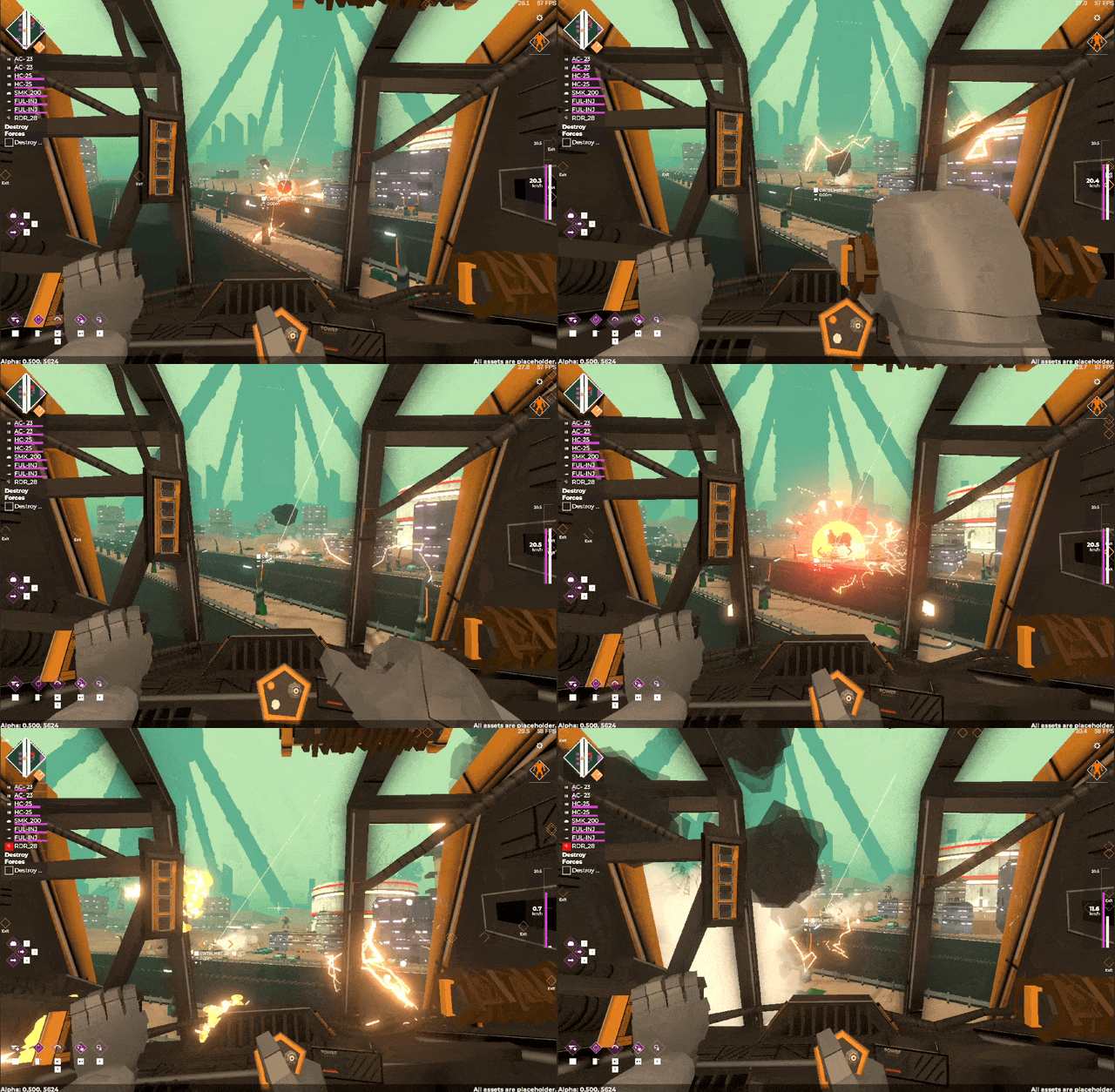
Of course slapping some models into the game that I built four months ago isn't all i've been doing. I've spent a fair amount of time getting the first exo up and running, most of which revolves around setting up the cockpit. A lot of this work was just getting the scale right for the interior, making sure that everything feels roughly correct. After that, modelling up the details, adding in sub components and then finally adding in the tiny reactions (stuff like the tubing wiggling around when you get hit or move) topped off with damage effects.

All of it links into the core unit's internal messaging systems, so there's no crazy single class like I had in Interloper for handling cockpit effects, just a bunch of elements listening for a "hey we got hit" message. It's simple, it's easy, it's extensible.

The intensity got ratcheted up a fair bit with the inclusion of all the cockpit bits.
With all of this done, I estimate I've got about three to four more weeks worth of work to fill out all the assets for launch. That feels pretty nice to be honest. After that it's all bugfixing and beta testing until launch.

I'll say it again because it's hard to convey, but I'm pretty happy with how it's all coming along. It really feels like I've made something special here, and I hope the market sees it the same way.

Exoloper Tasks completed:

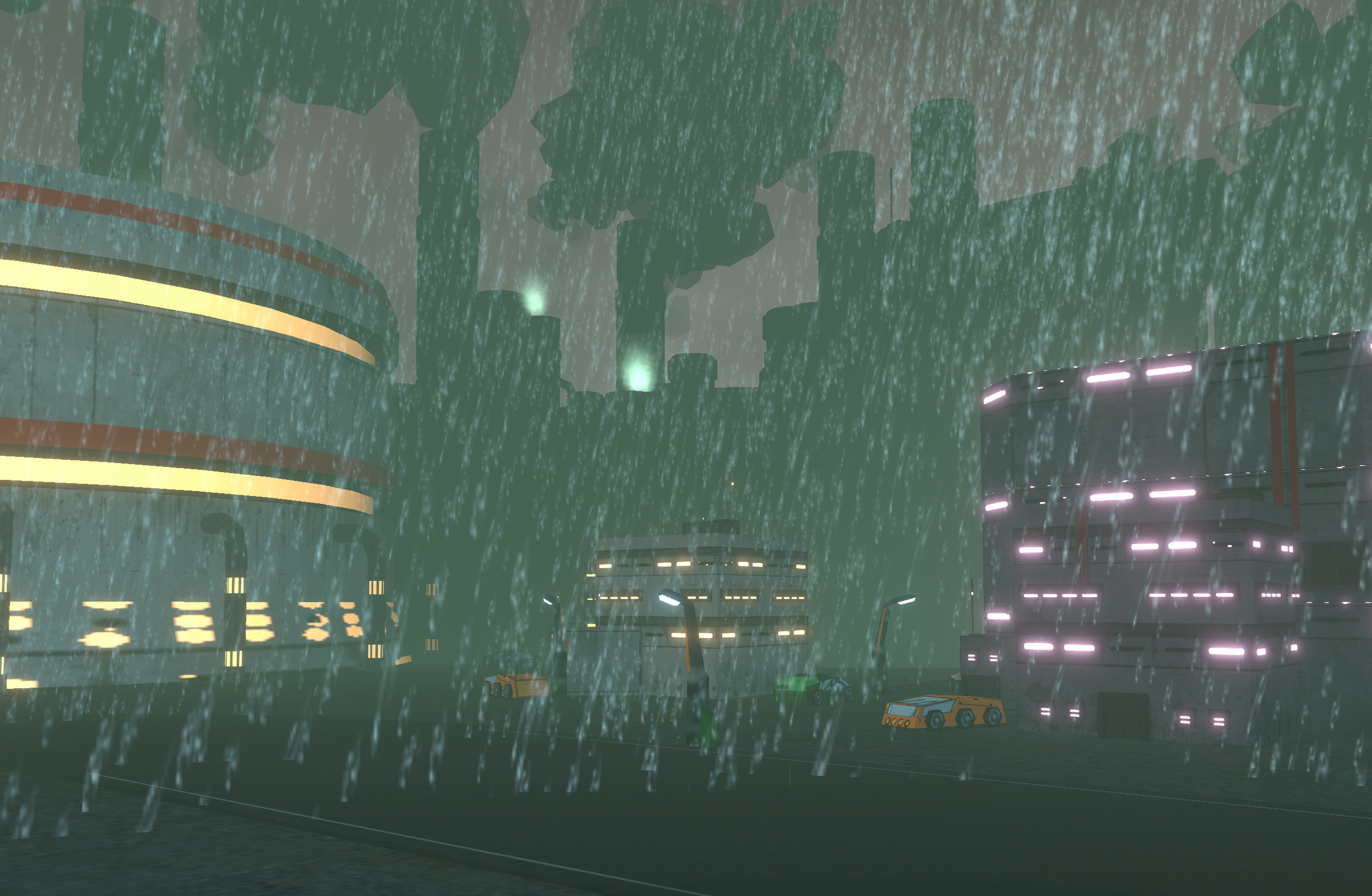
  • Weather: Rain
  • Weather: Clear
  • Allied Unit: Medium Exo
  • Enemy Unit: Medium Exo - brawler
  • Decoration: fueltanks
  • Decoration: barren concrete block
  • Decoration: pipelines
  • Decoration: big warehouses x3
  • Decoration: big factories x3
  • Decoration: cranes and container yards
  • POI: Supply Depot
  • POI: Fuel
  • POI: Radar
  • POI: Fortress
  • POI: Barracks
  • POI: AA Battery
  • POI: space elevator (exfil)
  • POI: roadway
  • POI: highway
  • Trim Sheet: Campaign Map
  • POI: badlands
  • Player Unit: Medium Exo
  • Player Unit Cockpit: Medium Exo
  • Enemy Unit: Infantry
  • Allied Unit: Infantry
  • Enemy Unit: Super heavy - defensive
  • Enemy Unit: Light attack - APC
  • Enemy Unit: Light attack - flamer
  • Enemy Unit: Medium main - heavy cannon
  • Enemy Unit: Medium main - missiles
  • Enemy Unit: Medium main - cannon
  • Map: AA Battery
  • Map: Military spaceport (exfil)
  • Map: KRS ancient site.
  • Map: hills
  • UI: Selecting list items always jumps to the item first before selection?
  • Bug: Credits just shows a copy of Gameplay in settings
  • UI: Settings cells need button to reset to default
  • Bug: Camera shake affects aim
  • Bug: Howitzer fires on campaigndata change in BuildRoster menu
  • Bug: Mouse disappears in settings ingame
  • Bug: Mouse input isn't smooth, feels janky.
  • Bug: Back doesn't work in settings in game

Balancing Act

This week was a little on the dry side. Mostly spent my time noodling away building out maps for the forest campaign. They're coming along nice and have some lovely vibes. With these environment assets I've been trying to balance out the game design elements of providing cover, destructible terrain and open spaces with the aesthetics and story I'm trying to tell here.

In my mind the games that fuse their mechanics with their narrative, or even better tell their narrative via the mechanics and visuals are the best forms of video games. You can force a story down a players throat, give them fully cinematic voice acted cutscenes, but really that's just a slightly interactive movie. On the other end of that spectrum, you can give them the barebones of a story, put them into a place and time, give them some pointers and let them go. The story is theirs at that point, they can fill in the details as needs be.

PREPARE FOR A LORE DUMP

In my mind, Exoloper is an anticapital / anticolonial statement piece. You have this invading force, the Commonwealth, who rock up to your home system, kick your people out and mine the ever living heck out of it. In Interloper you reconquered the solar system, in Exoloper, you're taking back your home planet, and you do this sector by sector, campaign by campaign, slowly but surely one bit at a time. By tearing down every building, by ripping up their infrastructure, by cutting down their forces, by literally stepping on them.

But that doesn't have to be the story for the players of the game. I hint at it, I'll drop pointers to it throughout the game, but I won't explicitly tell them because of two reasons. 1) I'd like them to feel it and 2) The story is their responsibility, its theirs to tell, they are the players.

It's all a balancing act. Something I'm sure I won't get right this time around, but something I know I'm getting better at with each new game.

By the way, Its still amazing to me what some art can do to a greybox level.

Exoloper Tasks completed:

  • Bug: Level Design: Industrial drop scenario puts you into a firing line
  • Bug: Img-paperdoll coroutine won't start
  • Bug: Weather shows up in drop sequence, as does tank noises.
  • Bug: UI Multiview: UI_VEditUnit doesn't unsub properly.
  • Bug: UI: Edit Unit needs to show power stats for the unit.
  • Balance: Adjusted power ratings for many components
  • Balance: Starting items are now set to just basic stuff.
  • Balance: Removed damage radius on pipes
  • Balance: increased health of small silos
  • Map: Woodcutting camp
  • Map: Outpost
  • Map: desolate forest
  • Map: remaining forest
  • Art: Large Woodpile
  • Art: Groundtexture - desolate
  • Art: distant mountains - forest
  • Setpiece: Military Spaceport Main Building (8x4)
  • Building: Cutting machine (2x1)
  • Setpiece: CWTH Outpost main building (2x3)

Asset Factory

Tomorrow is a public holiday here in Australia, so I'm pushing up this post a day early (also.. technically a week late?)

These past two weeks have has had me in full steam towards making more art assets for Exoloper. The game just needs a lot of art, and while I could certainly make my life a lot easier by ignoring textures the way I did in Interloper, I think that added.. well.. texture will ground the game so much more, as it gives a sense of scale to the geometry.

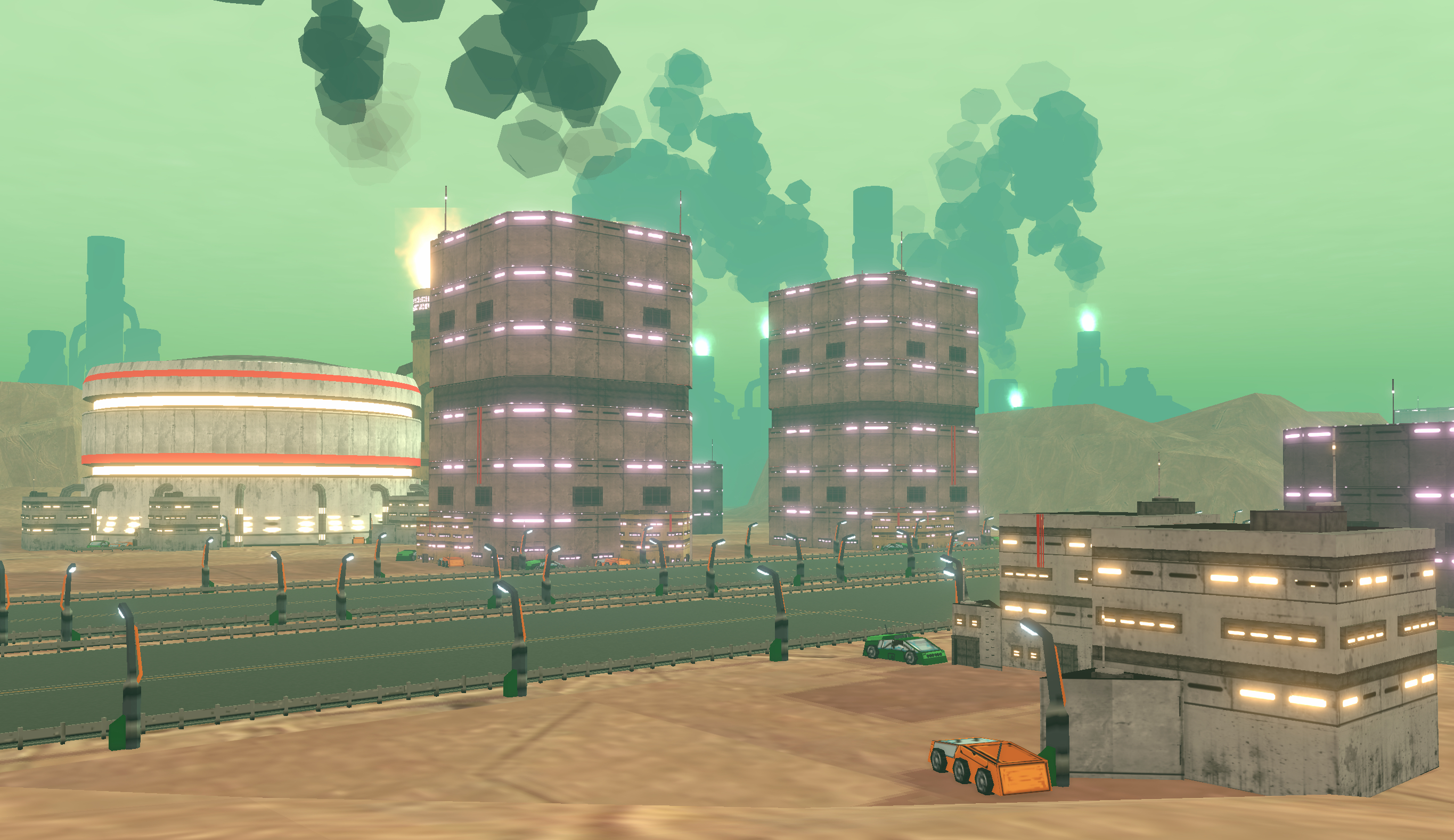
I spent the beginning of last week testing the new art across the games existing combat levels, and one thing that immediately hit me was that while I’d covered the maps that needed to be chock full of stuff, I hadn’t really accounted for the more empty ones. I was suddenly met with a bunch of questions, particularly, how do I deal with map borders on empty maps, how do I add variation to ground height to make the game feel less static on open maps, and can I reuse assets from other biomes? Sometimes you can't predict everything in preproduction!

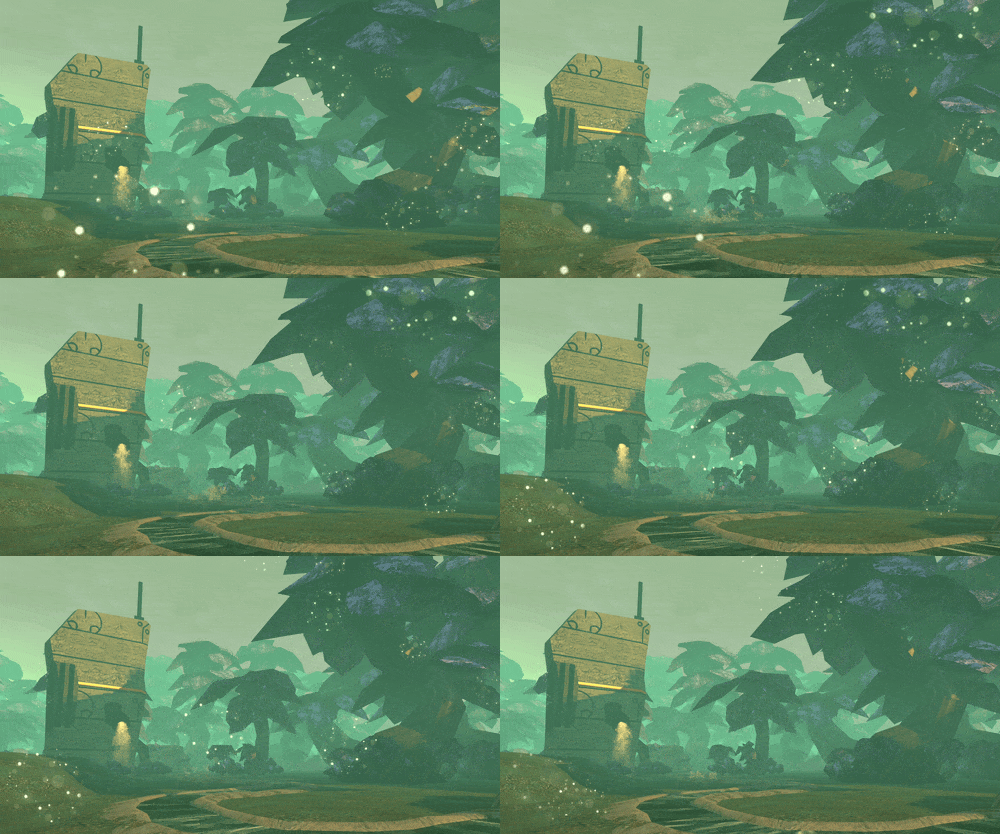
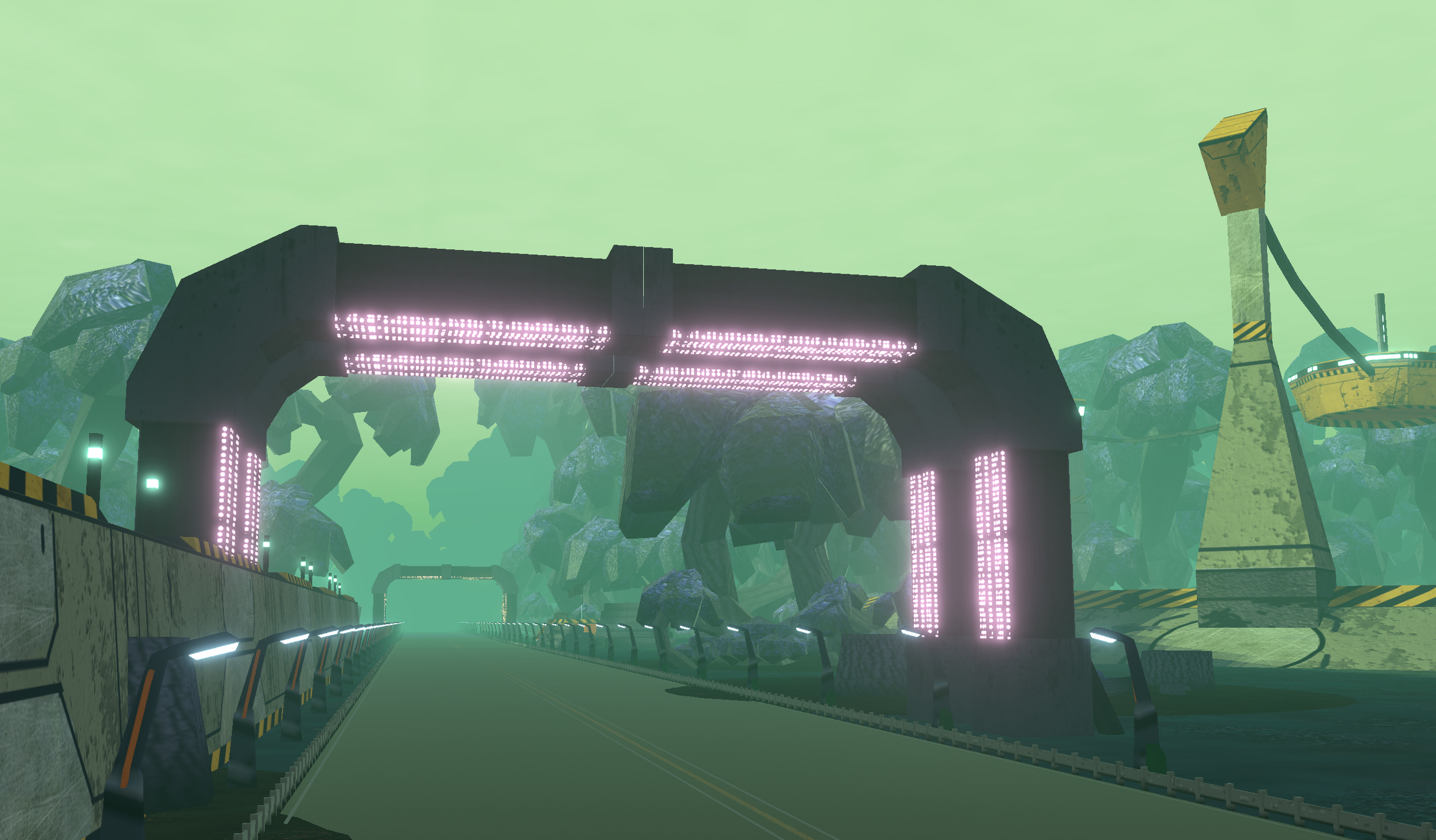
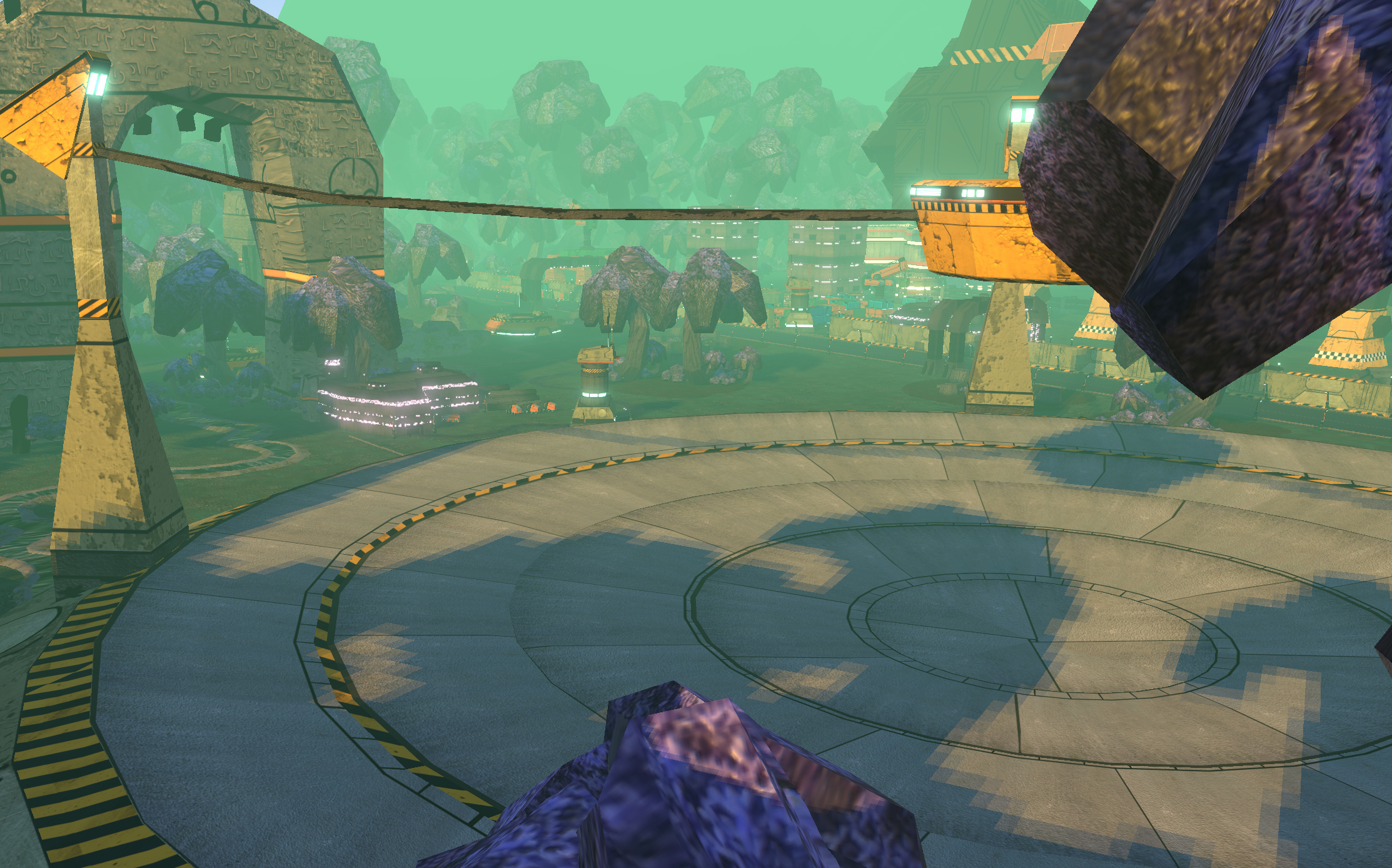
With that, I'd finished up with the assets for the industrial biome that will be responsible for the majority of the free campaigns assets, and have begun work on the forest biome. Without going too much into the lore behind all of this, the forest biome is in the process of being turned into an industrial one, it’s meant to show via the landscape itself what the Commonwealth has been doing on Rayleigh Prime, the KRS's homeworld during their exile.

For now that means I’ve also begun working on the aesthetics and functionality for that biome. A lot of the work I put in earlier this week into the badlands open terrain works well here, the forest regions of Rayleigh vary from thick woods to open plains, to rocky outcrops, dotted by Commonwealth mining and logging camps, and even the occasional landed Commonwealth frigate.

I was talking to my partner today about how the past few weeks have been different. I've been working on art assets, the kind of stuff I'd spent the much of my career doing. I can more or less just stop thinking when it comes to this stuff, I can churn out new assets and listen to podcasts at the same time, my brain isn't being engaged nearly as much as it is when I'm programming, designing or working on new features. And you know what? Its excellent. Sure it takes a fair amount of time to build these assets out, but it's relaxing, and I really enjoy it.

I think in the past I've tried to squeeze art into my games, doing so in between sprints of code, but having this separation of concerns has been a real eye opener.

To that point, I've got no idea what I'm doing next week. Guess I'll find out on Monday!

Beyond Exoloper I've also started thinking about some new games. I accidentally turned Exoloper into a Syndicate-esque style game last week when I moved the camera into 3/4 orthographic view and.. I think I need to make a game that looks like this now? No idea what it'd be, though something that played like the original Syndicate would be great.

I also began work on a PVE tabletop wargame inspired by Saint Decent's amazing Mage Hunter miniatures. There's something particularly evocative about the inquisition, and in particular her sculpts that make me think of a bunch of thugs barging their way into town, interrogating the townsfolk, trying to track down warlocks, wizards and other magically inclined folk, and of course, eventually facing them in combat.

Seriously, they're excellent miniatures, an absolute pleasure to paint.

Exoloper Tasks completed:

  • Art: Weather: Fog
  • Art: Pipe: Dirt Road (1x1)
  • Art: Pipe: Stream (1x1)
  • Art: Pipe: River (2x2)
  • Art: Pipe: CWTH forest outpost low walls (1x1)
  • Art: Setpiece: CWTH Outpost Radar Tower (2x2)
  • Art: Setpiece: CWTH Transport ships (Interloper Flak frigate-alike) (4x5)
  • Art: Setpiece: KRS Ancient stone - large (3x3)
  • Art: Setpiece: KRS Ancient stone - small (1x1)
  • Art: Building: Forest cut-down (3x3)
  • Art: Building: Rock Formation (2x4)
  • Art: Building: Rock formation (1x1)
  • Art: Building: Rock Formation (2x2)
  • Art: Building: Logpile , tall (2x1)
  • Art: Building: Processing machine (2x2)
  • Art: Building: Forest Clump (1x2)
  • Art: Building: Forest Large (3x3)
  • Art: Building: Forest cut-down (1x2)
  • Art: Building: Logpile (1x1)
  • Art: Building: Hill medium (4x2)
  • Art: Building: Hill small (2x2)
  • Art: Distant: Industrial C (5x5)
  • Art: Distant: Industrial B (5x5)
  • Art: Distant: Industrial A (5x5)
  • Art: Distant: City (5x5)
  • Art: Building: Warehouse B (2x2)
  • Art: Setpiece: Factory (4x6)
  • Art: Building: Industrial Exit Gantry
  • Art: Building: Bunker (1x1)
  • Art: Building: Large Silo (2x2)
  • Art: Building: Crane standalone (2x2)
  • Art: Setpiece: Space Elevator (6x6)
  • Art: Setpiece: AA Battery (2x2)
  • Level Design: Map: Industrial roadways
  • Level Design: Map: Barracks
  • Level Design: Map: Supply Depot
  • Level Design: Map: Fuel
  • Level Design: Map: Radar
  • Level Design: Map: Fortress
  • Level Design: Map: Industrial AA Battery
  • Level Design: Map: Space Elevator
  • Level Design: Map: Highway
  • Level Design: Map: Badlands
  • Feature: Lock Components + units to campaigns

Scale

Still punching my way through the art assets for the demo campaign this week. Got a little sidetracked working on biome generation for the campaign map, but overall pretty happy with the way it's all coming together. Spent my time working on bigger pieces.

Turns out the most time consuming part of this week was actually creating the military trim sheet texture. I'm learning as I'm both texturing using trim sheets and generating new trim sheets that the hard part is making the sheet itself, as they actually kinda build the verbiage for the things I'm constructing.

One thing that I've been really missing whilst doing all this texture work is Photoshop. A couple years back I made the decision to drop Adobe's products to reduce the amount of subscriptions I have, instead relying on applications that have a single purchase price, or are open source. I switched Photoshop out for the combo of Pixelmator Pro on the mac and Procreate on my iPad. While this duo has served me really well, there's a bunch of handy things that Photoshop used to do that I really miss, in particular, it's system-independent keyboard bindings.

Back when I was learning how to paint digitally (nearly fifteen years ago now!?) I followed some guides for getting fast at using photoshop, I knew it wouldn't be enough to just be able to create assets, but that I'd have to create high quality stuff quickly (knowledge imparted via FZD school) So I spent time remapping every command I used in Photoshop over to WASD, mixed with modifier keys. Command W to zoom in, CMD S to zoom out, just W for brush, S for erase, A and D for changing brush size, etc. I could quickly navigate layers, lay down brushstrokes, and generally get around in Photoshop with ease, and to this day that muscle memory I built up still exists.

Working in Pixelmator, it does have some semblance of rebinding, but it only covers a portion of the controls I need. I'm getting used to it, but it's taking time and I'm definitely feeling slower than I once was. All that said I felt the same way about Blender when I switched over to it, and I'm now pretty confident in smashing out assets in that software, so it's just a matter of time.

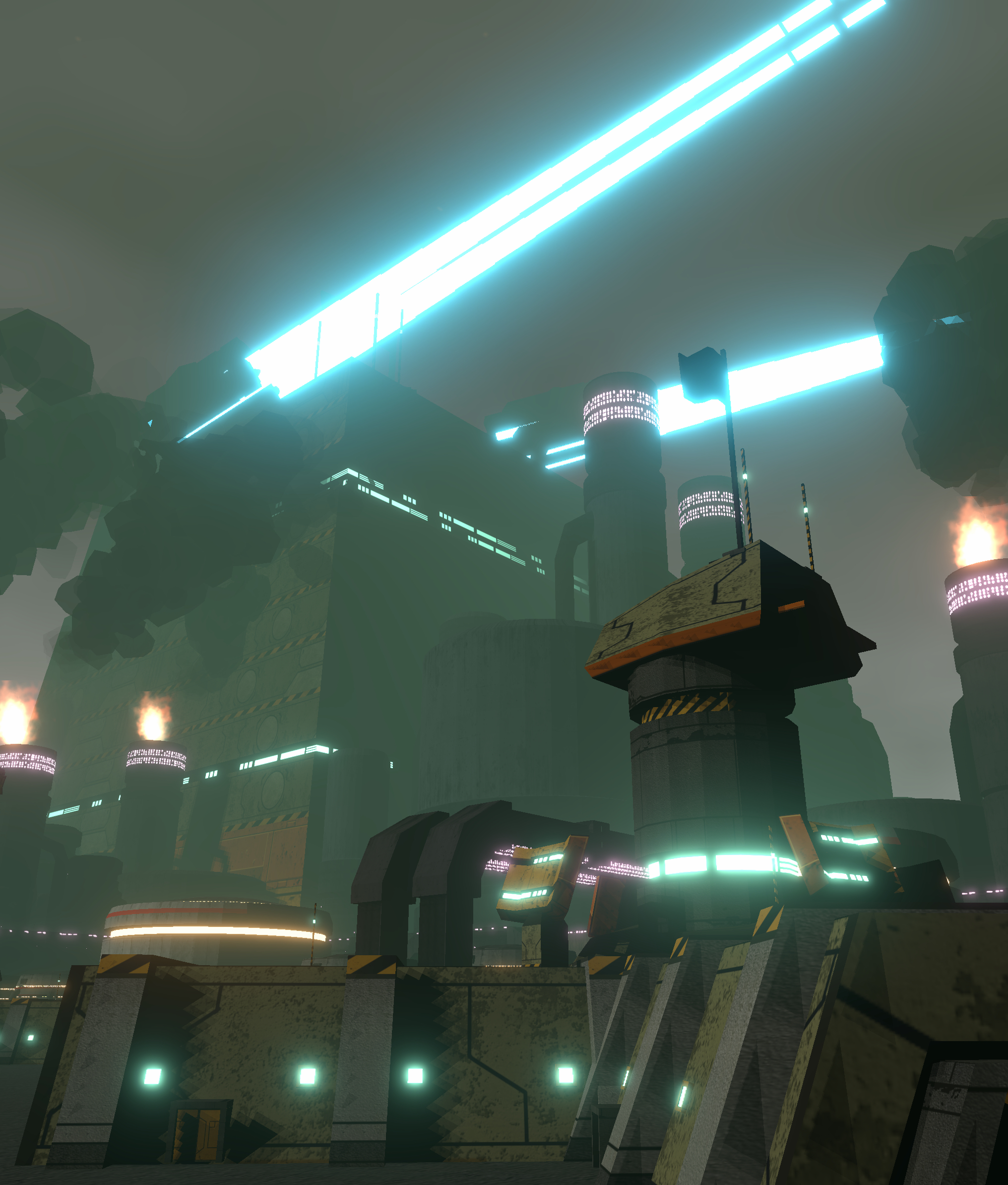
As I mentioned at the top, this weeks work was tackling the larger set piece environment art. Many of these assets are large, larger than the player's Exo, they're designed to give a sense of scale of the Commonwealth's operation on the KRS homeworld, they're meant to feel blocky, unnatural, imposing and more than all of that, wasteful. Building this sense of scale has been a fun challenge. So much of it can be achieved with a couple broad strokes in engine, fog, lighting, etc, but as always the devil is in the details. Something as colossal as the space elevator needs to feel like it absolutely dominates the space, and should have enough lights, greebles and other small details to feel appropriately large, even close up. Building a library of these assets to compliment the trim sheets has helped a ton with this problem.

All in all I've been enjoying switching gears over to doing Art again. It feels like it's been a lifetime since I last spent any amount of time on it, and it's definitely a different process to building systems or designing new ideas.

Next week I'll try to get a build out with all this new art in it, that'll mean a ton of testing on the maps to see what's broken.

Exoloper Tasks completed:

  • Setpiece: Space Elevator (6x6)
  • Setpiece: AA Battery (2x2)
  • Pipes: Fuel Lines (1x2)
  • Trim Sheet: Military Steel buildings a
  • Setpiece: Barracks (2x2)
  • Setpiece: Radar (2x2)
  • Campaign Map: Better camera handler
  • Campaign Map: biome based placement of POI's

Art Pass

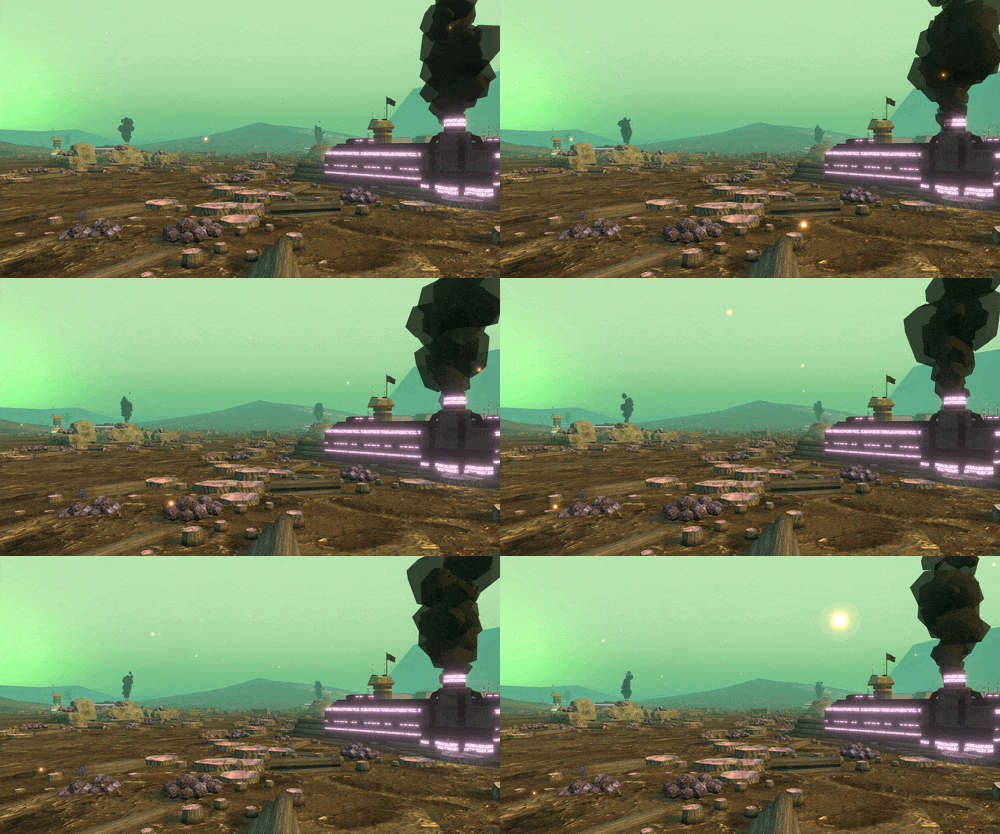
I was surprised this week after I'd gotten through my tasks just how much a little bit of art can make such a huge difference to a game. To be clear surprise is maybe not the right word, as much as maybe... taken back? This happens every time I make a game. It'll go from looking like absolute rubbish, to looking kinda ok if you squint and look at the phone from the other side of the room, to having the rough colour pallet and then boom, looks like a full game, and every time this last stage happens is exactly when I know I'm onto something.

Initial Prototype April 2023

First proper combat prototypes: September 2023

Today (March 2024)

Overall I'm super happy with the way the game's looking. It's got depth, it's got atmosphere, its visually hectic. Gifs don't do the texture justice, but it has texture. Most importantly it feels like you're stomping around in a giant robot, partially because you can level city blocks with your feet, partially because I think I'm getting the scale right, and partially because the sound, even in it's prototype phase really sells the idea.

It's coming up on a year of work on this game, and its feeling really mature. The gameplay systems and tooling's in a good spot, balance is easy to modify where needed, new content is not too difficult to add. I can see building out content for new Campaigns should be relatively straightforward.

Most importantly though it's achieving all of this whilst getting a consistent 60fps on the iPhone 8, a now seven year old phone. CPU usage and battery drain seem to be below the levels I saw with Interloper too, so the game also feels relatively well optimised.

The next phase is getting ensuring that all the games encounter levels aren't too badly shuffled by the new art, and then getting the remaining art assets sorted for the Industrial Campaign.

Exoloper Tasks completed:

  • Assets: Pipes: Walls (1x1)
  • Assets: Pipes: Roadway (1x1)
  • Assets: Pipes: Highway (1x1)
  • Assets: Vehicle: smaller cars x4
  • Assets: Vehicle: Road Trucks
  • Assets: Building: Containers with crane (1x1)
  • Assets: Building: Small building collection (1x1)
  • Assets: Building: Warehouse A (2x3)
  • Assets: Trim Sheet: Industrial vehicles & small details
  • Assets: Trim Sheet: Industrial Concrete buildings a
  • Assets: Implement Drop Sequence
  • Assets: Building: Small Silo (1x1)
  • Assets: Distant terrain editor
  • Animation: Limp effects.
  • Animation: FP hand + pilot animations
  • Balance: Slow down all combat speeds
  • Balance: Player dies too easily

  • Bug: Combat: can't reverse anymore?

  • Bug: Extracting from a campaign and returning to menu doesn't nullify campaign data.
  • Bug: Extracting from a campaign causes nullref
  • Bug - Combat: objective "Destroy forces" doesn't update to say "Complete" when all enemy units are dead.
  • Bug - Combat: Radar ping circle is offset to top left
  • Bug: Campaign interaction buttons don't update after player moves.
  • Bug: Campaign: Pressing "back" after seeing difficult decisions re-opens difficult decision
  • Bug: Localisable text fields use String.ToLower for string compare, causing huge slowdowns.
  • Bug: Ai exos don't move... not sure any ai move.
  • Bug: Infantry in combat are both invisible and invulerable.
  • Bug: Deleting data while a campaign is running keeps campaign in memory

Drop Sequence

After finishing up some final work in the UI early this week, ending nearly three months worth of work, I decided to do something thats just pure serotonin for my brain. (graphics, UI, pretty much everything, as always is placeholder).

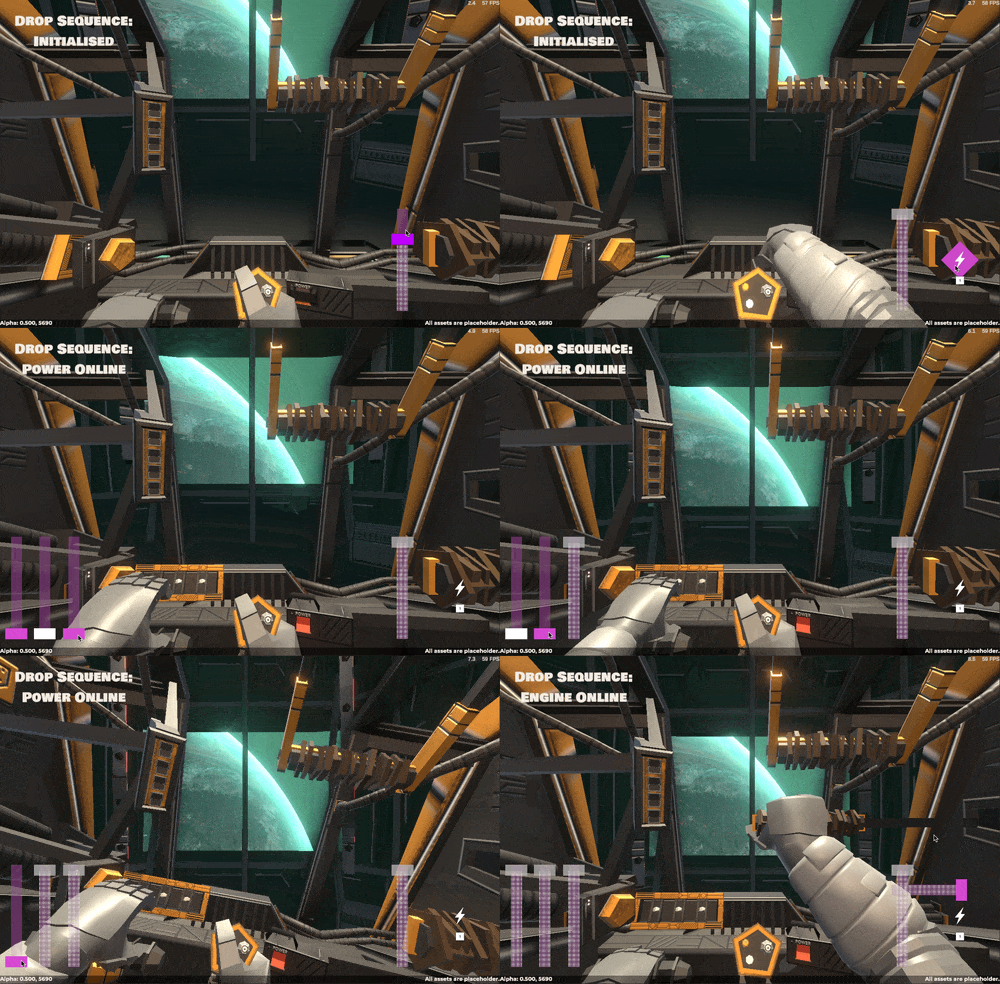
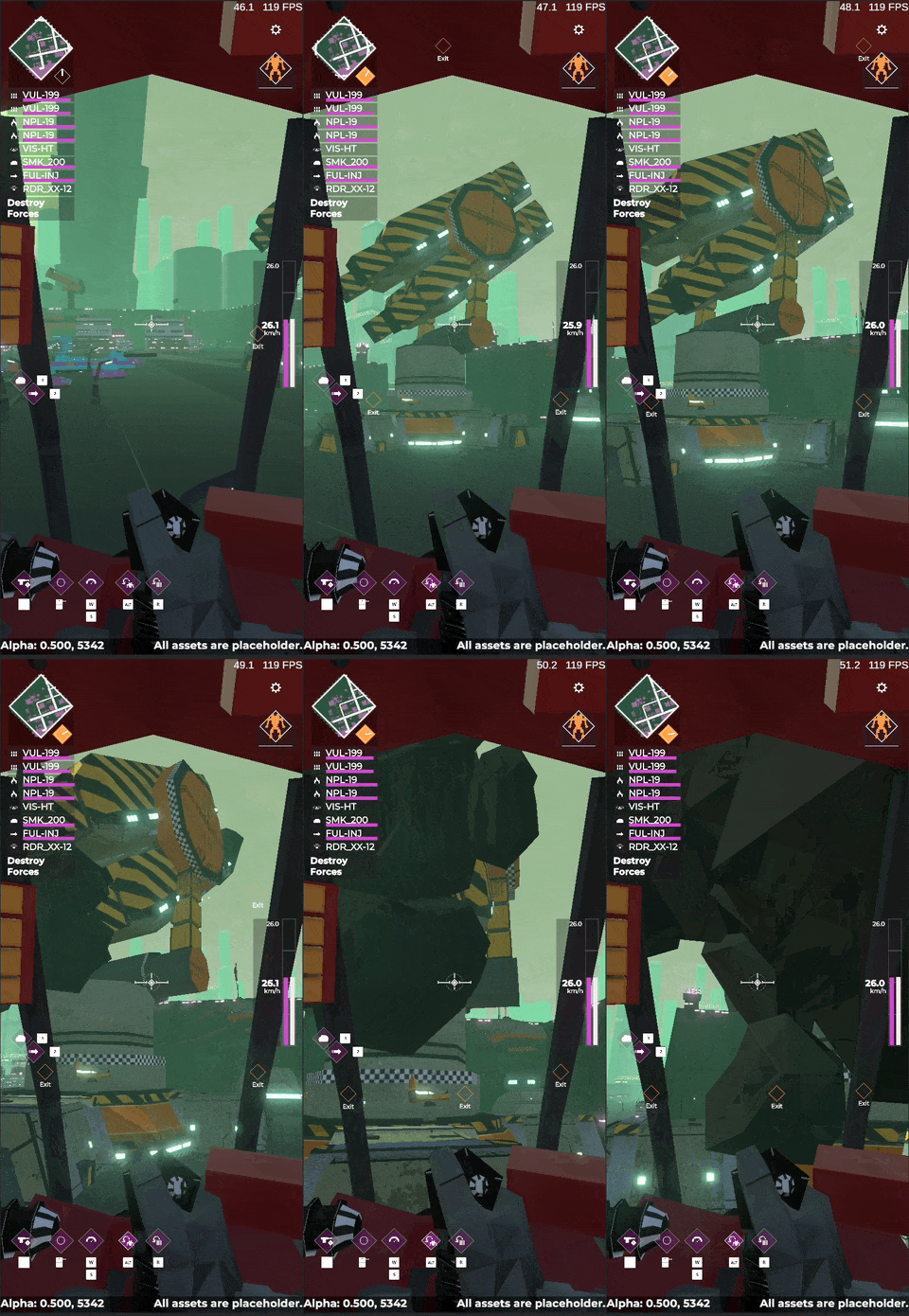
After selecting a campaign, building your roster, customising your units and readying for a drop, the menu will fade away and you'll fade into a first person view of the Exobay. There you'll go through a preflight check inside your Exo, powering up your batteries, igniting your engines, loading your weapons and booting your radar. When the sequence is complete you are warped down to the planets surface, and must immediately contend with clearing out a landing zone.

The plan here is for this to feel something like a mash between the iconic Mechwarrior boot sequence, and some of level intros from the Titanfall series. It's meant to be both a quick warm up with controls, and an eff-yeah moment to kick off a campaign.

The drop sequence isn't something I'd planned to have in the game, but after testing a couple campaign playthroughs I found that diving straight into the strategic layer feels... a bit bland, so this is the first step into adding some immersive spice into the game.

There's still a ton of work that needs to be done here. The Exobay is literally just grey blocks, there's no reaction from the Exo upon ground impact (yes it needs to be a 3 point landing), the player needs to drop into a bunch of easily squashable enemies, etc etc etc. Getting the core functionality in has been pretty easy and everything clips into the existing modular structures of the game, so it's been an absolute pleasure working on this new feature.

One upside of working on the drop sequence is that it laid the groundwork for building out a more extensive framework of first person animations, something I'd always wanted to do in Interloper, but couldn't implement due to a less clean coding system. So I spent about 20 minutes today putting those in, and now, when you Reload, use a Utility, or use Torso Twist, you'll have first person animations to match.

THUNK

Finally, I spent a bit of time this past two weeks looking over my timelines, and I think Exoloper might be good for launch come mid this year. Not quite the six month timeline I'd envisaged, but definitely much quicker than any of my other options. More to come on this later of course.

Exoloper Tasks completed:

  • Drop Sequence:
    • Drop Sequence: Manager
    • Drop Sequence: IK Hand interactions
    • Drop Sequence: Touch minigames
    • Drop Sequence: Audio assets
    • Drop Sequence: Haptic pass
  • IK hand animations for in-cockpit actions (reload, util, etc)
  • Concept up Campain Drop Sequence
  • controller needs to be able to use unit turntable in roster/exobay
  • Combat: Weapon Groupings
  • UI-Rework: Item Compare
  • UI-Rework: Controller Navigation Campaign submenus
  • UI: Select all in Extraction should be the same kind of button as in Exobay and Salvage
  • UI: Select all button in Exobay isn't wired up to controller.
  • Reassess Launch date
  • Document out the game loops
  • BUG: Mouse and Keeb no longer work in campaign battles?

Controllers

This past three weeks has been for the most part a complete mess. I've been in the process of moving house, but it's not just any move, it's unpacking a whole lot of stuff we had in storage for the past two years. It's moving from a smaller unit into a bigger one, working on getting setup more permanently. In other words, its been a hectic time for me personally.

In whatever time I've had in between I've managed to squeeze in some work on the UI some more. Not quite enough for a release but... its something. My main focus has been working on getting the core UI ready for controller input, and hoo boy has that been a tricky beast to figure out.

In Interloper I did things the dumb way. I manually assigned all the controller layouts wherever possible, and wherever not possible I automated them, but did so badly. This worked, but anytime I wanted to change something it ended up in a bit of a mess. To this day, most menus in Interloper suck to navigate from a controller perspective. So my plan for Exoloper was to rethink this a little. I went through a couple iterations, and I'm pretty happy with the place I ended up.

First off, I use a model somewhat similar to the standard iOS layout of Windows, ViewControllers and Views, where an app lives within a window (in this case, core UI is in one window, bug reporter and tutorial ui's have their own windows), each "page" of the game's UI has its own ViewController and a series of sub Views. These views can be arranged one at a time (for mobile) or multiple at once (for desktop). This is all important because when navigating UI with a controller you need something called "focus" which is the current active item on screen, what happens when you take a UI Screen from a single View, to multiple Views? What happens when you have popups? Etc, etc. The answer is to dictate this via the View Controller, and that in my case is built in a generic hierarchy. Sometimes that's just a single button, which means whenever this page opens, that button will always be the button that's selected. Other times, its done in order. If "btn-toGame" isn't active, then, "btn-tutorial" will be selected, and so on. This way handles multiple states for a given page relatively easily.
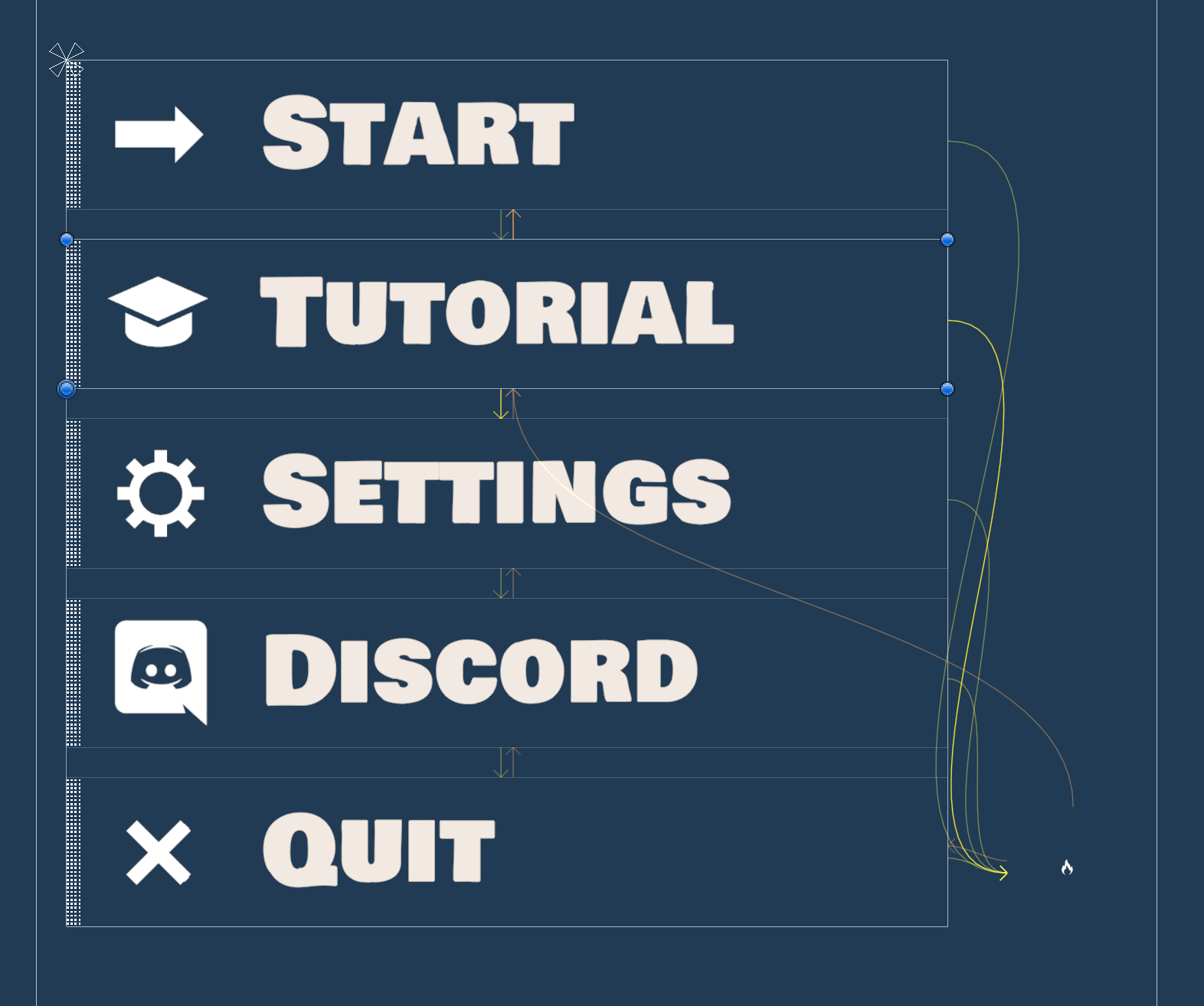
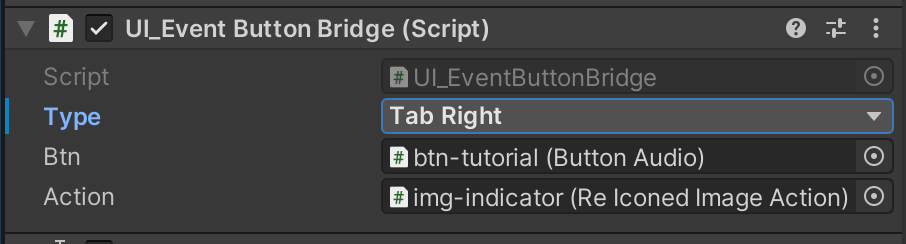
So that's focus. After initial focus the player should be able to navigate around the main focusable interactive elements on a page using a thumbstick. Fortunately, Unity's pretty good at this by default, though what I quickly found is that I actually needed to disable navigation for most elements by default.

See, Unity's UI navigation tools are smart enough to find elements to jump to, including errant things like scrollbars in scrollviews, which.. don't get me started. Anyway with everything mostly off the system works well enough for my purposes, however, some views then have buttons that shouldn't be navigated to, but should be interactable somehow, which comes to my second implementation: the catchily named UI Event Button Bridge! This lovely component has a set of common controller buttons laid out as an enum (drop down list) that listen to an event in my global event manager (aka, input fired via REWIRED) that cause the button to be pressed when the event is fired. It also takes that layout enum choice and converts it into information for the indicator to pick the relevant icon for the interaction (via the package REICONED). In interloper, menu navigation beyond focus was purely achieved by directly writing this code in each view's control script, here, a simple generic component makes it much easier to maintain.
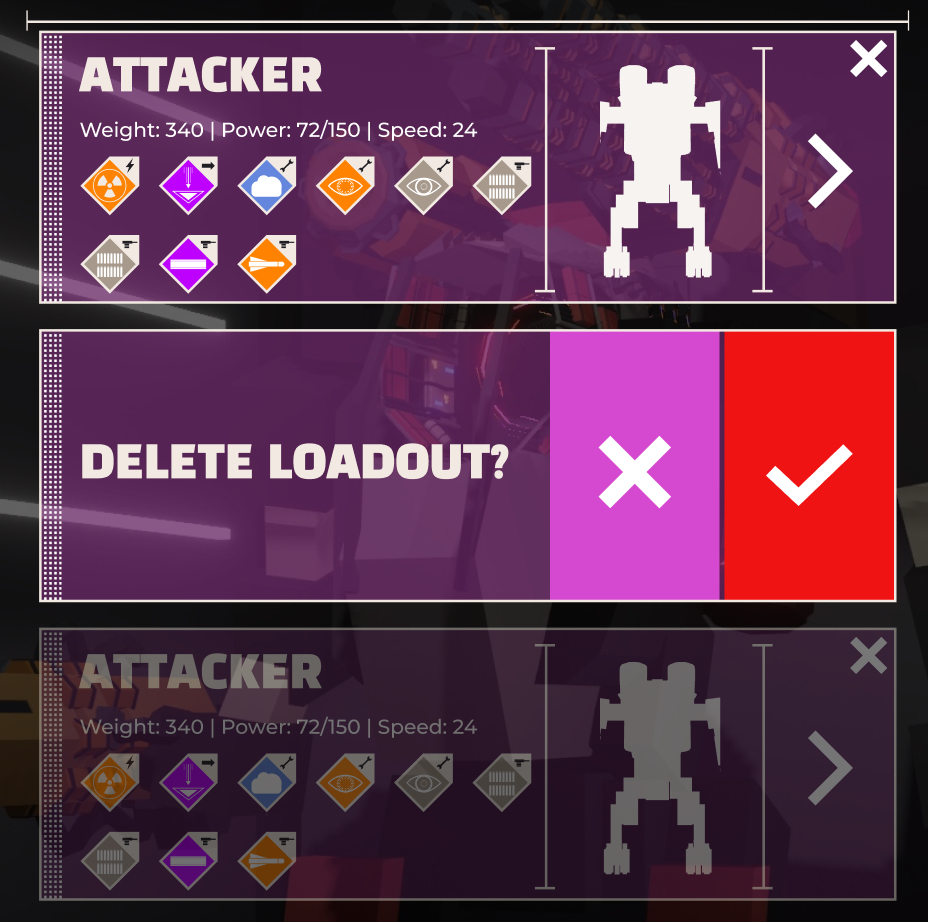
One last issue I came up against was modular cells in lists. Most of the lists in Exoloper contain a single button, so the solution there was to focus the first cell in a list, and listen for submit on each button to select the item, pretty easy. But! There's some more complicated cells. In particular, the Loadout list cell has multiple interactions. Count the amount of buttons in the various states.. i dare ye
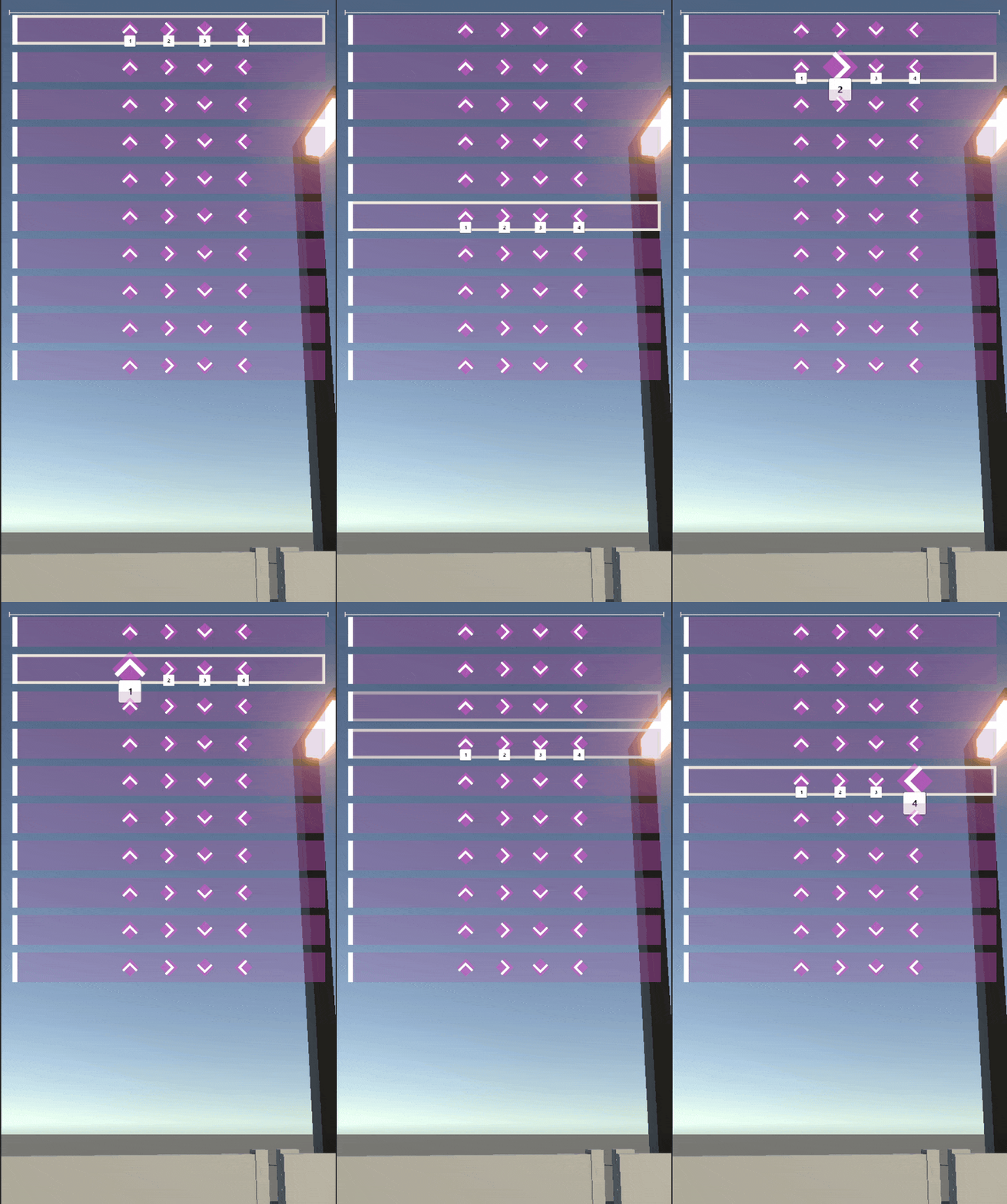
This jam packed button works well for touch, but immediately fell apart for controllers. The default navigation had the player foccusing on the delete button of the first cell in the list, then scrolling down to "select" losing focus when delete was pressed and more. I sat on this one for a long time, trying to figure out an ideal solution, should I redesign the cell for controllers? should I have distinct states the cell could be in for each interaction. In the end I slightly modified the cell so that each cell-button was linked to a controller interaction, and by default none of those interactions are valid. They become valid when the cell is active, maintaining focus, and delivering cell-complexity in one fell swoop.

This stuff isn't rocket science, but it's only possible because of making a better underlying architecture to the game. Most seasoned UI devs would probably look at this and go "duh" or even probably "why aren't you using this easier approach" but for me, this is now both elegant and maintainable.

Exoloper Tasks completed:

  • Implement core controller UI navigation systems
  • Implement hint button systems for controllers
  • Implement controller navigation across pages
    • Main Menu
    • Roster
    • New Campaign
    • Edit Unit
    • Settings
    • Campaign
    • Tutorial

Heads Up

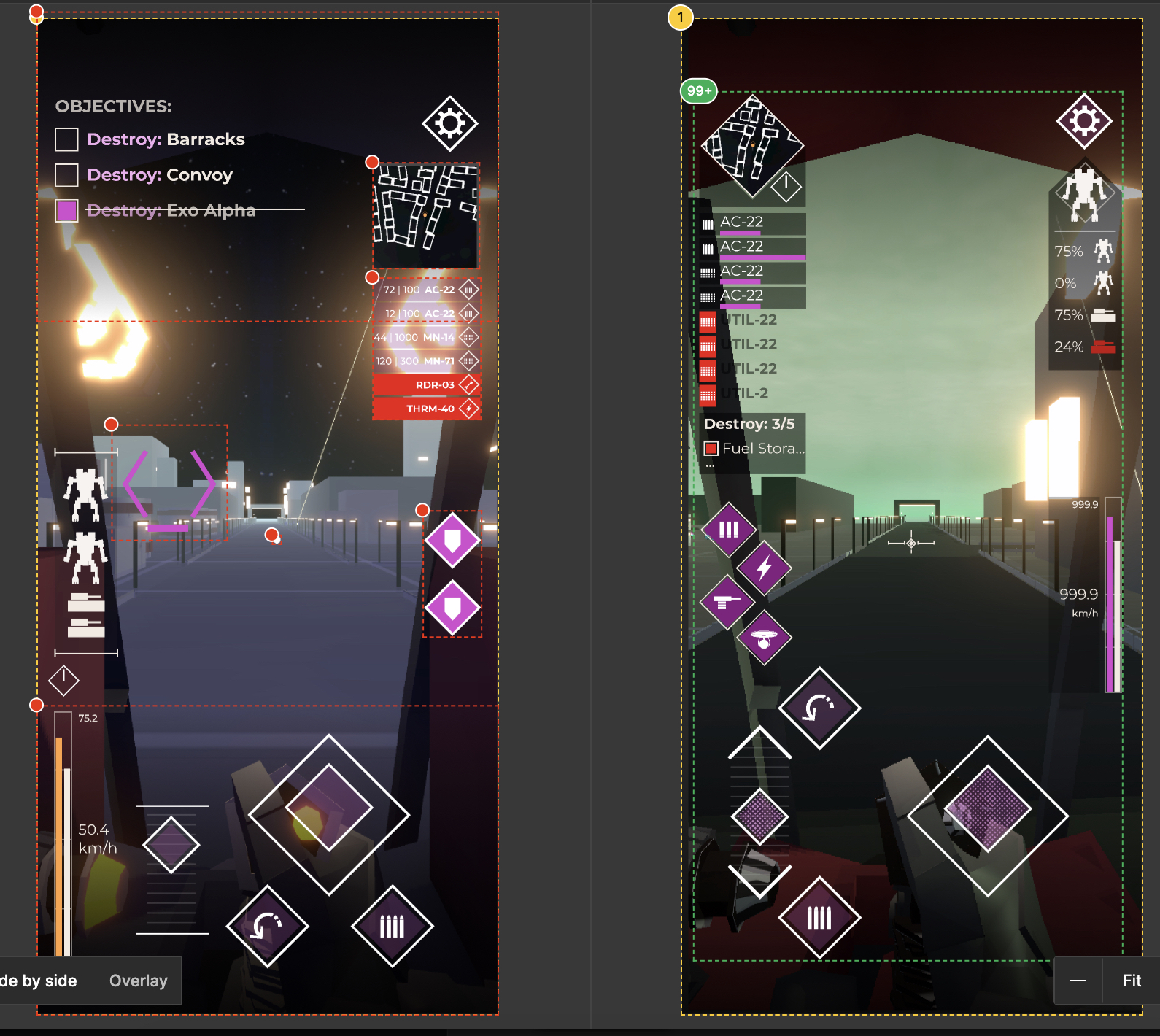
This week was mostly focussed on getting the game's heads up display working nicely. I spent some time rethinking my designs a bit in Figma on monday, trying to differentiate the HUD a bit from the rest of the games UI language, and also trying to make it feel.... less utilitarian here you can see the changes from old on the left, to new on the right.
Its no master work of UI design, but its certainly different to the old layout! There's a couple small details I added like the dot texture on the touch controls, the repeated diamond shapes across the UI, reprioritising the colours in the loadout view etc. It still feels crowded, but I'm not sure there's much I can do about that, pretty much every element on screen is necessary, and there's many elements that could be added! Honestly I can't say I'm happy with it, but you have to stop working on stuff at some point and this will do.

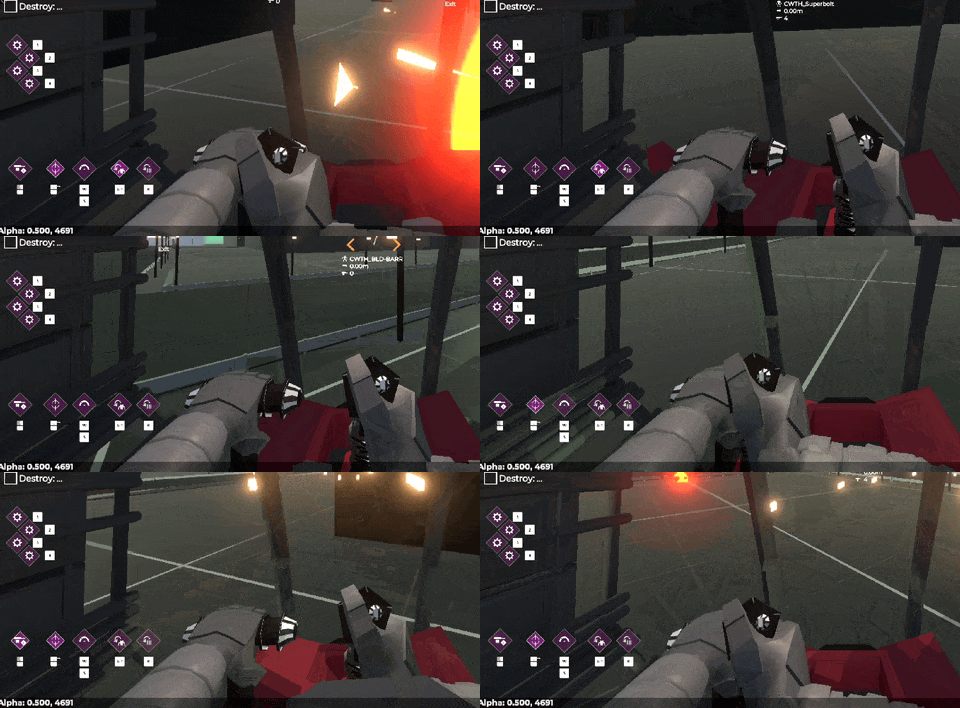
Once the design was "done" I went onto implementation, this included reworking most of the HUD in such a way that it could be responsive (aka, the same work I've been doing over the past few months) but also in ways that respond to the player's control choices. In the menu, supporting controllers is relatively simple, make sure every button flows onto another in some way, and show indicators. For the game UI you need to show indicators, interactions and more. What I've done in Exoloper that's different to Interloper is having two completely seperate views for interaction. one for Touch and one for Control-Indicators. In Interloper I simply hid the touch controls, and left some buttons (namely utilities and reloads) active. But here, like a good programmer I'm separating my concerns.

I built the control indicators to not just have onscreen indicators for their use, but also to show when they're being interacted with. This way, it should be relatively quick for new players to identify what buttons are doing which actions.

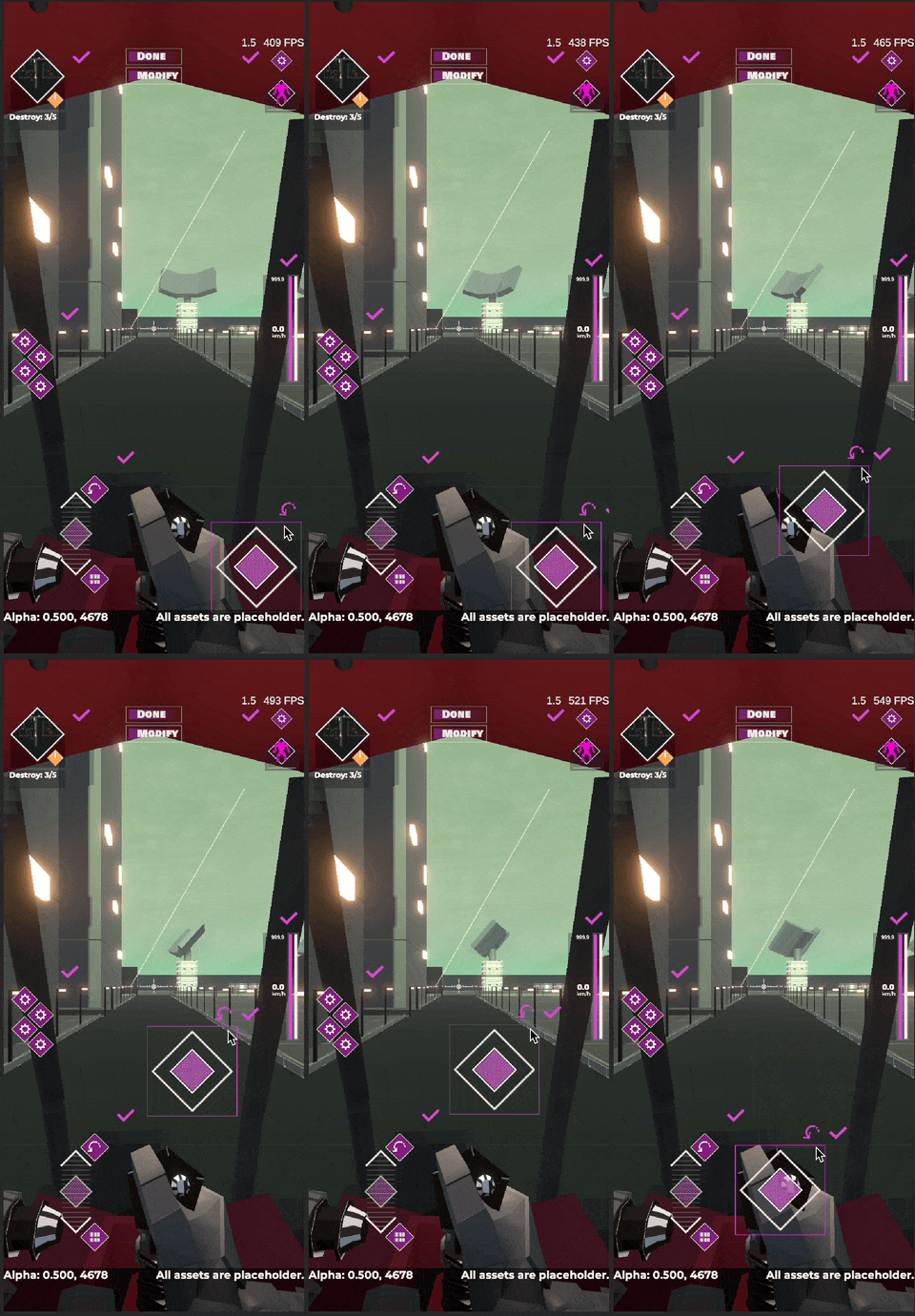
But, now there's visual clutter. Let me introduce you to another feature I did in Interloper that kinda sucked, and is much better this time around: UI Reorganisation. A staple of mobile games with a ton of onscreen controls, but something I think most games could benefit from. Its a mode you can go into in settings to reposition your UI in a way that suits you. It currently just allows for scale and position, but will also allow for turning elements on and off.

All in all I'm pretty happy with the progress made this week, Hoping that next week will wrap up the work on the HUD, leaving just one last UI screen to make (item compare) and then I'm onto more juicy gameplay stuff.

Exoloper Tasks completed:

  • UI: HUD - Controller Indicators
  • UI: In Game - Controller controls
  • UI: In Game - ally information
  • UI-Rework: Heads Up Display
  • UI: Hide Prev unit button in Roster when theres only one unit
  • UI: Update design for Difficult Choice buttons
  • UI-Rework: Campaign Map Page
  • UI: Campaign source bar needs to be left aligned, fuel gauge is funky.
  • UI: Validation warnings for campaign drops need work
  • Bug: mouse and keyboard input doesn't work in editor
  • Bug: Campaign 0 isn't auto selected on campaign page on device